AI Office Lady Generator
Upload your portrait, choose an outfit and setting, and create a professional look.
Upload a photo of yourself or an adult who has agreed to the edit. Try a business-casual outfit for a profile or lookbook, then compare the portrait with your original. This page generates one 3:4 image per run and shows the cost before you start.
Try the cream blazer from the tested portrait
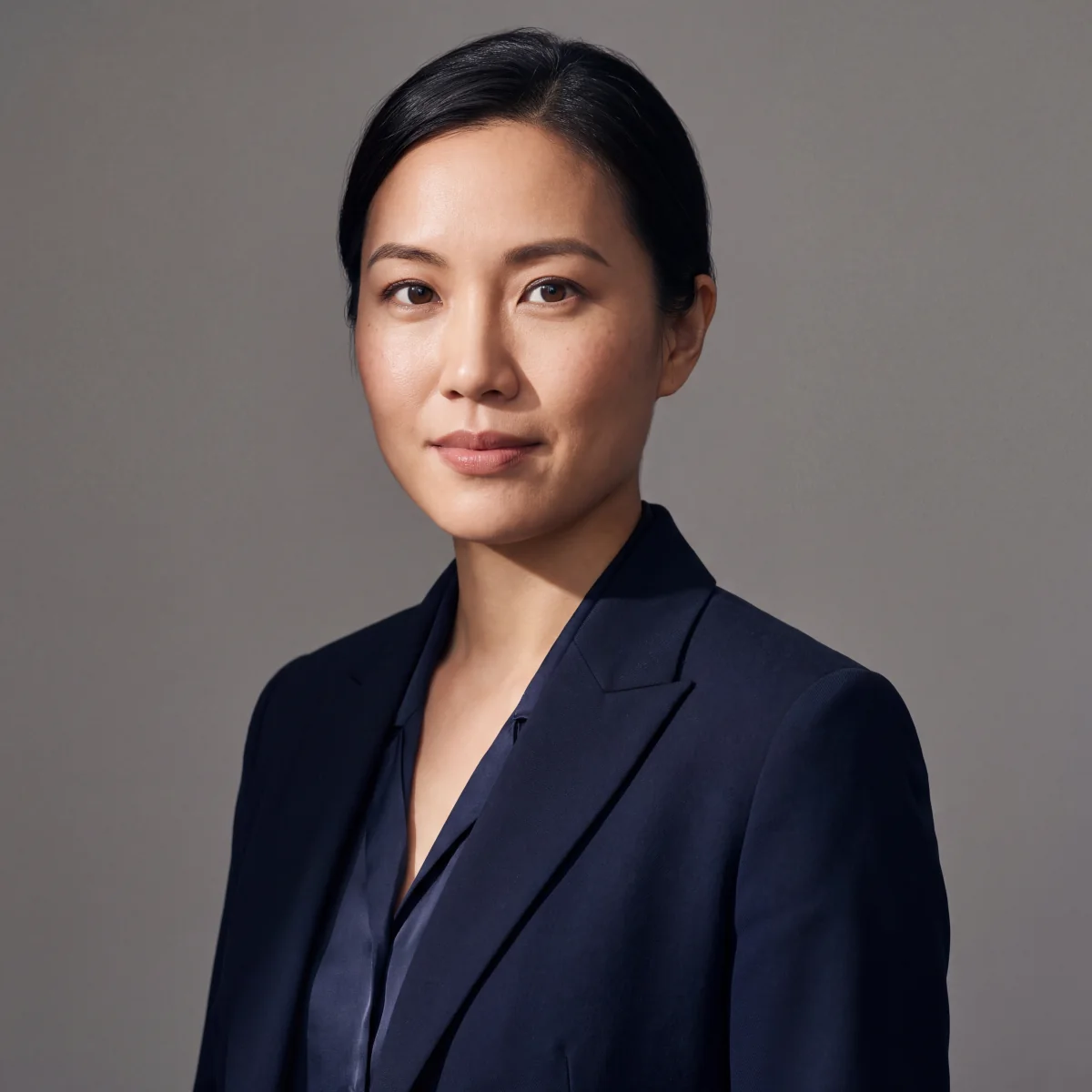
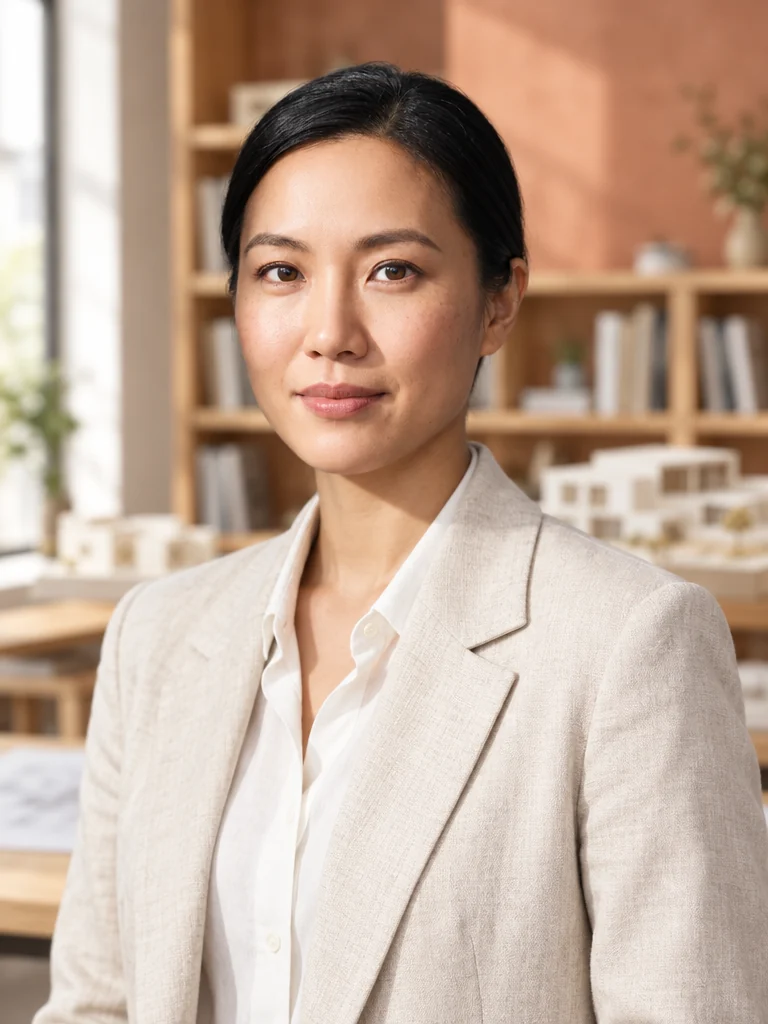
The reference portrait showed a navy blazer against a gray backdrop. In the tested result, the subject wears a cream linen blazer and a light shirt in an architecture studio. That run used GPT Image 2.5 and one reference photo to produce one 1K, 3:4 image.
Select “Make one like this” when the tested example is available to load its prompt, then add your own reference photo. For an outfit variation, replace “cream linen blazer” with “charcoal wool blazer” and keep the window light, eye-level framing, and studio background in the prompt. Check the displayed cost before generating. The Business casual preset also gives you a starting prompt you can edit.
Business casual versus business formal
Business formal means a matching two-piece suit with a defined waist and darker palette. Business casual means separates that read professional without matching: a fine-gauge knit with tailored trousers, a midi skirt with a tucked shirt, or a soft blazer over straight-leg denim. State which you want because 'office outfit' is too vague.
For a series, keep the setting and light descriptions consistent while changing one garment block at a time; this can improve the set's visual coherence, though it cannot guarantee the same face or background across generations.
Fabric words that make tailoring look real
Clothing reads as tailored only when the fabric is named. Use 'fine merino knit', 'fluid crepe trousers', 'structured wool blazer with lapels', 'silk-blend blouse with a soft drape', 'high-waisted straight-leg denim'. Avoid generic words like 'elegant outfit', which produce flat, textureless clothing. Fabric detail costs nothing extra in the prompt and does most of the realism work. If a blazer looks like cardboard, add 'soft shoulder line, natural drape, slight fabric texture' rather than repeating the garment name.
Settings where an AI office lady sits in a real workplace
Three environments carry this look. A glass-walled meeting room with 'soft daylight from full-height windows, blinds casting faint horizontal shadows, out-of-focus city beyond'. A quiet corner office with 'warm desk lamp key, cool monitor fill, shallow depth of field'. A coworking lounge with 'diffused overhead light, plants blurred in the background, mid-tone background'. Do not name a real company, and avoid logos. If the background becomes noisy, add 'background deliberately out of focus, smooth tonal falloff' before changing anything else.
Camera language for professional framing
Framing decides the register. A waist-up portrait with an eye-level camera reads as a leadership profile; a shoulder-up crop with even light suits a biography; a seated three-quarter view with desk and hands visible reads as working rather than posing. This guided page generates one 3:4 portrait per run. If a client needs 4:5, 1:1, or 3:2, leave room around the subject and crop the saved result when possible. For another generation ratio, open the full Image Studio.
Keep camera language consistent across a wardrobe set, then review every output for continuity.
Prompt templates for three AI office lady wardrobe directions
Upload one approved portrait first, then choose a wardrobe direction. Leadership knit: 'the adult person in the reference photo, charcoal merino turtleneck and sand crepe trousers, glass meeting room, soft window light, waist-up, calm expression'. Creative-casual: 'the same person, cream linen blazer over a white tee and straight-leg denim, coworking lounge, blurred plants, shoulders-up, natural half-smile'. Presentation-day: 'the same person seated at a desk in a midnight blazer, notepad and pen, warm lamp light and cool screen fill, hands visible'.
The guided tool uses 3:4 for each image; crop an approved result for other formats or open the full Image Studio for another supported generation ratio. Compare the face with the uploaded photo before use.
Model and credit cost on this page
This guided page selects a compatible live model for your uploaded photo and shows the cost before generating one 3:4 portrait. Test one wardrobe direction first, then inspect lapels, fabric texture, hands, and facial likeness before making the next look. A reference image can help, but no model guarantees the same face across a series. To choose a model or other supported settings yourself, open the full Image Studio.
Eligible new accounts can use one welcome voucher for one qualifying GPT Image 2.5 still; other models and later runs use credits.
Where business portrait renders go wrong
Recurring problems are easy to diagnose. Hands disappear into a pocket or merge with the desk — fix with 'hands visible and relaxed'. The background turns into unreadable pseudo-text — fix with 'blurred background, no readable signage'. Skin and hair drift toward a stock-photo look — fix by naming hair colour and cut, changing only that. Wardrobe collapse, where the blazer merges into the shirt, is a layering problem: describe the blazer as open with visible lapels and its own colour.
Best fits and limits for this workflow
This workflow suits adults exploring their own professional profile, with one photo uploaded as the reference. It can also support lookbook mock-ups, drama pre-visualisation, and internal style guides using an approved person or a synthetic reference portrait. Get permission before using someone else’s identifiable image. The model may change facial details, clothing, hands, and brand colours, so review the output and label it appropriately.
A generated portrait should not be passed off as an unedited employee photograph or as proof of employment; use a real shoot when accurate identity, garments, or products matter.
Check the finished portrait against your reference
Open the two images side by side and compare the eyes, nose, and jawline before judging the outfit. Check the lapel edges and the boundary between the shirt and jacket. Look at the hands if they are in frame, and scan the background for stray lettering.
For a second pass, keep the same reference photo and fix the detail that matters most. If the blazer and shirt merge, give them distinct colors and ask for visible lapels. If the face has drifted, simplify the outfit change and review the next result before using it.
Lighting, camera, and background settings for office portraits
Three settings carry most of the realism. Key light: name a real source and its position — "soft daylight from a window to camera left, gentle falloff across the shoulder" — because "professional lighting" produces a generic studio look. Camera: write the height and the lens every time; "eye-level, 50mm, subject slightly off-centre" reads as considered, while an unstated camera drifts. Background: keep it mid-depth. A fully sharp background looks like a backdrop, and a fully blurred one hides the setting that sells the workplace.
Depth of field at f/2.8 to f/4 territory gives you an office without losing the person. And keep the colour temperature honest — mixed lighting (a warm lamp against a cool screen) is exactly what makes AI office renders look synthetic.
Why business portraits drift into fashion editorial
The most common failure is not a bad face; it is a styling drift toward editorial fashion, which is why these renders get rejected from internal decks. The causes are identifiable. Garment adjectives: "elegant", "sophisticated", and "high-end" push the model toward a campaign look. Camera language: shallow depth of field plus a low angle plus a turned body reads as a fashion shoot. Skin: heavy beauty keywords remove the texture that a working day would have.
The fix is structural — describe garments as fabric and cut, keep the camera at eye level with a moderate lens, describe the light as a real source in a real room, and leave the skin alone. If the result still reads as fashion, remove one garment adjective rather than adding a new one.
What a six-look wardrobe range costs in credits
This guided page makes one 3:4 portrait per run and shows the actual cost before generation. Upload one approved adult photo, try a wardrobe direction, inspect the camera, light, and garments, then make only the looks you need. Compare each output with the source photo; the reference can guide but cannot guarantee identity. A six-look set has no fixed number of runs or credits. For a different ratio or adjustable image settings, open the full Image Studio.
Eligible new accounts have one voucher for a qualifying GPT Image 2.5 still; further runs use credits.
When to use an AI office lady and when to book a photographer instead
Use this page to explore a consented adult person’s business portrait before choosing a final photograph: profile concepts, wardrobe references, brand drafts, and internal style guides. The tool requires one uploaded photo and attempts to preserve the person’s recognizable features, but outputs are generated interpretations. Check the face, hands, fabric, and colour before publishing; tell viewers when an image is AI edited if its context could mislead them. For a verified staff portrait, exact product placement, or faithful garment colour, arrange a real photograph.
A synthetic reference can also be used for a fictional concept, provided it is not presented as a real employee.
Examples
Example prompts
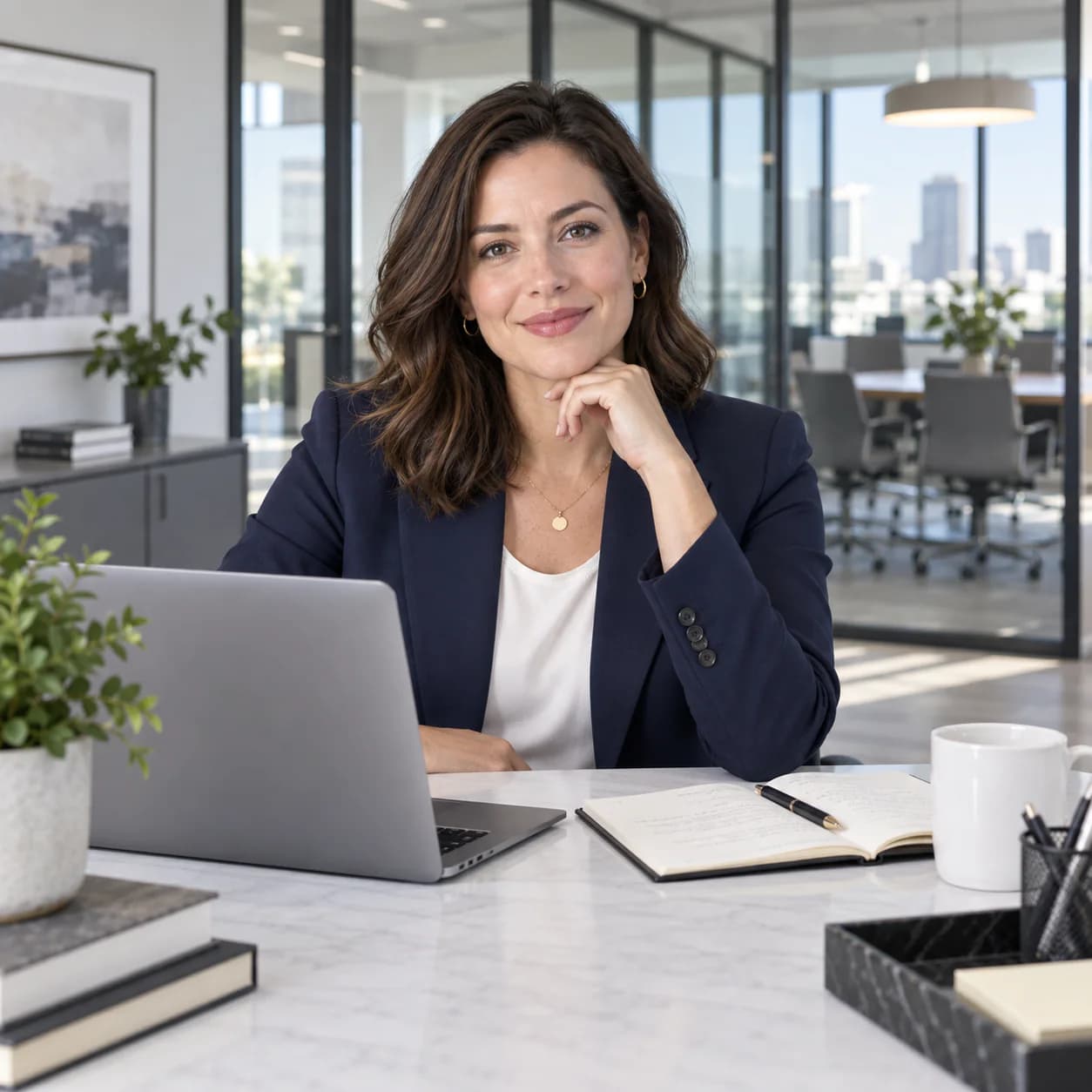
Use the adult person in the uploaded reference photo for a business-casual portrait: tailored navy blazer at a modern office desk, laptop and glass meeting rooms, clean daylight corporate editorial photography. Preserve recognizable features as closely as the model permits.
FAQ
- What is the difference between business casual and business formal in a prompt?
- Business formal is a matching two-piece suit with a defined waist and a darker palette. Business casual is separates that still read professional: a knit with tailored trousers, a midi skirt with a tucked shirt, a soft blazer over straight-leg denim. State which one you want because 'office outfit' is too vague, and change only the garment block when building a series.
- How do I keep the same face across a wardrobe series?
- Upload one photo of yourself or an adult who has agreed to this use. Keep framing, lighting, and setting descriptions consistent while changing the garment block one item at a time. Compare each result with the source photo: the reference guides the model but does not guarantee an identical face. Get permission before uploading someone else’s image.
- Can I generate an office lady portrait for my company website?
- You can create an AI edited professional portrait from your own photo or from an adult’s photo with their permission. Review likeness and usage rights before publishing, and do not present the generated result as an unedited staff photograph or proof that a person works for your company. For verified employee imagery, use an approved real shoot.
- Why does my business portrait background turn into unreadable text?
- Models try to render signage, window text, or monitor content, and it comes out as gibberish. Fix it by describing the background as tonal rather than informational: 'blurred background, no readable signage', 'soft city bokeh beyond the glass'. Naming a real company makes this worse, so avoid that and keep the background abstract.
- What fabric words make tailoring look convincing?
- Name the fabric and the cut: 'fine merino knit', 'fluid crepe trousers', 'structured wool blazer with lapels', 'silk-blend blouse with soft drape'. Generic words like 'elegant outfit' produce flat, textureless clothing. If a blazer looks stiff like cardboard, add 'soft shoulder line, natural drape, slight fabric texture' instead of repeating the garment name.
- Does this page open a separate business portrait app?
- This guided page uses one uploaded photo, a compatible live model, and a fixed 3:4 portrait format. It shows the cost before each one-image run. Choose a wardrobe style or edit the prompt here; for manual model, ratio, or resolution settings, open the full Image Studio. Another look requires another run and may use credits.
Related generators
- AI Avatar Generator — Consistent Faces
- AI Fashion Model Generator
- AI Flight Attendant Generator
- AI Friendship Photo Generator for Two Friends
- AI Funny Photo Generator
- AI Girl Generator
- AI Group Photo Generator
- AI Influencer Generator
- AI Portrait Generator
- AI Soft Girl Portrait Generator
- AI Action Figure Generator
- AI Caricature Generator