Features
AI Girl Generator
By Ofrai Editorial (Use Case Research)
An AI girl generator earns its keep when the third image still resembles the first, which is why face consistency matters more than any single hero render. On Ofrai you open Image Studio, pick a model from nano-banana-pro, gpt-image-2, flux-2, and seedream-5, and write a subject block you can reuse: age range, face features, hair, and wardrobe, kept identical across every variation. You change only the environment, lighting, and camera between renders. That way a wardrobe set, a lookbook, or a series of social portraits comes out of one prompt skeleton instead of ten unrelated people.
New accounts include 1 free GPT Image 2.5 generation. Other models and video use credits.
Example prompts
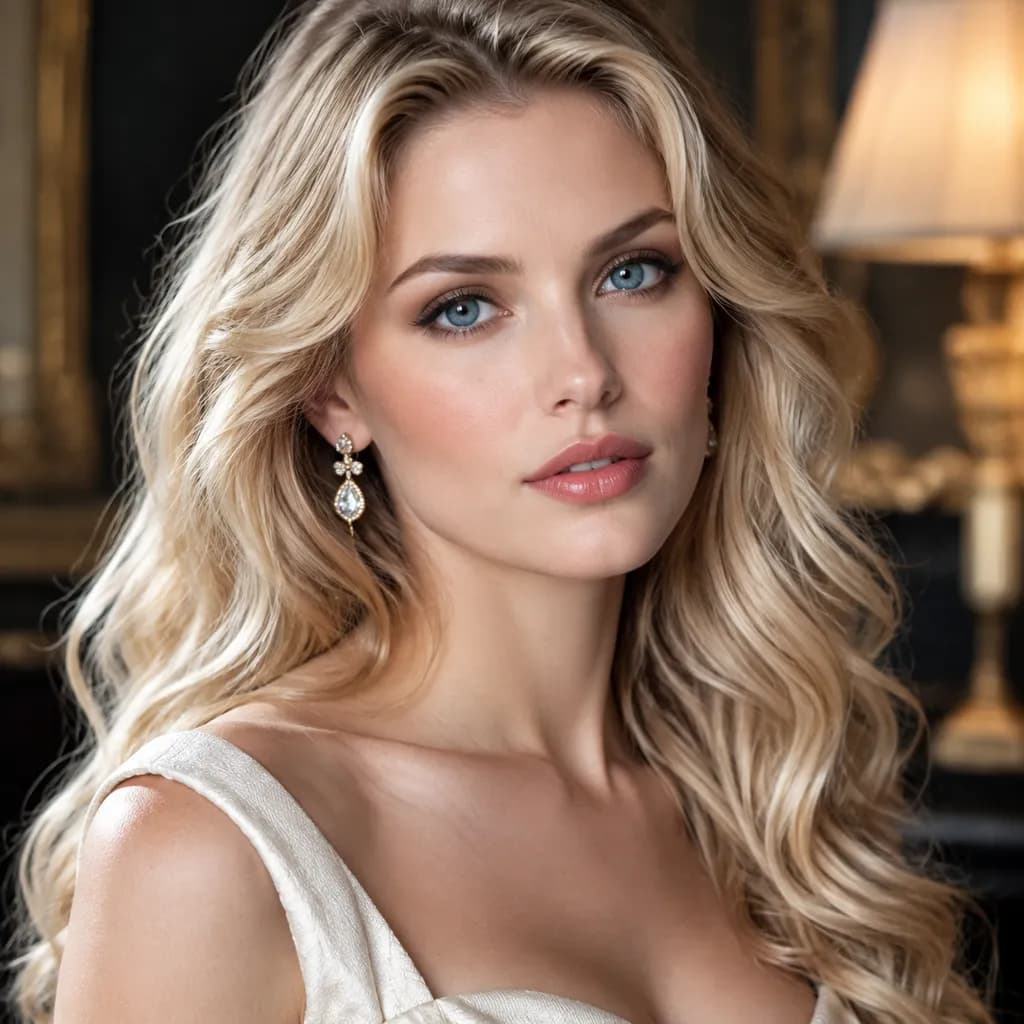
Adult woman in an elegant cream dress with delicate gold earrings, warm interior lighting, polished beauty editorial portrait, natural skin texture.
Locking a face before you vary anything in an AI girl set
Write the identity block once and never edit it mid-series: "early twenties, dark straight shoulder-length hair, faint freckles across the nose, defined brows, calm expression." Change only clothing, location, and light. Models drift when the description is rewritten loosely each time — "a young woman with black hair" pulls in a different person on every call. If you already have a face you like, upload it as a reference image and keep that file for the whole set; reference-guided runs hold identity far more reliably than text alone.
Building a wardrobe set from one prompt skeleton
Generate the base portrait first, then produce variations by swapping a single clause: swap the background, then the outfit, then the lighting. Ten images from ten different prompts will never match; ten images from one skeleton with one variable changed will. Publish the set as a lookbook grid and the coherence reads as intentional styling.
Choosing a look: studio, street, or illustration
Photographic sets want specific light language — "soft north-facing window light, shallow depth of field, 85mm portrait lens, neutral backdrop" — and read better on gpt-image-2 or nano-banana-pro. Street and lifestyle sets need environmental prompts rather than studio ones: overcast daylight, wet pavement, motion in the background.
If you want drawn or anime output, say so explicitly and pick a model that renders illustration conventions, since asking a photo-first model for anime often returns a photo with a filter. flux-2 leans stylised; seedream-5 leans photographic.
Using reference images to keep a face consistent
A reference image fixes the identity — useful when you want the same person in different scenes. For portrait sets, references win. Keep one reference per character and reuse it across a whole wardrobe run. If your chosen model does not expose a seed field, rely on the reference and keep your prompt skeleton byte-identical between calls, which still cuts variation noticeably.
What each Ofrai model does best with faces
gpt-image-2 gives the most natural skin texture and the most reliable close-up faces, which makes it the safe pick for head-and-shoulders portraits. nano-banana-pro follows a long identity block faithfully and holds up across a large batch. flux-2 is fast and cheap for exploring outfits and backgrounds before you commit. seedream-5 handles environmental context and wardrobe detail, though it occasionally over-stylises skin toward a glossy look. A practical run: explore on flux-2, render the final set on nano-banana-pro.
Failure modes specific to portrait sets
Watch for four problems. Fingers and hands break when hands enter the frame near the bottom — crop tighter or restate the hand position. Wardrobe prints merge with hair when both are dark; separate them in the prompt with a lighter garment or rim light. Skin turns plastic when you stack beauty keywords like "flawless, perfect, glowing"; describe light instead of adjectives. And a face can drift between frames if you change the age wording; keep the identity block verbatim even when you think you are improving it.
Who should and should not use this workflow
This suits content creators, fashion illustrators, game concept artists, and anyone building a character sheet or a personal lookbook where a recurring face is the point. It is a weaker fit if you need photoreal identity preservation of a real, identifiable person, or if you need a face that stays byte-identical across dozens of frames — generative models will not guarantee that. For anything regulated, such as ID-style imagery or dating profiles implying real people, generate clearly fictional characters instead.
Four AI girl portrait prompts to paste straight in
Studio headshot: "early twenties woman, dark straight shoulder-length hair, faint freckles across the nose, calm expression, wearing a cream ribbed knit, soft north-facing window light, plain grey backdrop, 85mm lens, shallow depth of field, natural skin texture." Street lifestyle: "same subject, oversized denim jacket, walking on wet pavement at dusk, overcast daylight, out-of-focus pedestrians behind, 35mm, candid framing from chest up."
Fashion e-commerce: "same subject, structured black blazer, standing against a seamless bone-white sweep, even two-light studio setup, full body, sharp focus from collar to hem." Illustrated: "same subject rendered as a clean anime-style character design, flat cel shading, plain colour background, three-quarter view, no photoreal texture." Each one repeats the identity sentence unchanged and touches only wardrobe, environment, and lens. That is the whole trick.
Framing and ratio decisions before the first render
Choose one ratio for the entire set and write it down, because changing ratio recomposes the crop and changes how much of the face the viewer actually sees. 3:4 portrait is the safe default for a lookbook grid, 1:1 suits avatars and social profile covers, and 2:3 leaves room for full-body fashion shots. State headroom explicitly — "eyes on the upper third, clear space above the head for a caption" — because otherwise the model centres the face and crops the hair.
If the set mixes close-ups with full-body frames, render two ratios deliberately and label them rather than asking one image to do both jobs.
The batch settings that keep a set from drifting
Use one approved reference image if the model accepts references. Keep the model and aspect ratio the same, and start with a small batch so you can check the face before generating the rest.
What a twelve-image AI girl lookbook costs in credits
Count the work in passes. Explore: twelve cheap flux-2 renders to settle wardrobe and background, at a fraction of the final model's cost. Refine: four nano-banana-pro renders of the two best prompts, plus one reference-guided render to confirm the face survives the upgrade. Final: eight images at your chosen ratio, which is the actual deliverable.
That lands near twenty-five renders for a twelve-image set, and on Ofrai every one of them draws on a single shared credit balance, so you can move a whole campaign between models without switching plans. For a one-off personal set, cut the explore pass to six and render eight finals instead of twelve.
Choosing the keeper from a contact sheet
Do not judge a portrait on a single frame at full size. Lay six candidates side by side at thumbnail scale and ask three questions. Is the face still legible at the size your grid will actually show? Do the eyes meet the camera rather than slide past it? Is the lighting doing work, or is it a flat frontal wash? The frame that wins on all three usually beats the technically sharper one.
How this differs from a character sheet or an avatar generator
A character sheet generator is built for turnaround: front, three-quarter, profile, and back views on a neutral background with the costume described flat and evenly lit. This workflow is built for photographic sets in real environments. An avatar generator optimises one head-and-shoulders image that must stay readable at forty pixels, usually with a simplified background and flatter light. If you need consistency across camera angles for design work, go to the character sheet page. If you need a single small identity image, use the avatar page.
Use this page when the deliverable is a series of photographic portraits that share one face.
FAQ
- How do I keep the same face across multiple images?
- Write the identity block once and change only environment, clothing, and lighting between calls. Uploading one reference image and reusing it across the set holds identity far more reliably than text alone, and gpt-image-2 and nano-banana-pro are the most consistent of the four models.
- How can I keep the same face across generations?
- Check the settings shown for the selected model, and preview the output before running a batch. A reference image holds the identity, which suits the same character in different scenes. For portrait sets and character sheets, references are the stronger tool.
- Can I make anime or illustrated portraits instead of photos?
- Yes, but name the medium explicitly in the prompt and pick a model that renders illustration conventions. Asking a photo-first model for anime often returns a photograph with a filter applied. flux-2 leans stylised and seedream-5 leans photographic, so choose accordingly.
- Why do the faces drift between my batch results?
- Drift almost always comes from a reworded identity block. Changing the age range, rewriting hair description in different words, or adding adjectives like "beautiful" pulls a different face each call. Keep the identity sentences verbatim and vary only the setting, outfit, and light.
- Which model gives the most natural-looking faces?
- gpt-image-2 produces the most natural skin texture and holds up best in close-up portraits. nano-banana-pro is the most reliable for a long identity block across a big batch, flux-2 is cheapest for exploration, and seedream-5 leans environmental with occasional glossy skin.
- Is it appropriate to generate images of real, identifiable people?
- This workflow is built for fictional characters and original characters, which is what most creators need. Do not use it to depict real identifiable people in a way they did not consent to, and avoid anything that implies a real person in an endorsement, dating, or identity-document context.
Related generators
- AI Avatar Generator — Consistent Faces
- AI Fashion Model Generator
- AI Flight Attendant Generator
- AI Friendship Photo Generator for Two Friends
- AI Funny Photo Generator
- AI Group Photo Generator
- AI Influencer Generator
- AI Office Lady Generator
- AI Portrait Generator
- AI Soft Girl Portrait Generator
- AI Action Figure Generator
- AI Caricature Generator