Features
AI Caricature Generator
By Ofrai Editorial (Use Case Research)
An AI caricature generator turns a photograph into a drawn likeness where specific features are exaggerated rather than everything being made small and cute. Upload a front-facing photo, describe which features to push — heavy brows, a wide nose, round cheeks, a strong jaw — and generate in Ofrai Image Studio. Exaggerate two features, not six: a caricature stops reading as a person once everything is enlarged at once. For silly reaction shots without drawn exaggeration, use the funny photo generator; for mascot stickers, use chibi.
New accounts include 1 free GPT Image 2.5 generation. Other models and video use credits.
Example prompts
Exaggerated caricature portrait, amplified features
What makes a caricature still read as a person
Likeness in caricature comes from one or two features carried all the way, while the rest stays roughly normal. Pick what someone would notice first: a strong nose, heavy brows, a receding hairline, a round face, a permanent squint. Then anchor the pose and clothing so the viewer has a second confirmation: 'same person as the reference, arms folded, wearing a navy coat'. Blur the background to a flat wash so all attention lands on the drawing itself.
Choosing how far to exaggerate
There is a usable range and it is narrower than people expect. Head at 1.4 times scale with two features pushed is a classic caricature. Head at 1.8 times with one feature pushed is a cartoon. Beyond roughly two times head scale, models start inventing new features and the likeness breaks. State the ratio and the features together — 'head enlarged 1.6 times, brows and nose exaggerated, eyes and mouth near normal' — so the model has a scale limit.
Pencil, ink, and painted board styles
Four styles cover most commissions. Pencil: soft graphite, visible hatching, white paper, warm and hand-made. Ink and wash: bold contour line, minimal shading, one accent colour, best for print and logos. Painted board: opaque gouache on board, heavy blacks, the traditional fairground look. Airbrush on acrylic: smooth gradient shading with a hard outline, glossy and commercial. Name the medium and the support, because 'sketchy' alone produces an ambiguous grey drawing.
Building a family lineup from several photos
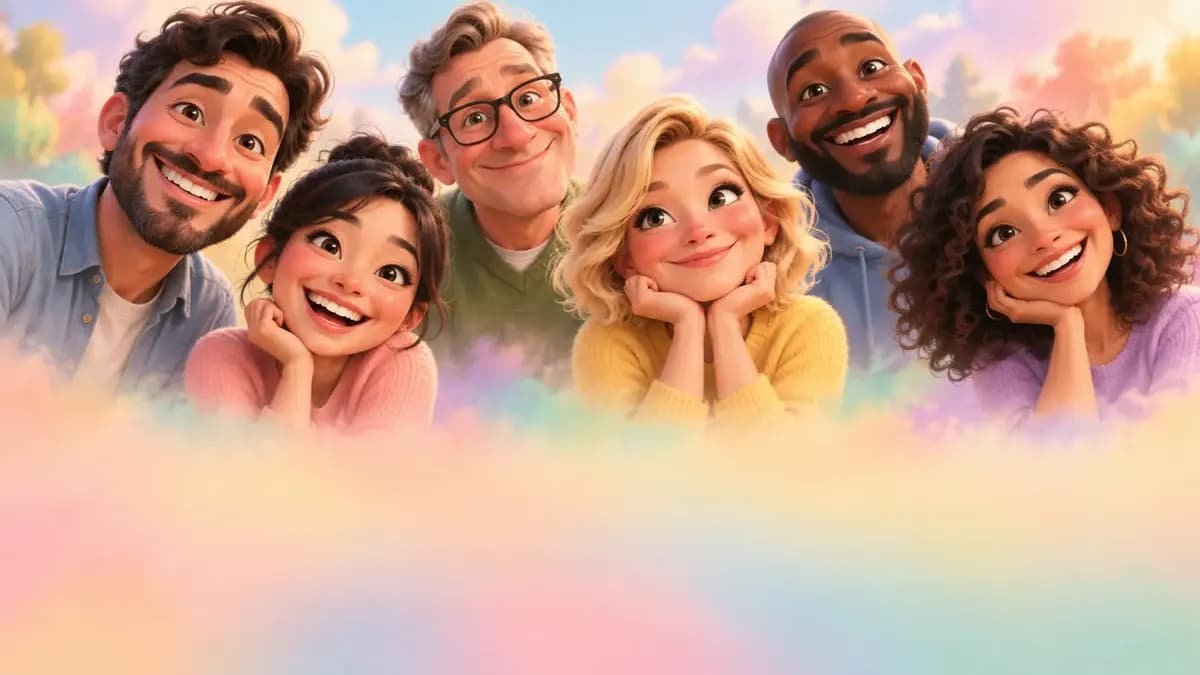
Group caricatures work when each face is generated separately first, then composited into one shared frame. Generate each person as a single-subject portrait with the same style sentence, the same medium, and the same head-scale ratio, then combine the images and ask for a consistent background wash across the group. Generating the whole family in one shot usually gives you similar-looking strangers, because the model shares one average face between them.
Which model holds line quality
gpt-image-2 is the best fit for drawn output because it follows multi-part style instructions most literally, and clean contour lines are an instruction-following problem. nano-banana-pro is the pick when likeness must come from a reference photo — upload it and describe the exaggeration, not the face. flux-2 is fine for cheap drafts of the pose. seedream-5 suits painterly or storybook caricature styles with visible brush texture. Draft the pose on flux-2 first when you are commissioning a set of several people.
Framing for gifts and prints
Plan the crop before you generate. 4:5 or 3:4 suits a framed gift portrait with a small margin. 1:1 works for square gift prints and social posts. 16:9 suits a banner-style group. Ask for a clean white or flat-wash background with even margins rather than a scene, because a busy scene behind a drawing competes with the line work. If the piece will be printed, add 'pure white background, no drop shadow, no vignette'.
Fixing generic faces and lost likeness
Two failures dominate. A generic face means no feature was named — go back and name two specific ones with landmarks like 'brows meet almost over the nose' or 'chin noticeably longer than the jaw is wide'. Lost likeness usually means the head scale was too large; reduce from 2 times to 1.6 and regenerate. If the drawing drifts toward generic cuteness, add 'real adult proportions elsewhere, not a cute doll style'.
Choosing caricature or photo-real stylisation
Not every portrait commission wants a drawn version. If the recipient wants recognisable but flattering, drop the exaggeration and ask for a photo-real stylised portrait with soft studio lighting — that is a different page and a different prompt shape. Use caricature when the point is personality: weddings, birthdays, corporate gifts, sports and school portraits where the joke is the point. If the brief says flattering rather than funny, treat it as a portrait commission instead.
Five caricature prompts with real exaggeration notes
Gouache board: 'caricature portrait of the man in the reference, head enlarged one point six times, heavy brows meeting almost over the nose, long chin, ears and mouth near normal proportions, opaque gouache on board, heavy confident blacks, flat warm cream background, three-quarter view, arms folded in a navy coat'.
Ink and wash: 'ink and watercolour caricature of the woman in the reference, head enlarged one point four times, round cheeks and a wide permanent squint, bold contour line, minimal shading, one accent colour of teal, white paper texture visible'. Pencil gift: 'graphite pencil caricature, soft hatching, head enlarged one point five times, high hairline, deep nasolabial lines, white paper, warm handmade feel, arms crossed, slight smile'.
Group board: 'four separate caricatures in a row on one sheet, each head enlarged one point six times, different hairstyles and clothing, consistent gouache treatment, plain shared background'. Event poster: 'head enlarged one point eight times, single feature pushed, body near normal, flat vector colour blocks, saturated background band'. The numbers in the head-scale clause are what keep these from drifting.
Head proportions and batch settings
Head scale is the only parameter worth treating as a hard setting on this page, so put it in the prompt twice — once with the exaggeration and once at the end as a limit. Batching matters here more than elsewhere, because a caricature fails on likeness in ways you cannot see until you compare: two heads at the same scale can look nothing alike. Generate four and compare them side by side.
Two useful variations: draft on a cheap engine to settle head scale and pose, then rerun only the approved combination on the engine that holds line quality.
How many generations a portrait commission takes
A single caricature portrait typically lands in six to twelve generations, and most of the early ones are spent discovering which two features to push. Commissioned sets are priced differently: a family of five with one consistent style usually runs forty to seventy generations, because every new sitter re-tests both the style sentence and the head scale. The single biggest saving is generating each person alone and compositing afterwards, which the group prompt almost never gets right on its own.
Draft every sitter at low resolution on the cheap engine until the likeness is acceptable, then rerun only those in colour and at full resolution. Quote the client for revisions in terms of changed features, not changed images, because changing one exaggerated feature regenerates the whole drawing regardless. Keep the approved final, the prompt, and the head scale note together in the library so a second commission for the same person is a rerun rather than a restart.
Caricature versus chibi and portrait stylisation
Use caricature when personality is the point and the recipient is meant to laugh. The tell is exaggeration of existing features at a roughly human scale, which keeps the drawing recognisable. Use a chibi page when the deliverable is a mascot, a sticker, a game asset, or merchandise, because those designs need a fixed silhouette and a locked proportion rather than a likeness.
Use photo-real stylisation when the brief says flattering rather than funny — a softened editorial portrait keeps the person's features and lightens them, which is a different prompt shape and a different commission. The most common misjudgement is pushing a caricature toward cuteness: adding 'cute doll style' to a prompt that should exaggerate a nose will produce a generic chibi face. If you catch yourself describing the person as adorable, stop and describe what someone would notice first about their face instead.
Delivering a caricature set: crop, border, print
Plan the delivery format before generating the last drawing, because the crop is easier to plan than to repair. A framed gift portrait wants a small even margin, so ask for a plain background with generous empty space and no drop shadow; a set of matched caricatures needs identical margins across every sheet, which is easier to guarantee by generating them all at the same ratio than by cropping later.
For print, generate at the largest size the engine offers and upscale, because ink line weight gains detail when enlarged and softens when reduced. If the client wants captions or names, keep them out of the render and typeset them on the mount or beneath the image, because generated lettering is unreliable and the failure is obvious at print size. Export the colour master even when the final artwork is monochrome ink, so the set can be reissued in another medium without regenerating every sitter.
Examples
FAQ
- How many features should a caricature exaggerate?
- Two, at most three. Caricature works by pushing one or two features all the way while the rest stay near normal, so the viewer reads personality plus likeness. Pushing six features at once produces a cartoon nobody recognises. Ask for the two landmarks in words, and generate each person separately.
- How do I keep the person recognisable?
- Name concrete landmarks rather than adjectives — brows that nearly meet, a chin longer than the jaw is wide, a receding hairline. Also anchor the pose and clothing, which gives the viewer a second confirmation beyond the face. A reference photo helps here too, using the image for likeness and words for exaggeration.
- Which model is best for drawn caricature styles?
- gpt-image-2, because clean contour lines and multi-part style instructions are a literal instruction-following task, and it follows them most strictly. If likeness comes from a reference photo, use nano-banana-pro and describe only the exaggeration. Check the line weight at final print size before you sign off.
- Can I make a caricature of a whole family?
- Yes, but generate each person separately in the same style, medium and head-scale ratio, then combine them into one shared frame and ask for a consistent background wash. Generating the whole family at once usually produces similar-looking strangers. Keep the head-scale ratio identical or the group will look unrelated.
- What ratio should I use for a printed caricature?
- 4:5 or 3:4 for a framed gift portrait with a small margin, 1:1 for square gift prints and social, 16:9 for a banner-style group. Ask for a plain background with even margins so nothing competes with the drawing. Request any border in the prompt so the margins stay even.
- Can caricature images be used commercially for clients?
- Commercial rights follow the selected model's model terms and your plan. For paid commissions, review the model page first and keep a record of the engine and prompt used for each delivered piece. That record also answers a client's licensing questions later.
- What is an AI generated caricature?
- It is a drawn likeness from a photo or description that pushes one or two real features — brows, nose, jaw — while the rest stays near normal. That is different from a funny photo (same face, absurd situation) or a chibi (locked cute proportions). Use this page when personality and likeness matter more than a gag or a mascot.
- Caricature, funny photo, or chibi — which should I open?
- Open caricature for gift portraits and event likenesses with ink or paint styles. Open the funny photo generator for reaction images and meme-ready moments. Open chibi when you need a sticker or mascot silhouette. Mixing those intents in one prompt usually produces a generic cute face that nobody recognises.
Related generators
- AI Classical Portrait Generator
- AI Crayon Drawing Generator
- AI Friendship Photo Generator for Two Friends
- AI Funny Photo Generator
- AI Group Photo Generator
- AI Influencer Generator
- AI Poster Generator
- AI Scribble Drawing Generator
- AI Sticker Generator
- AI Avatar Generator — Consistent Faces
- AI Black And White Photo Generator
- AI Chibi Character Generator