Features
AI Action Figure Generator
By Ofrai Editorial (Use Case Research)
An AI action figure generator turns one photo or a short text brief into a collectible-style figure shot in retail packaging: blister tray, backing card, sculpted accessories and an acrylic display base. Upload the reference into Ofrai Image Studio, choose the engine that matches your source material, and generate. Lock the sculpt and composition on a fast model first, then spend credits on a hero engine for the final frame, and keep every variant in the same library for reshoots.
New accounts include 1 free GPT Image 2.5 generation. Other models and video use credits.
Example prompts
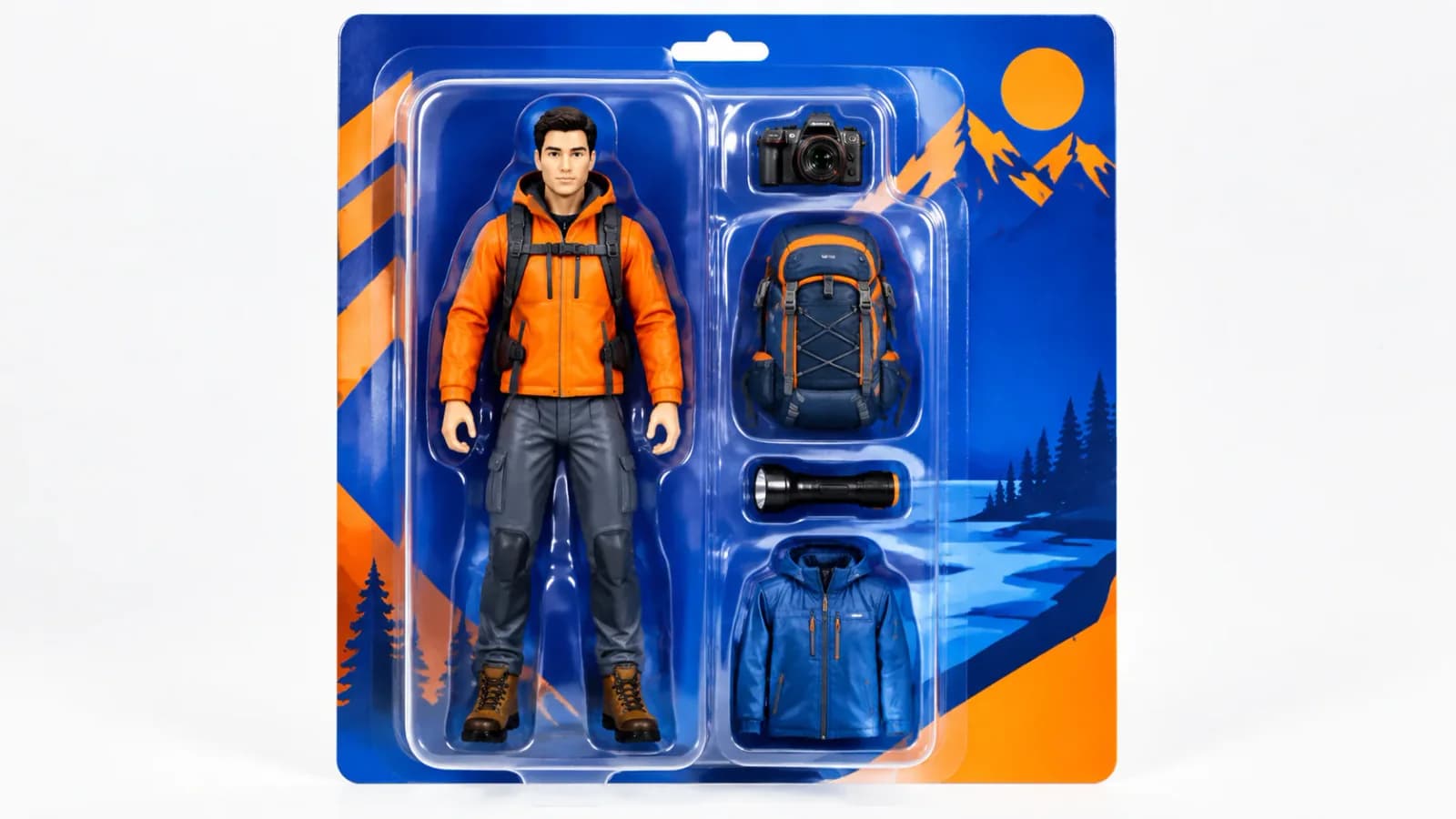
Original 1:12 scale adventure action figure in sealed clear blister packaging, blue-orange illustrated backing card, camera, backpack, flashlight and jacket accessories.
From one photo to a boxed AI action figure
Drop your reference photo into Image Studio, hold the frame at 1:1 or 4:5, and paste a prompt that names the toy category, the pose, and the packaging. A working first pass reads: 'collectible action figure of the man in the photo, molded PVC, ball-jointed shoulders and elbows, held boxing stance, retail blister pack on a printed backing card, acrylic display base, soft studio softbox lighting'.
Generate a batch of four, pick the sculpt that matches the reference, and upscale that one instead of re-rolling the whole prompt.
Prompt anatomy for a convincing figure sculpt
Split the prompt into four blocks. Identity: same face, short dark hair, trimmed beard. Sculpt: stylized 1:6 head-to-body ratio, exaggerated deltoids, panel-lined jacket. Material: matte injection-molded PVC, glossy eye lenses, metallic paint on the base. Packaging: windowed blister tray, corner protector, hang tab. Models fill gaps far more predictably when every block is one clause. Drop the blocks you do not need instead of stacking quality words like masterpiece or 8k, which cost tokens and pull the layout away from the reference.
Which engine handles which part of the job
nano-banana-pro is the reference-fidelity pick: upload the photo, ask for the figure version, and it holds facial structure and wardrobe colour better than pure text-to-image. gpt-image-2 follows instructions most literally, so it wins when your prompt already specifies tray geometry or a named brand mood. flux-2 is the quick, cheap way to block composition before you spend on polish. seedream-5 covers the painted collector-promo render, where the figure reads as illustration rather than photography.
Keeping the packaging card readable
Legible logos are the hardest requirement on this page. The reliable fix is to ask for 'blank hang tab, no legible text' and add your own card art in post after the render; that single change removes most garbled-type failures. If type must live inside the frame, keep it to one short uppercase word, centred on the card, and switch to gpt-image-2. Also add 'card art printed on the backing card only, never reflected in the acrylic' so the tray stays clean.
Accessories, joints, and believable scale
Collectors judge realism on the small parts. Name the joints (ball-jointed shoulders, swivel forearm, hidden ankle hinge) and the accessories (molded sword, interchangeable gloved hands, cloth cape), then state the scale twice because models drift after the first mention: '1/12 scale collectible, 15 cm tall'. Seat every accessory in a tray recess rather than letting it float, and add a printed scale reference bar behind the figure to anchor size against the packaging.
Framing the hero angle and lighting it
Three-quarter front, slightly above eye level, 85 mm equivalent, is the shelf-catalogue angle that sells this genre. Pair it with 'crisp specular highlight along the mould seams, deep soft shadow under the base, neutral grey sweep background'. The acrylic base needs exactly one clean reflection, so keep the background plain or the blister reads as mush. Generate a second variant at a low 20 mm hero angle for campaign key art and keep both in the library.
Fixing the four failure modes
Melted limbs, wrong proportions, plastic over-glow and floating accessories account for most rejected action-figure renders. Melted joints: state 'clearly separated hard plastic joints, visible seams' and downgrade 'explosive pose' to 'held pose'. Proportions: give the ratio explicitly and anchor a named style such as stylized 1:6 heroic. Over-glow: replace cinematic with even product lighting, matte finish. Floating gear: request that every accessory sits in a tray recess. Apply one fix per generation so you can tell which change actually helped.
Who should skip this workflow
Do not use it for likeness-critical work on people you cannot license, for reproducing real brand packaging, or for animation frames. This path is a still-image sculpt and package render, nothing more. If the figure needs to move, finish the still here and hand the winning frame to Video Studio as an image-to-video start, which locks the sculpt and asks the model to add motion only. Most agencies land between six and twelve generations for a single key art set.
Four AI action figure prompts to copy for a first run
Start from these and swap only the nouns.
Boxer in a blister: 'collectible boxing figure of the man in the reference, molded PVC, ball-jointed shoulders and elbows, held guard stance with both fists up, windowed blister tray on a printed backing card with no legible text, molded gloves and a spare pair seated in a tray recess, acrylic display base, even softbox product lighting'.
Sci-fi pilot: same tray and base, replace the sculpt clause with 'flight suit, molded helmet resting on the tray, coiled air hose beside the base'.
Retro robot: 'die-cast painted metal finish, wind-up key on the back, worn edges on the boots'.
Mecha set: 'four-figure blister, two pose variants of the same sculpt in adjacent recesses'.
Every one of these keeps the packaging clause byte-identical, and that is what makes a gallery read as a single product line. Run each at 4:5 with four images per batch and stop drafting the moment the sculpt reads right.
Aspect ratio and batch size for action figures
1:1 suits square blister shots on shelf-catalogue grids, 4:5 suits tall packaging with a hang tab, and 16:9 is only for banner layouts. While choosing the sculpt, compare a few candidates. Use the batch sizes available for the selected model. Use the approved source image again in a mode that accepts references, and state what should stay unchanged.
How many credits a boxed key art set consumes
Budget by stage rather than by image. Before generating, use the estimate in Studio to compare the cost of the draft and the final settings. Spend concentrates on the hero render, and that is usually one to three jobs: one approved sculpt, one hero angle, at delivery resolution. A practical ceiling for one product key art set is eight to fifteen drafts plus two finals. Going past fifteen almost always means the brief has not narrowed yet, so choose one packaging type and one pose before generating again.
Keep video work in a separate budget line, because duration multiplies cost and a clip built on the wrong sculpt costs twice. Reserve roughly a third of the total project budget for those finals and stops.
Where AI action figure rendering beats portrait and avatar tools
Portrait tools optimise for skin, lens falloff, and expression, and they will quietly turn a collectible into a smooth doll with no mould seams or joint lines. Avatar tools optimise for one head-and-shoulders identity repeated across many scenes, which is the opposite of what packaging needs, since packaging needs a full body, a rigid tray, and props seated in recesses. This page is the right choice when the deliverable includes the box: blister packs, dioramas, display bases, backing cards, shelf photography.
If the client only wants a character illustration with no packaging, an illustration or chibi page will land faster and look better, because nothing has to fit a rectilinear tray. If the brief needs the figure to move, finish the still here and open the clip in Video Studio as an image-to-video start rather than asking an image model for a pose sequence.
Scaling one sculpt into a product line
Collectors judge a range on consistency, so treat the first approved render as the master and treat everything after it as a delta. Upload that master as a reference and describe only what changed: 'same figure sculpt and same packaging layout, now with an alternate helmet colour and a different accessory in the tray'. Change one variable per generation — colourway, accessory, backdrop, or angle — never two, because two changes make a rejected render impossible to diagnose.
Build the line in a fixed order: master sculpt, then colourways, then accessory variants, then a low-angle campaign frame, then a clean background cutout for marketplace listings. Hold the engine, ratio, and prompt skeleton constant across the whole run, and archive the prompts beside the SKU so a relaunch two months from now still reproduces the same product on the same shelf.
If you need a figure design for a block-style game, try block-style avatar and game art.
For a paper figure with folds and tabs, use folded-paper character concepts.
Examples
FAQ
- Do I need a photo to generate an action figure?
- No. Image Studio accepts a text-only brief; describe the character, costume, pose and packaging directly. A photo is better when you need a specific face or a specific outfit, because the reference-aware engines such as nano-banana-pro can hold facial structure and colour far better than text alone.
- Which model keeps my face recognizable on the figure?
- nano-banana-pro is the reference-fidelity choice on this page. Upload the source photo, describe the figure in words, and it preserves facial structure, hairline and wardrobe colour. gpt-image-2 is more literal about instructions but drifts more on likeness when no reference is supplied.
- How do I stop garbled text on the packaging card?
- Generate the card with no text and add lettering yourself afterwards. If the word must be in the render, use one short uppercase word, centre it on the backing card, and run gpt-image-2. Also request that card art is not reflected in the acrylic window to avoid doubled, smeared text.
- How many generations does a usable action figure take?
- Typically four to twelve. Most of the early attempts are spent locking the sculpt and pose; once the composition works, switch to a hero model for the final frame rather than re-rolling the prompt across every engine. Lock the sculpt on a cheap model first, then switch to the hero engine for the final frame.
- Can I use the generated figure commercially?
- Commercial rights depend on the model you select and the model terms attached to it, plus your plan. Review the model page before publishing anything client-facing, and keep a record of which engine produced each final asset. The same rule applies to client work and merchandise, so check before you quote.
- Can the action figure move after I generate it?
- Not from the image models directly. Take the finished still from your library into Video Studio as an image-to-video start; that preserves the sculpt and packaging while the video model adds only motion and camera movement. Keep the finished still in your library for later remixes and alternate crops.
Related generators
- AI Avatar Generator — Consistent Faces
- AI Character Sheet Generator
- AI Chibi Character Generator
- Ecommerce Product Listing Images
- AI Fashion Model Generator
- AI Flight Attendant Generator
- AI Friendship Photo Generator for Two Friends
- AI Funny Photo Generator
- AI Game Cover Art Generator
- AI Girl Generator
- AI Group Photo Generator
- AI Influencer Generator