Features
AI Game Cover Art Generator
By Ofrai Editorial (Use Case Research)
A good AI game cover art generator hands you a square or portrait key art that still reads at thumbnail size, not a scene that only works full screen. On Ofrai you open Image Studio, choose between nano-banana-pro, gpt-image-2, flux-2, and seedream-5, and write one prompt that fixes the subject, the focal point, and the light direction. You generate a batch at the store ratio, keep the frames where the silhouette survives, then re-render only those winners on a higher-fidelity model. One credit balance covers all of it, and every render stays in your library.
New accounts include 1 free GPT Image 2.5 generation. Other models and video use credits.
Example prompts
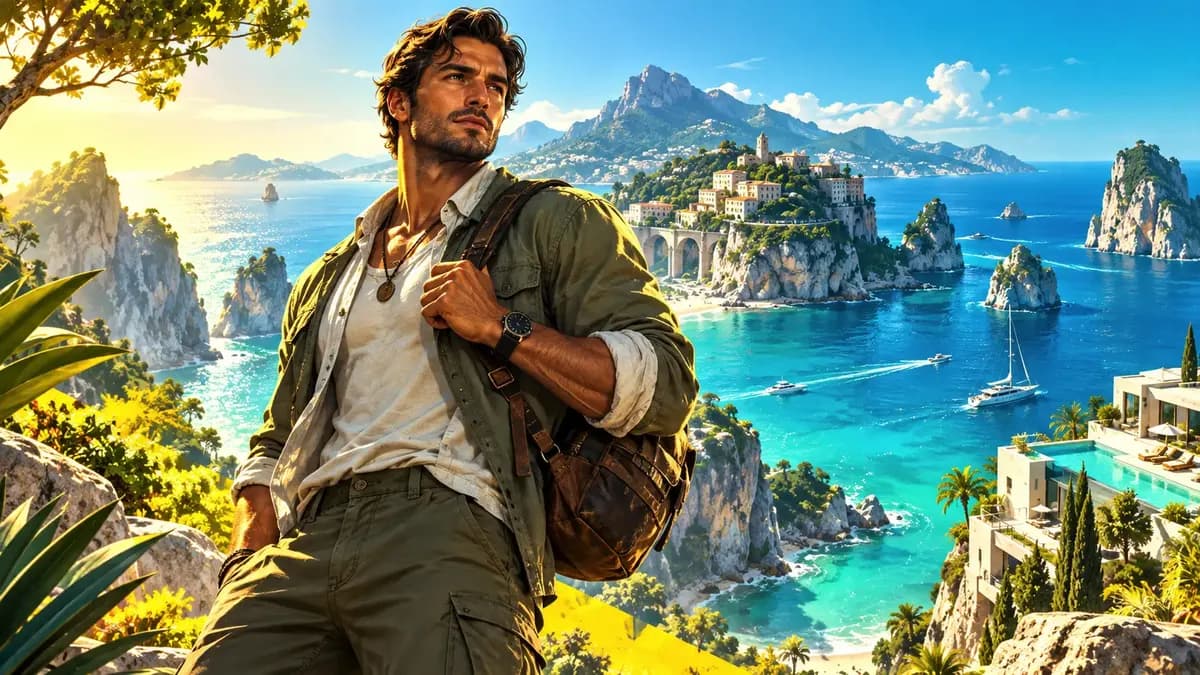
Original exploration game cover, one adult explorer facing a distant valley, clear single silhouette, warm morning light, mist and distant mountains, upper third kept quiet for a title, portrait composition, no text or logos.
Composing AI game cover art that survives a store thumbnail
Store rows shrink a cover to roughly 200 pixels wide, so design for that size first: one hero subject, a silhouette distinct from its background, and a value range that still separates them when everything darkens. Prompt it as "single hero subject, three-quarter view, clean silhouette against a fog bank, rim light separating the figure, upper third of the frame left quiet." Resist naming six characters.
If the party has to appear, place supporting cast as low-contrast shapes behind the lead and call them silhouettes rather than describing detailed faces.
Leaving room for the logo and the rating badge
Most covers get a title lockup and an ESRB or PEGI badge added later, so the art needs deliberate negative space. Name the empty zone explicitly — "upper third kept clear of detail and high contrast for a title lockup" — because saying only "leave room for text" lets the model fill it. Keep the badge zone near a corner that is dark rather than bright, and check the safe area at both 1:1 and 3:4 before you commit.
Matching a character or weapon you already drew
If your hero already exists as concept art, upload that image as a reference and describe only what changes: environment, lighting, camera. Reference-guided runs on gpt-image-2 and nano-banana-pro preserve costume lines and signature shapes far better than pure text, while flux-2 gives you more freedom to reinterpret the design. Generate four variants and judge them by silhouette fidelity rather than colour, because store rows flatten colour first.
Painting mood without losing the focal subject
Atmosphere is cheap and focus is expensive. Specific light instructions — "volumetric rays from upper left, warm key on the subject, cold blue fill behind, dust suspended in the air" — buy mood without flattening the subject. What breaks covers is symmetrical light or a background sitting at the same brightness as the figure. Add "background luminance two stops below the subject" and the separation happens on its own. seedream-5 handles this atmospheric direction well; flux-2 follows it more literally and leaves you more room to grade later.
Aspect ratios for Steam, itch, and mobile stores
Steam capsules want 616 by 353 for the header row, and library art is 1:1. itch.io caps listings near 630 pixels wide. Mobile stores usually want 4:5 portrait for feature art and 16:9 for screenshots. Generate at the native store ratio rather than cropping a wide master, because a crop pushes the focal point off centre. For a capsule-safe master, render 16:9 with the subject held inside the central seventy percent, then crop to 616 by 353 without clipping the face.
Routing the job across Flux, Seedream and GPT Image
flux-2 is the cheapest way to explore forty compositions and is the right tool for blocking silhouettes. seedream-5 is where dramatic lighting and environment design earn their credits. gpt-image-2 handles reference fidelity and readable in-frame detail best, so use it when the cover must contain a weapon or vehicle that matches existing art. nano-banana-pro is the strongest all-rounder for final hero passes when prompt adherence matters more than raw texture. Lock composition cheaply, then spend once per candidate on a hero model.
Where game cover generation usually fails
Three failures account for most rejected covers. First, title text generated in-frame — it will be misspelled, so leave the space and set type yourself. Second, a focal subject that drifts when you re-prompt to fix the background; change one clause at a time and keep the subject sentence verbatim. Third, over-stylised grading that turns muddy at thumbnail size; desaturate before you judge. If faces keep failing, stop regenerating the full prompt and switch to a closer crop for the detail pass.
Paste-ready prompts for four AI game cover art archetypes
Start from one of these and edit the nouns rather than the grammar. Hero-forward: "single warrior standing on a rain-slick rooftop at dusk, three-quarter back view, long coat, weapon sheathed, volumetric light from a street lamp below left, city bokeh behind, upper third of frame left as flat dark fog for the title lockup, cinematic game key art, no text."
Ensemble: "five adventurers arranged in a shallow V on a cliff edge, the supporting cast as low-contrast silhouettes behind the lead, wind-blown cloth, storm light from behind creating rim separation, no text in frame." Environment: "abandoned observatory interior, the character small in the lower right third, god rays through a broken dome, dust suspended in the air, high contrast between the light shaft and the dark interior, negative space upper left."
Antagonist: "close portrait of an armoured villain lit from below by a single orange source, half the face in shadow, blurred throne room behind, no text." Every one names subject, light, camera, and empty zone. Leave any of the four out and the model will invent it for you.
Settings worth touching before you touch the wording
Use the aspect ratios and resolutions listed for the selected model. Set one output for the first draft, check its cost, then decide whether more variants are useful. Where supported, upload an approved reference image and describe what must stay unchanged. Check subject shape, light and crop in every result; a reference guides a new generation and does not guarantee an identical frame.
What a full cover run costs in renders and credits
Budget in passes rather than in single images. Pass one: eight to twelve cheap renders on flux-2 to locate a readable silhouette and a usable empty zone. Pass two: four renders each of your two or three surviving prompts on a hero model — nano-banana-pro for prompt adherence, seedream-5 for atmosphere, gpt-image-2 for reference fidelity. Pass three: one final render at the exact store ratio plus one capsule-safe crop. That is roughly fifteen to twenty renders for a cover.
On Ofrai all of it draws from a single shared credit balance, so a release's cover work is one line item instead of four separate subscriptions. When credits are tight, cut pass one to six renders and skip the capsule variant entirely.
Who this workflow suits, and who should skip it
It fits solo developers and small studios shipping a Steam or itch release on a schedule, marketing teams refreshing seasonal key art each season, and publishers who need a capsule variant per store locale. It is a weaker fit if your game already has an illustrated key art pipeline with an artist on staff, or if the cover must reproduce a licensed character exactly — generative models approximate a design, they do not reproduce one.
It is also a poor fit for internal-only art, where store-row legibility buys nothing and the credits are better spent on gameplay screenshots.
How a cover run differs from a portrait or thumbnail generator
A portrait generator optimises one face at high resolution and does not care whether title space exists or whether contrast survives a downscale. A thumbnail generator optimises click-through at small sizes with large faces, bold type, and hard contrast blocks, and it will trade away art direction for legibility without hesitation. A game cover generator sits between them: it must hold full-size art direction and still keep the subject separated from the background after every pixel shrinks to two hundred pixels wide.
On Ofrai these live on separate pages, so choose this one when the image has to sell the game rather than the face inside it.
The pre-ship check that catches most rejections
Run these four looks before you export. Shrink test: open the finished frame at two hundred pixels wide and confirm the subject is still the first thing your eye lands on. Grayscale test: desaturate it; if the figure and its background merge into one grey mass, add a value gap in the prompt rather than grading it by hand afterwards. Type test: drop your real logo lockup into the reserved zone and confirm the art stays quiet behind it.
Crop test: duplicate the frame into the capsule ratio and the mobile feature ratio, then check nothing important leaves the frame. Each of these takes under a minute and replaces a full regeneration cycle.
Examples
FAQ
- What aspect ratio should a game cover use?
- Generate 1:1 for Steam library art, 616 by 353 for the capsule header, 4:5 for mobile store feature art, and 16:9 for screenshots and trailer frames. Produce the store ratio natively instead of cropping a wide master, since cropping moves the focal subject away from centre.
- Can I generate the game title and rating badge in the image?
- You can, but generated lettering is usually misspelled or warped and it is expensive to correct. Leave a clear zone in the prompt — an empty upper third for the lockup, a dark corner for the badge — and set typography yourself in a design tool afterwards.
- How do I keep my existing character consistent on the cover?
- Upload your concept art as a reference image and describe only the environment, lighting, and camera. gpt-image-2 and nano-banana-pro hold costume lines and signature shapes most reliably; flux-2 reinterprets more freely. Judge the variants by silhouette fidelity rather than colour.
- Why does my cover look fine full size but muddy in the store grid?
- Small store rows compress tonal range and flatten colour separation, so anything that reads at full size can turn grey in the grid. Design for the 200-pixel thumbnail: one silhouette, a clear value difference between subject and background, and a single dominant light direction.
- Which Ofrai model should produce the final key art?
- Use flux-2 to explore compositions cheaply, seedream-5 for dramatic environment lighting, nano-banana-pro for the final hero pass when prompt adherence matters most, and gpt-image-2 when the cover must contain a specific prop that matches your existing art.
- Can I reuse a cover look for a sequel?
- Use the aspect ratios and resolutions listed for the selected model. Set one output for the first draft, check its cost, then decide whether more variants are useful. Where supported, upload an approved reference image and describe what must stay unchanged. Check subject shape, light and crop in every result; a reference guides a new generation and does not guarantee an identical frame.
Related generators
- AI Action Figure Generator
- Ecommerce Product Listing Images
- AI Fight Poster Generator
- AI Packshot Generator
- AI Poster Generator
- AI Product Cutout Generator
- AI Product Photo Generator
- AI Silhouette Generator
- AI Sticker Generator
- AI Transparent Product Assets
- AI Animal Generator for Pet Photos and Wildlife
- AI Avatar Generator — Consistent Faces