Features
All-in-One AI Image Generator
By Ofrai Editorial (Use Case Research)
Create an image from a text prompt, then try the same brief on another model. Start with the skincare concept below to see how placement, light and room for a headline affect a campaign image. For an existing photo, choose a model that accepts a reference and describe the specific edit. Image, video and text share one Ofrai credit balance.
New accounts include 1 free GPT Image 2.5 generation. Other models and video use credits.
Example prompts
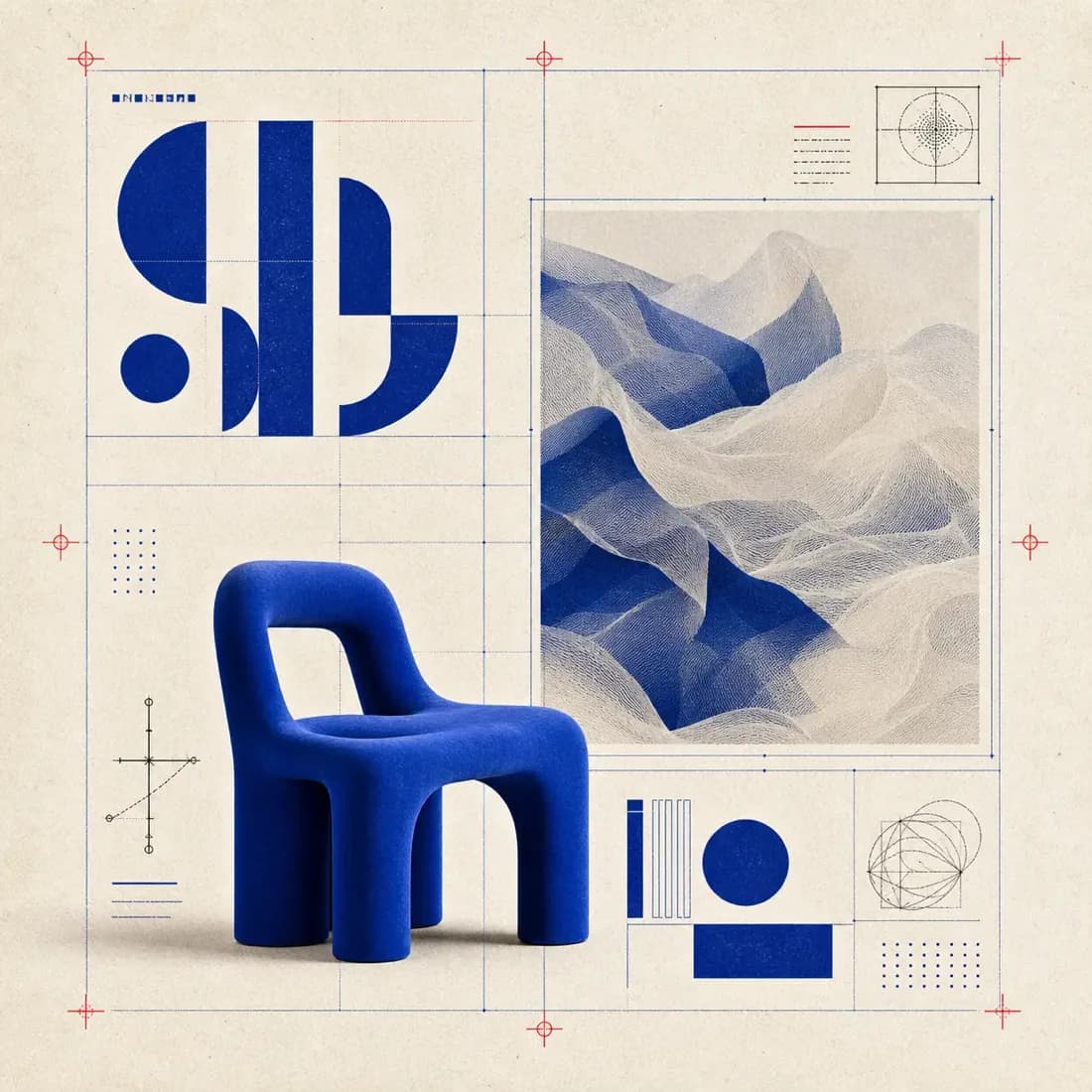
E-commerce hero: cobalt lounge chair, geometric layout with blueprint overlay, studio product shot
What "all-in-one AI image generator" means on Ofrai
The useful version of all-in-one is not a long model list; it is one place where you can change engine without rebuilding your project. In Image Studio the prompt, reference images, aspect ratio, and output history stay put when you switch models. That means you can run the same brief through flux-2 and gpt-image-2 in thirty seconds and compare the results side by side, instead of retyping the setup in three tabs.
The library is shared too: a frame you approved for a hero shot can be remixed, upscaled, or pushed into a video workflow without a download-and-reupload round trip. That continuity is what separates a real multi-model studio from a marketing page that lists engines.
Choosing an engine by job, not by brand
Each listed model has a bias, and the bias is what you are buying. flux-2 is fast, inexpensive, and structurally reliable — use it to test layout, framing, and negative space. gpt-image-2 is the pick when text inside the image matters: signage, packaging labels, posters, screenshots of interfaces. nano-banana-pro holds faces and product structure across repeated runs, which makes it the safe final-pass choice for character work and ecommerce sets. seedream-5 leans stylised and illustration-like, and is fast at producing colour variants of one composition.
Match the bias to the deliverable instead of picking a favourite engine for everything.
Plan credits for a text-to-image project
Start with one image at the delivery aspect ratio. Review the subject placement and room for type before trying another model or a higher resolution. Compare estimates in Image Studio, since model, resolution and output count can all affect the cost. Save the prompt and settings for the version you want to revisit.
Aspect ratio and resolution choices that rarely need rethinking
Ratio is a decision, not a default. Set it before the prompt, because a subject placed for 4:5 will look accidental in a square crop. Use 1:1 for avatars, icons, and grid squares; 4:5 for portrait feed posts and mobile-first hero images; 16:9 for presentation slides, YouTube thumbnails, and banner placements; 3:2 for photography and print-adjacent work. Draft at the ratio you will ship so composition decisions are honest.
Only increase resolution on the final pass — upscaling a locked composition beats rerendering at high resolution four times while you are still deciding on wardrobe.
Reference images: when they help and when they fight you
Reference input is the fastest way to hold a consistent look across a set, and the fastest way to confuse an engine. It works when you supply one clear reference and describe only what should change. It backfires when you upload three images with different lighting and ask for a blend, or when the reference is low resolution and the model copies its noise. On Ofrai, pass a reference to nano-banana-pro or gpt-image-2 when identity, product shape, or palette must persist.
Building a house style across four different engines
The hard part of a multi-model setup is that each engine flatters a prompt differently, so a fixed text template slowly drifts apart per model. Fix it by splitting your prompt into two reusable blocks. Block one is your invariant style layer — palette, lens language, lighting behaviour, grain ("muted teal and warm grey, 50mm, overcast window light, fine film grain"). Block two is the variable subject layer. Paste block one unchanged into every run, across every engine, and only rewrite block two.
Style drift then shows up as engine bias rather than as prompt drift, and your sets stay visibly related even when no two frames came from the same model.
Who gets real value from a multi-model studio
You benefit most if you produce more than a handful of images a week and your jobs are heterogeneous: product shots on Monday, editorial illustration on Wednesday, character work on Friday. A single-model tool forces one compromise across all of those. You benefit less if you make one image a month — spend that time learning one engine properly instead.
Multi-model setups also stop being worth it when you need guaranteed identical output for a legal or archival use case; check the model page for the exact terms before publishing anything commercially.
One worked job routed across three engines
Take a single deliverable — a launch illustration of a ceramic travel mug — and route it three times. On flux-2, test four compositions at 4:5 and low resolution to find where the mug sits relative to the type block: “ceramic travel mug on a pale linen surface, three-quarter view, soft window light from the left, generous empty space in the upper third, no text.” Pick the framing.
On nano-banana-pro, take the approved frame as a reference and change only the environment: “same mug, same angle, same light; move it to a rain-streaked window ledge with city bokeh behind.” On gpt-image-2, take that result and ask for the typography: “same image, add a headline reading exactly ‘TRAVEL WELL’ in the upper third, heavy geometric sans, high contrast, and no other text anywhere in the image.” Three engines, one job, and each was asked only to do what it is genuinely good at.
Settings that must be identical across engines
Use the approved source image again in a mode that accepts references, and state what should stay unchanged. Decide the delivery ratio once — 4:5 for a feed, 1:1 for a product tile, 16:9 for a hero — and never change it mid-job. Keep resolution the same on every engine so that comparing candidates means something; comparing a low-resolution flux-2 draft against a full-resolution nano-banana-pro render tells you about resolution, not about the engines.
Four briefs that expose each engine’s weakness
Text-heavy poster: “editorial poster, bold headline reading exactly ‘CITY OF GLASS’ across the top, a small caption line beneath, high contrast, no other text.” Deformed letters mean the engine is flux-2 and the fix is routing the typography to gpt-image-2. Dense multi-object scene: “a workshop bench with eleven labelled tools, a half-assembled lamp, a coffee cup and scattered screws.” Objects merging or multiplying mean nano-banana-pro, and the fix is to reduce the count or split the scene.
Pure lighting study: “the same ceramic vase lit only by a single candle, deep shadow filling most of the frame.” A flat, evenly lit result means seedream-5, and the fix is naming the light source and its falloff. And if the same brief fails in the same way on every engine, the brief is the problem rather than the model.
What a week of mixed-engine work costs
The saving in a multi-model studio is not a lower price per image; it is a lower number of final renders, because cheap engines absorb the exploration that would otherwise be billed at premium rates. A realistic week of ten deliverables is roughly fifty to seventy generations: twenty to thirty low-resolution flux-2 drafts, ten to fifteen reference-led edits on nano-banana-pro, and the remainder as premium finals where the deliverable demands text, texture or finish.
Each generation shows its Ofrai credit cost before it runs, and because all of it draws on one balance, the discipline that matters is refusing to render a final on the first plausible frame. Budget per deliverable rather than per session, because sessions are where the overspend happens.
How this differs from a single-model setup — and from an all-in-one AI image generator
Multi-engine setups win where the deliverable is heterogeneous — product shots on one day, editorial illustration the next, typographic work the day after — because they let you route instead of compromising. The honest comparison is not quality per image but consistency per project. If your work is one style shot repeatedly, pick one engine and learn it deeply. If the shape of your work changes weekly, the routing overhead described here pays for itself quickly, provided you fix the settings first.
To generate from text or start with a reference photo, open Ofrai Image Studio.
For side-by-side results using shared prompts, see the GPT Image 2.5 and Nano Banana Pro results and the 10-prompt Nano Banana Pro vs Seedream 5 test.
For a photo you already have, see the photo editing workflow and the product photography workflow.
To make a first image on the welcome voucher, read how the image generation voucher works and how to use a GPT Image model.
Text-to-image test for a skincare product concept
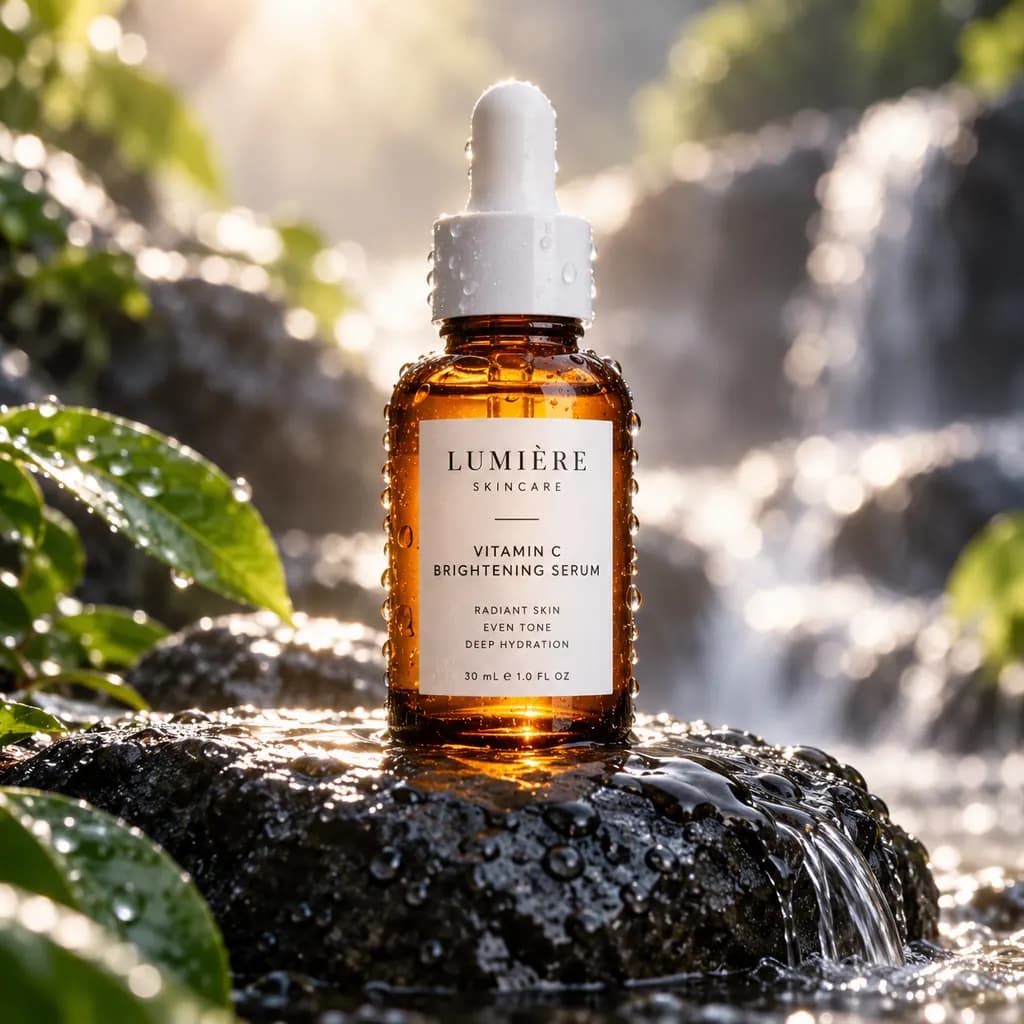
GPT Image 2.5 · 1:1 · 1024 × 1024 · 72s · 2026-10-25
View generation prompt
Studio product photo of an amber glass serum bottle with a white dropper cap on a wet black stone, soft rim light from behind, water droplets, shallow depth of field, commercial skincare advertising.
FAQ
- What makes a generator genuinely all-in-one?
- Three things: the same prompt, reference images, and output history stay available when you switch engines; every engine draws on one credit balance instead of separate subscriptions; and results land in a shared library you can remix or send into a video workflow. A page that merely lists many models without that continuity is a directory, not a studio.
- Which model should I use first on Ofrai?
- Start with flux-2 for exploration because it is fast and inexpensive, which makes it the cheapest way to test composition, framing, and negative-space wording. Once a composition is locked, rerun it on gpt-image-2 when the image contains text, or on nano-banana-pro when faces or product structure must stay consistent across a set. seedream-5 suits stylised illustration and quick palette variants.
- Do I need separate subscriptions for each model?
- No. Every listed model on this page runs from the same Ofrai account and the same credit balance used for text and video jobs. Each generation shows its credit cost in the studio before you run it, and higher resolution or video duration changes the final spend.
- How many images can I generate on one credit balance?
- It depends on the model and the settings you choose, because draft-class renders on flux-2 cost far less per frame than high-resolution finals on a premium engine. The practical approach is to spend heavily on drafts and sparingly on finals, which usually costs a fraction of generating everything at final quality. Your studio shows the running balance before and after each job.
- Can I mix models in one project?
- Yes, and that is the main reason to use a shared studio. Keep your style sentence identical across engines and change only the subject sentence. A finished frame from gpt-image-2 and one from flux-2 will then read as the same shoot as long as the style layer, ratio, and lighting language match.
- Can I use the images commercially?
- Commercial rights depend on the specific model and its model terms rather than on this page. Check the model page and your Ofrai plan before publishing, especially for advertising, resale, or client work. Keep a record of which engine produced each asset, since that is the first question a client or platform will ask.
Related generators
- AI Action Figure Generator
- AI Animal Generator for Pet Photos and Wildlife
- AI Avatar Generator — Consistent Faces
- AI Black And White Photo Generator
- AI Caricature Generator
- AI Character Sheet Generator
- AI Chibi Character Generator
- AI Classical Portrait Generator
- AI Cozy Anime Art Generator
- AI Cozy Winter Wallpaper Generator
- AI Crayon Drawing Generator
- AI Creature Wallpaper Generator