Features
AI Creature Wallpaper Generator
By Ofrai Editorial (Use Case Research)
An AI creature wallpaper generator builds an invented animal, spirit, or machine from a description, sized for the screens you actually use. Ofrai's Image Studio runs four engines on one credit balance, so you can sketch cheaply, then render the 4K final on a stronger model. Describe the creature, place it deliberately, choose a ratio that matches your phone or monitor, and the result lands in your library ready to crop or animate. The best wallpapers are composed for the gap between app icons, not just for the screen.
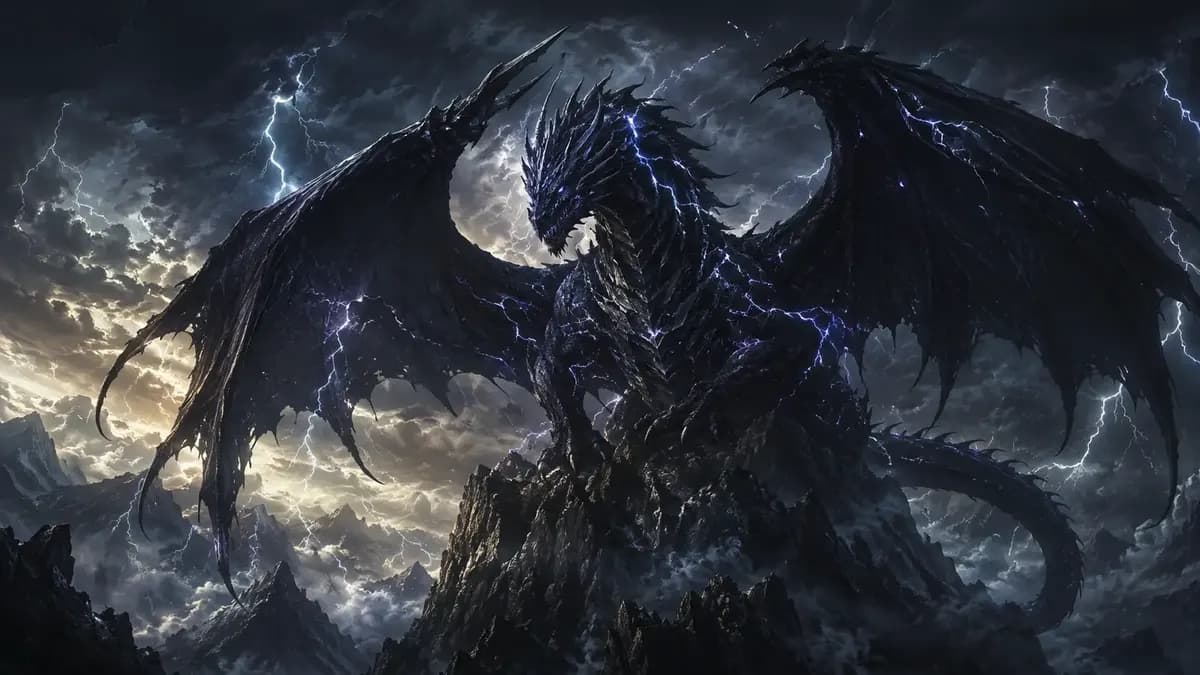
New accounts include 1 free GPT Image 2.5 generation. Other models and video use credits.
Example prompts
Fantasy creature hero, epic atmosphere
Designing a creature that survives wallpaper scale
A creature that looks good in a square thumbnail usually dies at 21:9 because its features were too small. Give the design at least three readable landmarks: a silhouette break, one high-contrast marking, and one recognisable prop or eye shape. 'A round-shouldered moth keeper with a lantern stitched into its chest fur, moss across the shoulders, six mismatched glass eyes' survives magnification; 'a cute fuzzy monster' does not.
Test by shrinking the render to icon size on your own screen before you commit credits to the full-size version.
Ratio choices for phones, ultrawides, and tablets
Generate for the device you will look at most. Portrait 9:19.5 for modern phones, 9:16 for older or budget devices, 16:10 and 21:9 for laptops and ultrawide monitors, 4:3 or 3:2 for tablets. Composition follows ratio: put the creature off-centre in tall frames so the clock and notification column stay clear, and low or centred in wide frames so nothing important hides behind the taskbar.
Render at the highest resolution the engine offers, then crop to the exact screen instead of letting the model guess.
Focal placement and the icon gap
Wallpaper is a background, so predict what sits on top of it. On iOS the clock, date, and widgets occupy the top third and the dock the bottom; on Android the camera cutout varies by model. Place the creature's face in the middle band and let the environment — foliage, cables, fog, city grid — carry the rest. If a moody full-frame render is what you want, that is a poster, and a poster generator fits better. Reserve truly minimal backgrounds for phones where icons cover half the screen.
Color moods: dusk, bioluminescence, and deep water
Mood is mostly a palette decision, and it survives resizing better than detail does. Say it explicitly: 'dusk palette of dusty violet, warm amber rim light, deep teal shadows'; or 'bioluminescent cyan and lime against near-black water, no daylight'; or 'monochrome deep sea, one shaft of light from above'. Limiting a wallpaper to three or four colours gives you a calmer screen and makes the set easy to extend to a lock screen, a folder view, and a matching desktop image.
Matching phone and desktop as one set
Shoot both from the same world. Write one world block — creature description, palette, lighting, and material language — then append a different composition per device. The phone frame gets a close, intimate crop; the desktop frame pulls back to an environment shot with the creature small in frame, because a monitor is viewed from further away. Keeping the style block byte-identical across prompts is what stops the second image from looking like a different artist made it.
Reference images for a recurring mascot
Once you like a creature, upload its render as a reference and describe only the change: 'same creature, now on a rainy tram platform, three-quarter view, same palette'. Reference-driven engines keep markings, eye count, and prop placement consistent, which is exactly what a mascot needs. Text-to-model engines will treat each prompt as a fresh commission and quietly redesign the animal. If you need exact consistency across five assets, keep one master reference image and treat it as the source of truth.
Avoiding the muddy-background failure
The classic wallpaper mistake is low contrast between subject and ground: a green creature on a green forest, detail that dissolves into fog, or a busy scene behind an equally busy icon set. Fix it by naming a separation device — rim light, silhouette against sky, sharp subject against blurred depth, or a plain gradient field behind the head. Also state what the background must not contain: 'no text, no watermark, no competing focal object'. Blurred depth is usually the fastest fix.
Four AI creature wallpaper prompts with placement built in
Phone, dusk: 'a round-shouldered moth keeper with a lantern stitched into its chest fur, moss across the shoulders, six mismatched glass eyes, three-quarter view, face placed in the middle band of the frame with the top third simple sky, dusk palette of dusty violet and warm amber rim light, no text, no watermark'.
Desktop, environment: 'same creature now small in a wide overgrown tram depot at dawn, long empty platform, creature low in the frame with clear space above for a taskbar, fog and cable clutter in the background, three colours only'. Tablet, minimal: 'the same creature head and shoulders, centred in a square frame against a plain deep teal gradient, generous empty margin, no objects, calm wallpaper for reading'.
Ultrawide, silhouette: 'same creature silhouetted against a wide pale dawn sky on a hilltop, entirely black outline against light ground, 21:9, lower third detail, empty upper two thirds'. Every prompt states where the subject sits and what must stay empty, which is the part most people leave out and the part that decides whether the wallpaper is usable.
Aspect ratio and resolution for each device
Generate for the device you will look at most, at the highest resolution the engine offers, then crop to the exact screen rather than letting the model guess the aspect. Useful defaults: 9:19.5 or 9:16 for modern phones, 16:10 for laptops, 21:9 for ultrawide monitors, 3:2 for tablets. If you only have one render and two devices, generate the phone frame first, since it is the tighter composition, and let the desktop version be the wider environment shot.
When a camera cutout matters on Android, generate a version with the top corner deliberately simple rather than trying to crop around it later.
Credits for an AI creature wallpaper set
One wallpaper is a short job: four to eight generations, because a wallpaper has few constraints and the failures are compositional. A matched set of three devices from one creature is roughly three times that, plus the retries that come with keeping the palette consistent, so expect fifteen to twenty-five generations for a set that actually matches. The economy here is straightforward: thumbnail-test the composition on a cheap engine before committing, because whether a creature reads at icon size is visible in a small image.
Render the final at high resolution on one frame rather than re-rendering everything at a new size, and crop for the other devices. Upscaling a wallpaper from a low-resolution draft is the one place where quality visibly falls apart, so the final frame should always be a fresh high-resolution generation. A set of four that share one world block is worth more than four unrelated beautiful images.
Creature wallpaper versus posters and mascot pages
A wallpaper is a background first: it needs a focal gap for interface elements, a subject that survives being partly covered, and a palette calm enough to live behind icons all day. If you want a full-frame image with the subject filling the space and no room for anything else, that is a poster, and the poster page composes for impact instead.
If you want the creature as a recognisable character that appears across branding, merch and a website, use a mascot or character page, which optimises a fixed silhouette at small sizes rather than an atmospheric scene at large ones. If the brief is an invented animal meant to look photographed in its habitat, the animal generator is the better fit, because it treats realism as the goal.
The practical test: if you would be comfortable covering a third of the image with icons, it is a wallpaper; if not, it is a poster.
Retrying a wallpaper that reads muddy
Muddy is the default failure on this page, and it always has a cause you can name. Low contrast between subject and ground: fix it with a separation device — rim light, silhouette against sky, or a plain gradient field behind the head. Detail dissolving into fog: say so explicitly, 'background softly blurred, subject sharp'. A busy scene behind a busy icon set: remove competing detail rather than adding more, and state 'no text, no watermark, no second focal object'.
If the creature is simply too small to read, enlarge it and crop the environment instead of hoping the phone will forgive it. Check every wallpaper at actual device size before keeping it, because a composition that looks composed in a preview often turns out to have its subject exactly where the clock sits. Retrying with one changed clause beats rerolling the whole prompt, since rerolling reproduces the same problem with new luck.
FAQ
- What aspect ratio should a phone wallpaper use?
- Most modern phones use 9:19.5 or 9:16 portrait. Older devices and many budget phones are 9:16. Generate at 9:19.5, then crop to the exact device resolution rather than asking the model to guess, because a mismatch usually cuts the creature's head off the top edge.
- How do I keep the same creature across several wallpapers?
- Save one approved render and upload it as a reference image for every follow-up, describing only what changes — pose, location, time of day. Reference-driven engines hold markings and eye count steady. Text-to-model prompts treat each request as a new commission and will redesign the animal without telling you.
- Why does my wallpaper look muddy behind app icons?
- Subject and background share the same value range, so both disappear under icons. Ask for a separation device: rim light, a silhouette against a bright sky, a sharp subject against blurred depth, or a plain gradient behind the head. Also state 'no text, no watermark, no competing focal object' to keep the frame clean.
- Can I use a generated creature wallpaper commercially?
- Usage rights follow the model you choose and its model terms. Check the model page and your plan before shipping a wallpaper pack, a phone theme, or a print product. Keep a note of which engine produced each final image, because that is what a licensing question will ask for first.
- Do these wallpapers show up without logos or watermarks?
- Ofrai generates the image and does not add its own watermark. Generative models can still introduce stray text-like marks if your prompt asks for typography or signage, so avoid naming lettering in the prompt and add 'no text, no watermark' when you need a clean frame.
- How long does one wallpaper take to make?
- Two to four generations typically: one to settle the creature design, one or two to fix composition and contrast, and a final pass at full resolution. Draft at a smaller size on flux-2, then rerun only the approved prompt on a stronger engine for the version you download or print.
Related generators
- AI Animal Generator for Pet Photos and Wildlife
- AI Cozy Winter Wallpaper Generator
- AI Fantasy Creature Generator
- AI Pet Portrait Generator
- AI Action Figure Generator
- AI Avatar Generator — Consistent Faces
- AI Black And White Photo Generator
- AI Caricature Generator
- AI Character Sheet Generator
- AI Chibi Character Generator
- AI Classical Portrait Generator
- AI Cozy Anime Art Generator