Features
AI Fantasy Creature Generator
By Ofrai Editorial (Use Case Research)
An AI fantasy creature generator turns a written biological brief into dragons, spirits, and beasts that hold up under scrutiny. The method is simple and old-fashioned: skeleton first, silhouette second, surface third. Most disappointing creature images fail at the silhouette stage, where the design reads as an indistinct dark mass the moment it leaves the canvas.
New accounts include 1 free GPT Image 2.5 generation. Other models and video use credits.
Example prompts
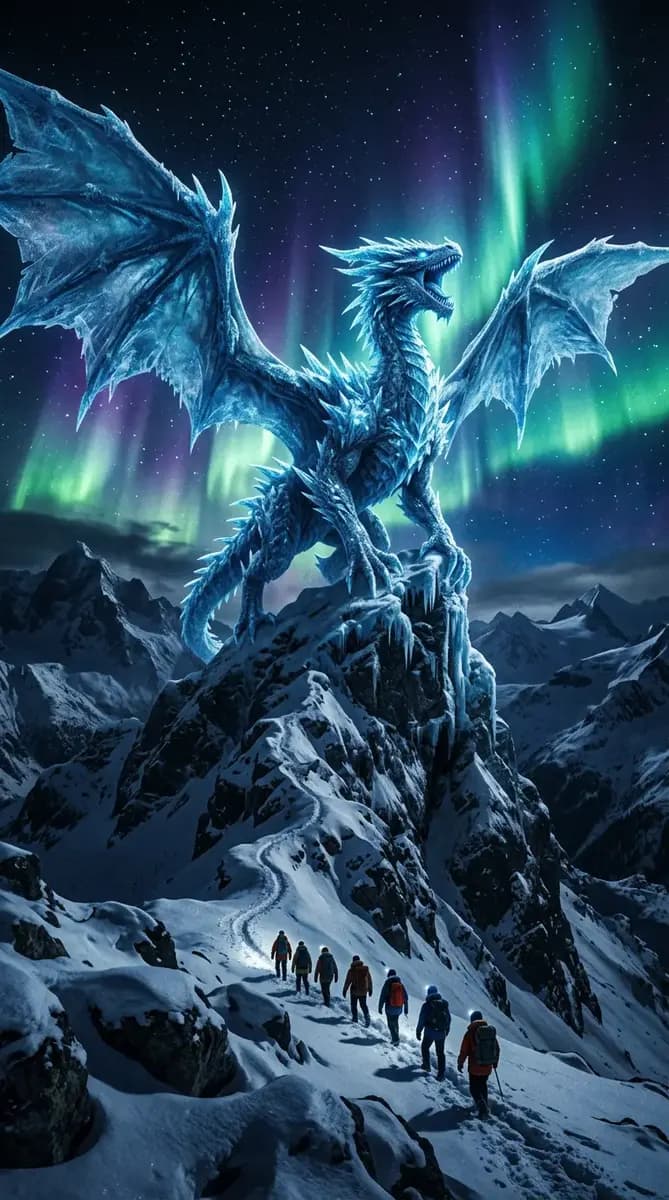
A blue ice dragon with wings spread on a snowy mountain peak under green northern lights. Small hikers in the foreground show its scale. Wide fantasy illustration, no text.
Anatomy before appearance in an AI fantasy creature
Decide the skeleton before you decide the scales. Note the limb count, where the weight sits, whether the thing is quadrupedal, bipedal, or serpentine, and how the neck and tail carry balance. 'Quadrupedal, digitigrade hind legs, long counterweight tail, forelimbs shorter than hind limbs, six-fingered grasping hands' gives the model geometry to work with. Skin, colour, and ornament come later. Prompts that start with 'a beautiful dragon covered in gold scales' produce decoration without structure, and decoration is exactly what makes them forgettable.
Silhouette checks before any detail pass
Before adding texture, look at the creature as a black shape against a plain background. If it cannot be recognised from its outline alone, no amount of surface detail will save it. Test by generating a rough pass, then squinting at it or shrinking it to icon size. Two fixes work well: separate the limbs from the body with negative space, and give the head a shape that differs from the torso — a long wedge, a crest, a fan of horns.
Distinct outlines also travel better to stickers, key art, and thumbnails.
Prompt skeletons for beasts, dragons, and spirits
Keep one skeleton and swap the nouns. Beast: 'a six-limbed pack hunter, low slung, thick hide scarred by territory fights, standing in shallow marsh water'. Dragon: 'a heavy-bodied dragon with broad wings, membrane stretched between finger bones, folded in a guarded crouch, volcanic rock outcrop'. Spirit: 'a translucent, formless entity, dense core, trailing vapour limbs, hovering a metre above wet stone'. Same skeleton, three very different reads. Adapting a structure you already know works is faster and more consistent than writing each prompt from nothing.
Materials: scale, chitin, moss, glass, and light
Material language is what separates a memorable creature from a generic one. Be physical about it: 'overlapping plate scales with chipped edges and dull reflectance', 'chitin plates dulled to a satin finish with wax between the joints', 'thick moss and lichen growing in the shoulders and along the spine', 'glass bones showing a refraction through the limbs'. Add one light behaviour — 'faint internal glow through the throat pouch, no external light source'.
Limiting the palette to three families and specifying how the material catches light keeps the creature from turning into visual mud.
Environments that explain the creature
Setting is free characterisation. A creature rendered in a mist-filled mangrove root system with silt on its flanks tells you it hunts at low tide; one on a ruined observatory dome under a green sky tells you something else entirely. Put one piece of evidence in frame — a dropped bone, a claw mark on stone, an empty nest, trampled grass — and let the rest stay quiet.
Environments also solve framing problems: if the creature is hard to place, a defined ground plane, a tree line, or a wall gives the model somewhere to put it.
Variant passes from one master render
Once a design is approved, treat that render as the source of truth. Upload it as a reference and describe only the delta: 'same creature, now curled asleep in the cave, same proportions and markings, three-quarter view'. This is how you get a coherent bestiary rather than six unrelated monsters. When a variant drifts, regenerate the drifted region or restate the anatomical line in the prompt rather than rewriting everything.
Recurring anatomy failures and their fixes
Watch for four recurring problems. Limbs merging into the torso: add 'clear separation between each limb and the body, dark occlusion gaps'. Extra or missing digits: specify exact counts, such as 'four clawed digits per forelimb'. Wings fused to the back: describe support bones and a gap between wing and flank. Hollow or collapsed necks: state the number of neck segments and ask for a straight load path. Fixes are always in the prompt.
Re-rolling without changing the wording reproduces the same mistake, because the model is answering the question you asked.
Three AI fantasy creature briefs to start from
Pack hunter: 'a six-limbed pack hunter, low slung, digitigrade hind legs carrying the weight, forelimbs shorter than the hind limbs, six-fingered grasping hands, thick hide scarred by territory fights, standing in shallow marsh water with silt on its flanks, one dropped bone in the foreground'. Dragon: 'a heavy-bodied dragon, broad wings with membrane stretched between finger bones, folded in a guarded crouch on a volcanic outcrop, scales chipped at the edges, faint internal glow through the throat pouch, no external light source'.
Spirit: 'a translucent formless entity, dense luminous core, trailing vapour limbs, hovering a metre above wet stone, the ground beneath darkened where it blocks the light'. Each brief states limb count, where the weight sits, how many fingers, what the body is made of, and what evidence sits in frame. Adapt one of these skeletons rather than starting from a blank prompt, and the second design will be both faster and more coherent than the first.
Anatomy counts and creature references
Exact numbers are the highest-value words on this page: limb count, digit count per foot, neck segment count, wing support bones. Models do not invent anatomy, they average it, and an average is what produces a creature with the wrong number of legs. Write the counts in the prompt and repeat the critical one at the end.
Batch four while exploring silhouette, then switch to single jobs for the finals, because variant passes that drift are usually detected by comparison and a single frame gives you nothing to compare against.
Credits for a bestiary versus a single hero
One hero creature render is a moderate job: eight to fifteen generations, because anatomy is the hard part and anatomy improves with iteration rather than with better adjectives. A bestiary page is a production. Six creatures sharing one world typically runs fifty to eighty generations, and the cost driver is the environment as much as the animal, because each setting re-tests how the creature interacts with ground, light and scale.
The economical route is to lock the world first: pick the palette family, the material language, and the lighting convention, and paste them into every prompt unchanged. Draft every creature at low resolution on the cheap engine until the silhouette reads, then rerun only the approved designs at final size. If two creatures are meant to be related — a juvenile, a rival, a hybrid — generate them as variants of one master rather than as two separate commissions, which is both cheaper and more convincing.
Fantasy beasts versus wallpaper and mascot pages
Use this page when the creature is the subject of a scene and internal logic matters: book covers, bestiary plates, game concept art, tabletop creatures. A wallpaper page composes for atmosphere and icon gaps, which pushes toward simpler designs with a clear focal point, and it will flatten exactly the anatomical detail that makes a creature interesting. A mascot or character page is the opposite problem: those need a small, readable silhouette at logo scale, so they strip anatomy down to three or four landmarks.
If the creature has to survive being embroidered at four centimetres, design the silhouette and accept a simpler body. If it has to hold a page of a novel, build the anatomy properly and let the setting carry the mood. Practical rule: complex limbs suit concept work and hurt mascots, and detail that reads on a poster disappears at icon size.
Naming and documenting a design system
Naming is what turns six unrelated renders into a bestiary. Give each creature a plain-language binomial — a morphology word plus a habitat word, such as 'marsh-lurking pack hunter' or 'crag-sheltered dragon' — and use the same name as the first clause of every prompt that creature appears in, including the variant and the portrait. Keep a one-paragraph design sheet per creature: limb count, dimension count, material, palette, and two identifying marks.
That sheet is what you paste as the reference description when you need the creature again months later, and it removes the guessing that produces a redesign. When two designs drift apart, compare their sheets rather than their images: a difference in limb count or palette almost always traces back to a description you rewrote instead of reused.
To design an original collectible creature, use monster concepts with related evolution stages.
Examples
FAQ
- How do I keep a fantasy creature consistent across images?
- Approve one render, then upload it as a reference image for every variant and describe only what changes — pose, setting, time of day. Text-only prompts treat each generation as a new commission and quietly redesign the anatomy.
- My dragons keep looking like generic dragons
- Start with structure instead of surface. Specify limb count, stance, weight distribution, neck length, and tail function before mentioning scales or colour, then add one piece of environmental evidence such as a claw mark on stone or a trampled nest. Distinct silhouettes and context do more for originality than another layer of ornament.
- Why do creature limbs fuse together?
- Because the prompt never asked for separation. Add 'clear separation between each limb and the body, dark occlusion gap where they meet'. Specifying exact digit counts — four claws per forelimb, three on the hind — also reduces the fused-toes look. Re-rolling without changing the wording reproduces the same error, because the model is answering the question you asked.
- Which Ofrai model handles creature design best?
- Use nano-banana-pro when you are iterating on an approved reference render, since it preserves structure through long prompts. gpt-image-2 is the pick if your creature design includes readable text, maps, or engraved symbols. flux-2 gives fast cheap drafts while you settle the silhouette, and seedream-5 tends to fill long descriptive prompts with richer environments.
- What aspect ratio should I use for creature key art?
- Use 16:9 or 2:1 for a wide establishing frame where the creature is part of a landscape, 4:5 for a portrait with the creature towering in frame, and 1:1 for a character-sheet turn-around. Leave headroom above horns, wings, or antennae, or the appendages will be cropped. Generate at the highest resolution and upscale afterwards.
- Can I use generated fantasy creatures commercially?
- Usage rights follow the model you select and its model terms, so check the model page and your plan before using creature art on products, games, or client work. Keep prompts and engine names with each final file. If a creature ends up in a published game or on merchandise, the licence check is worth doing before launch, not after.
Related generators
- AI Animal Generator for Pet Photos and Wildlife
- AI Creature Wallpaper Generator
- AI Liminal Space Image Generator
- AI Minimalist Photo Generator
- AI Pet Portrait Generator
- AI Action Figure Generator
- AI Avatar Generator — Consistent Faces
- AI Black And White Photo Generator
- AI Caricature Generator
- AI Character Sheet Generator
- AI Chibi Character Generator
- AI Classical Portrait Generator