Features
AI Pet Portrait Generator
By Ofrai Editorial (Use Case Research)
An AI pet portrait generator creates studio-style photographs of cats, dogs, and small animals at eye level, with breed-appropriate coats, markings, and proportions. Open Image Studio on Ofrai, choose a live model, and either describe the animal in text or upload a reference photo and ask for a portrait treatment. The details that make a pet image believable are fur direction, eye catchlight, and ear and whisker geometry — not adjectives about cuteness, which is why the prompts here describe anatomy.
New accounts include 1 free GPT Image 2.5 generation. Other models and video use credits.
Example prompts
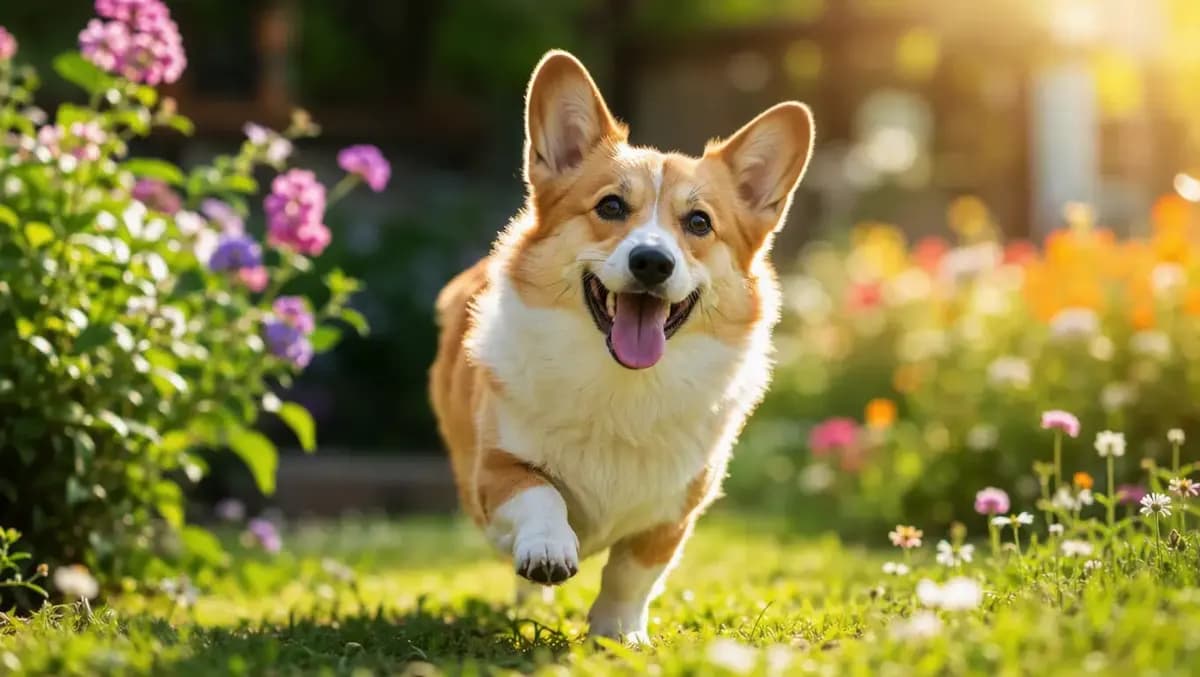
Pet interacting with setting, natural light
Breed accuracy from text versus a reference photo
Text descriptions drift toward generic breeds. Naming a breed plus a coat pattern works much better: 'a short-haired British Shorthair, solid blue-grey coat, copper eyes, round face' rather than 'a cute grey cat'. If accuracy genuinely matters, upload a reference photo and describe only the treatment: 'studio portrait of this cat, three-quarter view, soft window light'. Reference-led prompts preserve identity; text-led prompts give you freedom to design a look. Decide which one you need before you start prompting.
Eye-level camera work for animals
Framing separates an amateur pet photo from a portrait. Keep the lens at animal eye height, not above it: 'camera at the animal's eye level, straight on' or 'low three-quarter angle from just below eye height'. Vertical framing needs headroom above the ears and space in front of the gaze, which reads as 'looking into' the frame. Use 4:5 for single-subject portraits and 3:2 for a subject with breathing room.
Shooting from above — the most common default — instantly reads as a snapshot taken by a standing person.
Coat colour, markings, and fur direction
Fur quality comes from direction and light response, not from the word 'fluffy'. Describe it as: 'fur lying flat along the body, softly lit tips, slight ruff at the neck', 'short dense coat with visible undercoat at the edges', 'long fur with fine strands catching the rim light'. Markings need positions, not colours alone: 'white blaze up the muzzle, white chest and front paws, tan points on the ears and face'.
Position-based markings are far more reliable than 'calico' or 'tabby' alone, and they prevent the model from moving a patch every run.
Studio setups: seamless, garden, and cosy interiors
Three environments work well. Seamless: 'studio seamless backdrop in warm grey, subject on a low plinth, soft broad key light'. Garden: 'outdoors in late afternoon, subject on grass, foliage blurred behind, warm side light'. Cosy interior: 'sitting on a linen sofa by a window, soft natural light, warm neutral tones, home interior behind'. Do not combine two setups in one run. If the background competes with the animal, add 'background clearly out of focus' before changing anything else — animals read as objects in busy backgrounds and lose their presence.
Getting a believable expression and gaze
Expression is described by anatomy, not sentiment. Instead of 'happy', specify the features: 'soft eyes, mouth closed with the tip of the tongue visible, head slightly tilted, ears forward'. A visible tongue tip is a small, very effective cue because real animals do it. Gaze direction should be stated explicitly: 'looking directly at the camera', 'looking off to the left past the camera'. Avoid 'adorable', 'cute', and 'whimsical' — they push the render toward illustration rather than photography.
Prompt recipes for three pet portrait looks
Studio hero: 'Short-haired British Shorthair cat, solid blue-grey coat, copper eyes, sitting on a low plinth, camera at the animal's eye level, warm grey seamless backdrop, soft broad key light, looking directly at the camera, 4:5'. Field portrait: 'Golden retriever standing in long grass, soft fur with fine strands catching the rim light, late afternoon side light, foliage blurred behind, full body, 3:2'.
Cosy interior: 'Tabby cat curled on a cream linen sofa by a window, soft natural light, eyes half closed, mouth closed, home interior behind, warm neutral tones, 4:5'. Keep the camera sentence identical across your set.
Choosing an Ofrai model for animal accuracy
flux-2 is the right tool for exploring breed, angle, and setup because you will run many versions. gpt-image-2 holds anatomy and facial structure most reliably, which matters for cats and dogs where a wrong muzzle reads instantly as fake. nano-banana-pro renders fur texture and eye catchlights best, so use it for the final frame when coat quality carries the image. seedream-5 gives an illustrated, storybook read that suits character art rather than photographic pet portraits.
Keeping the same pet across a series
A series of one animal needs a locked description. Write the full base prompt once — breed, coat, markings, eye colour, age — then change only setup or framing between runs. Keep the camera sentence fixed. When a face drifts between runs, switch models rather than rewriting: gpt-image-2 is more consistent across a batch than the others. If you have a real reference, attach it to every run instead of describing it; reference-led generation is the only reliable way to keep one animal recognisable across ten frames.
Six prompts for cats, dogs, and small animals
Each prompt describes anatomy rather than sentiment, which is why they hold up. British Shorthair, studio: "short-haired British Shorthair cat, solid blue-grey coat, copper eyes, round flat face, sitting upright on a low plinth, camera at the animal's eye level straight on, warm grey seamless backdrop, large soft key light, direct gaze, 4:5." Golden retriever, outdoor: "Golden Retriever standing in long grass, soft fur lifted into a rim of backlight, late afternoon side light, blurred green background, full body in frame, 2:3."
Ragdoll, cosy interior: "long-haired Ragdoll cat with a cream coat and darker ear and tail points, blue eyes, lying on a linen sofa, soft window light from the left, shallow depth of field, 4:5." Rabbit, low angle: "a Netherland Dwarf rabbit sitting on a wooden floor beside a woven basket, camera at the animal's eye level, warm indoor light, whiskers clearly separated against the background, 1:1."
Tabby, three-quarter: "a tabby cat with visible mackerel striping, green eyes, head slightly tilted, ears forward, closed mouth, neutral window light, plain pale wall, 3:2." Senior dog: "a grey-muzzled Labrador with clouded but calm eyes, lying down on a neutral blanket, soft even light, fur detail visible at 100 percent, 3:2."
Camera height, focal length, and eye-level settings
For animals, camera placement is the single largest difference between amateur and portrait. Height: match the animal's own eye level. A camera above the subject produces a foreshortened head and a pleading look; a camera level with the subject produces a portrait. State it explicitly — "camera at the animal's eye level" — because models default to a human standing position. Lens: 85mm or longer for portraits, because wide lenses exaggerate the muzzle and make small animals look distorted.
Framing: leave space in the direction the animal is looking or moving, otherwise the composition fights the gaze. Focus: put the near eye sharp; if both eyes cannot be sharp because the head is turned, say "near eye in sharp focus, far eye soft" rather than leaving it to the default.
Reference photos versus breed names, in practice
When the specific animal matters — a named pet, a series, or a shot that must match existing photographs — a reference image is decisively better, because it carries coat pattern, marking placement, ear shape, and age cues that breed names cannot. Upload the reference and write only what changes: "keep this animal's coat pattern, eye colour, and face exactly, change only the setting to a studio seamless backdrop, keep the camera at the animal's eye level."
When you are choosing a breed rather than reproducing one, text is fine and cheaper, but be specific: "solid blue-grey coat" and "mackerel tabby striping" hold, while "fluffy grey cat" returns whichever animal the model feels like. A useful middle path is to generate the animal once, approve it, and then use that frame as the reference for every subsequent shot.
What a six-shot pet series costs in credits
Pet work rewards reusing one approved animal. Scout: ten flux-2 frames to choose the animal, the setup, and the camera height, because these three travel across every shot. Lock: one gpt-image-2 frame where muzzle geometry, eye shape, and fur direction are decided, and where anatomy errors become obvious enough to reject. Produce: six nano-banana-pro renders using the locked frame as a reference, varying only setting and framing. Around seventeen renders covers six finished shots. On Ofrai they all draw from one credit balance.
Two habits cut the cost further: never re-roll a shot that failed only because the background was busy — change the setting clause and keep the animal; and when a client's pet looks wrong in every variant, the breed description is usually the problem rather than the model, so fix the text before spending more renders.
How this differs from a people portrait workflow
People portrait workflows are built around facial structure, expression, and the social codes of eye contact — all of which carry over awkwardly to animals. Animals are described in breed, coat pattern, fur direction, ear carriage, and whisker geometry, and an expression described as "happy" is meaningless where a human face would carry it.
Lighting also differs: animals tolerate, and often need, softer light than people because fur backscatter makes hard light harsh, and the eye catchlight that dominates a human portrait is only one of several cues in an animal's face. Use a people portrait page when the subject is human; use this page when the subject is a cat, dog, or small animal and its anatomy has to survive close inspection.
Examples
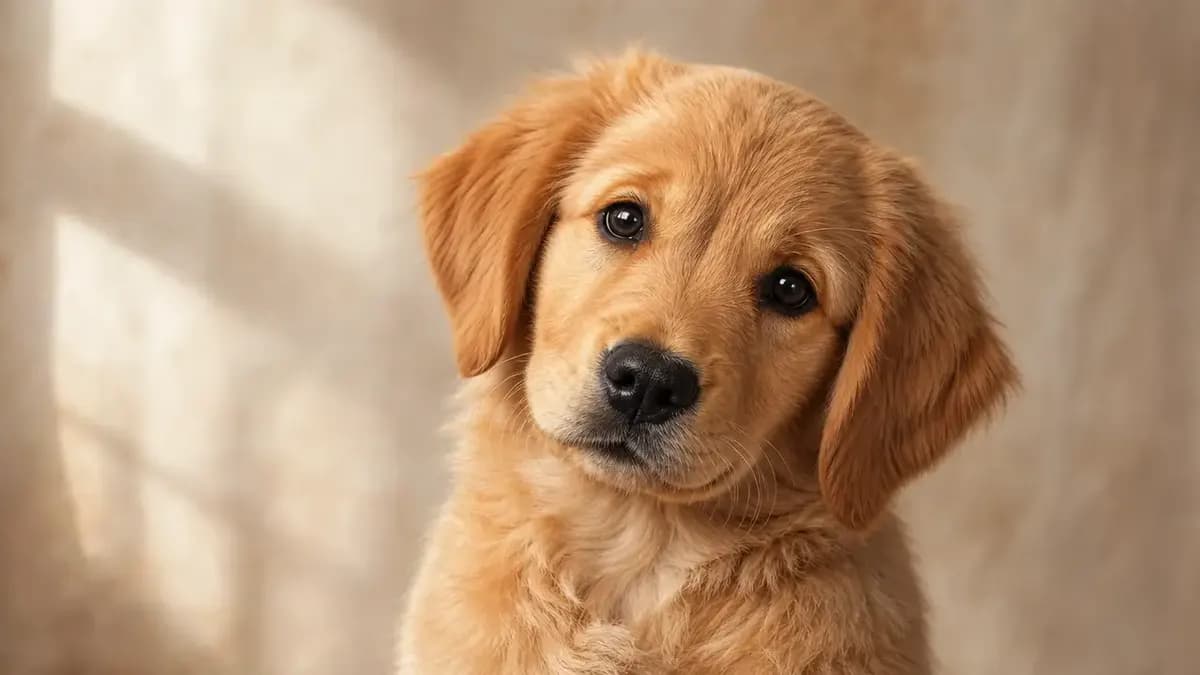
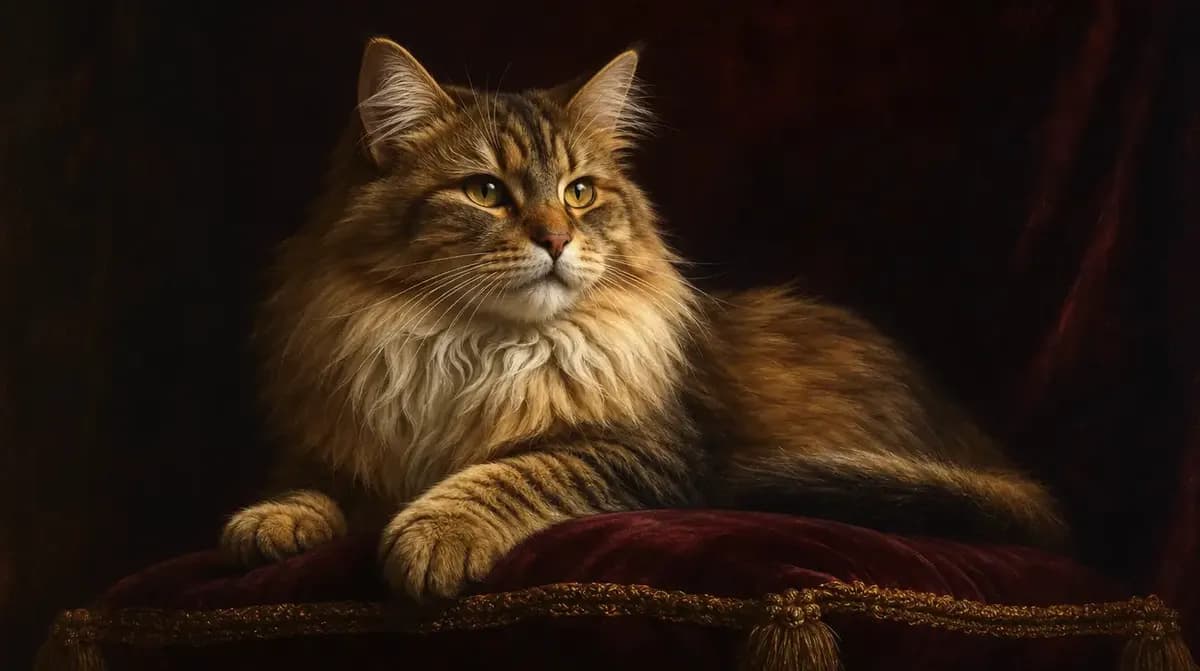
FAQ
- How do I get the right breed and coat pattern in a pet portrait?
- Name the breed plus the coat pattern and its positions rather than colour words alone. Write 'short-haired British Shorthair, solid blue-grey coat, copper eyes, round face' or 'white blaze up the muzzle, white chest, tan points on the ears'. Position-based markings stop the model from moving a patch between runs. For exact likeness, upload a reference photo instead.
- What camera angle makes a pet photo look professional?
- Put the camera at the animal's eye height, not above it. Say 'camera at the animal's eye level, straight on' or 'low three-quarter angle from just below eye height'. Leave headroom above the ears and space in front of the gaze so the subject appears to look into the frame. Shooting down from standing height is what makes pet images read as snapshots.
- Why does my generated cat or dog not look like the breed I described?
- Short text descriptions drift toward a generic animal. Give the breed plus anatomy cues — muzzle length, ear shape, body build, coat length — and use reference-led generation when accuracy matters. Attaching a photo of the actual animal and describing only the treatment keeps identity far more reliably than any written description.
- How do I describe an animal's expression properly?
- Describe anatomy rather than sentiment. Say 'soft eyes, mouth closed with the tip of the tongue visible, head slightly tilted, ears forward'. A visible tongue tip is a very effective cue because real animals do it. State gaze direction explicitly, for example 'looking off to the left past the camera', and avoid words like cute or adorable, which push the render toward illustration.
- Which Ofrai model renders fur and animal anatomy best?
- gpt-image-2 holds anatomy and facial structure most reliably, which matters most for cats and dogs. nano-banana-pro renders fur texture and eye catchlights best, so it is the finishing pass when coat quality carries the image. Use flux-2 to explore breed, angle, and setup cheaply, and seedream-5 for storybook or illustrated character work.
- Can I get the same pet across a whole set of images?
- Yes. Write the full base description once — breed, coat, markings, eye colour, age — then change only setup or framing between runs, keeping the camera sentence fixed. If you have a real reference photo, attach it to every run; reference-led generation is the only reliable way to keep one animal recognisable across a series of ten frames.
Related generators
- AI Animal Generator for Pet Photos and Wildlife
- AI Avatar Generator — Consistent Faces
- AI Caricature Generator
- AI Classical Portrait Generator
- AI Creature Wallpaper Generator
- AI Fantasy Creature Generator
- AI Fashion Model Generator
- AI Flight Attendant Generator
- AI Friendship Photo Generator for Two Friends
- AI Funny Photo Generator
- AI Girl Generator
- AI Group Photo Generator