Features
Flux Kontext Max For Precise Image Editing
By Ofrai Editorial (Use Case Research)
Flux Kontext Max on Ofrai is an instruction-driven image editing engine: you supply an existing image and describe what should change, and it rewrites that specific region while preserving the subject, pose and framing of the original. It is the right tool when you already have a frame you like and need a controlled change — a new outfit, a different time of day, a cleaned background — rather than a completely new scene.
New accounts include 1 free GPT Image 2.5 generation. Other models and video use credits.
Example prompts
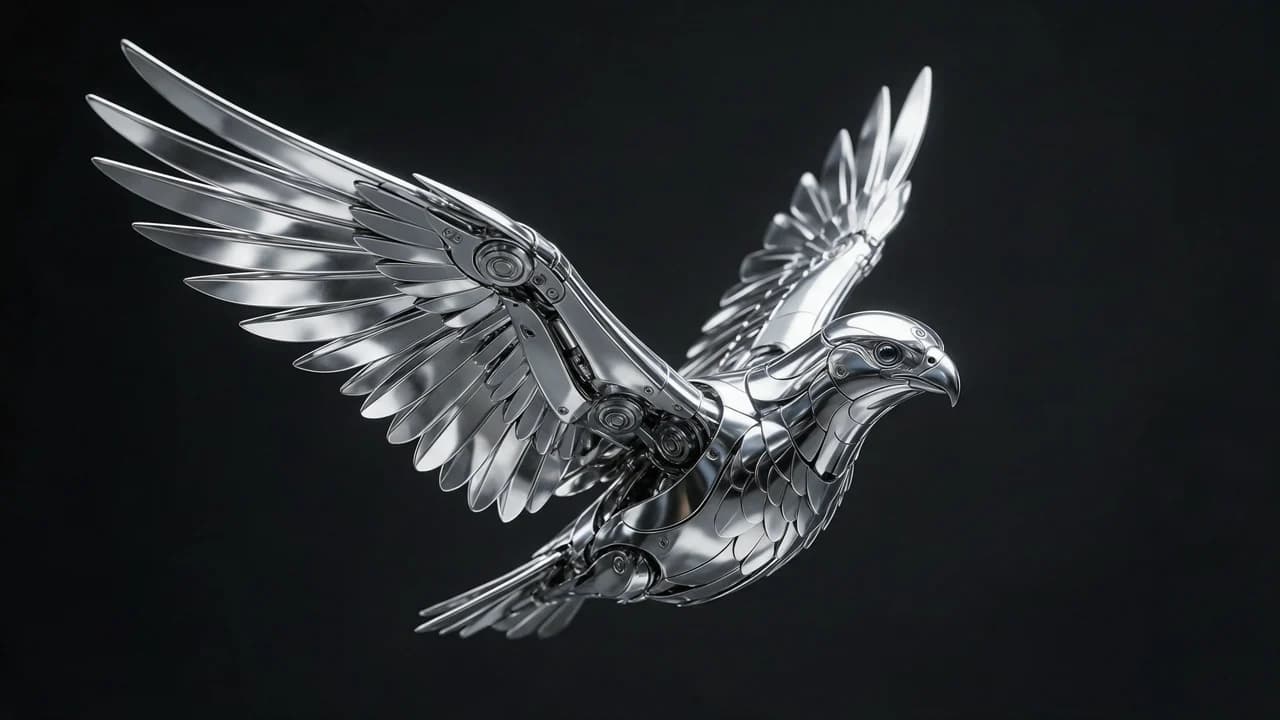
Chrome mechanical eagle in flight, pure black ground, metal highlights and joint detail, product-grade concept still
What a Kontext-style engine changes about the task
Most image models are trained to predict an image from text. Kontext-style engines are additionally trained on image-plus-instruction pairs, so they learn that the input image is the thing being edited rather than merely a mood reference. That single distinction explains both its strength and its failure modes. It preserves unmentioned attributes because the instruction acts as an edit mask in semantic terms — and it also sometimes changes unmentioned attributes, because nothing enforces a hard mask at the pixel level.
Precision comes from writing narrow instructions, not from the engine guessing what you meant.
Writing edit instructions that stay surgical
Name one change per edit and describe it as a change, not as a scene. "Change the jacket to a red leather bomber jacket" performs better than "a person in a street wearing a red leather bomber jacket", because the second invites the engine to re-render the whole frame. Specify material and colour, not brand names, and avoid stacking clauses that fight each other, such as asking for a wide shot and a tight portrait simultaneously.
When you need several changes, run them as successive edits on the approved output rather than one compound instruction.
Chaining edits without accumulating drift
Multi-turn editing is where Kontext workflows are strongest: change wardrobe, then lighting, then background, saving each approved frame before the next step. Two rules keep the chain clean. First, always re-upload the latest approved output rather than the original, so each edit starts from the best available state. Second, watch the accumulation — every turn slightly re-renders the face and the fabric, so after three or four edits you should re-anchor by feeding the original reference alongside the current frame to restore identity.
Character consistency with reference conditioning
For recurring characters, conditioning on a reference portrait alongside the frame you are editing keeps hair, bone structure and styling recognisable across a whole set. The reference should be clean, well lit and free of dramatic shadow, and it should be the same file every time. Reference conditioning works best when the requested edit does not touch the face — wardrobe, props, environment and grade are all safe; changing facial structure while conditioning on a reference portrait is the request most likely to break identity.
Object insertion, removal, and restyling
Insertion works when the object is described with its material and a stated placement: "a matte black travel mug on the desk to the right of the keyboard, casting a soft shadow to the left". Removal works best for objects with a clean background around them; ask for the fill to match the surface texture and the existing shadow direction rather than describing it as an empty area.
Restyling is the strongest case: transferring a photographic treatment, a film stock or an illustration style onto an existing frame is exactly the kind of global change the architecture handles well, provided you avoid asking it to redraw text at the same time.
Where Flux Kontext Max still fails
Three categories break it. Geometry that must stay exact: measurements, signage text, and product labels warp because the engine re-samples them rather than preserving pixels. Fine identity detail across extreme changes: a large change of age, body shape or lens distance alters the face along with everything else. Heavy occlusion: when the subject is small or partly hidden behind foreground objects, the engine has no reliable read and invents structure.
For these cases, generate the problem element separately and composite it, or use a stronger general image model for the frame and Kontext for the polish pass.
Choosing between the engines listed here
flux-kontext is the editing specialist and should be your default for controlled changes to an existing frame. flux-2 is the fast, cheap option when you are still searching for the right frame and no input image exists yet. nano-banana-pro is the most forgiving when you need multi-reference composition or a very long, specific brief, and it holds up when the instruction involves several coordinated changes at once. gpt-image-2 is the choice for finals that must survive print or large placement.
Use them in sequence rather than choosing once: draft with flux-2, edit with flux-kontext, finalise with gpt-image-2.
Prompt examples for four edit types
Attribute change: "Change the jacket to deep olive wool, keep the cut, the pose, the lighting and the background exactly as they are." Object removal: "Remove the traffic cone from the lower right, fill with matching asphalt texture and the same shadow direction." Restyle: "Keep the composition and the subject's pose; render the whole frame as a 1960s Kodachrome photograph, saturated but not posterised." Insert: "Place a plain white ceramic mug on the desk to the right of the laptop, matching the existing perspective and the light direction."
Each one names what must stay before what must change. The engines listed here are obedient about the second sentence and lazy about the first, so a prompt that never states what to preserve will quietly rewrite it. If you find yourself adding a sentence halfway through a session, that is usually the prompt's fault rather than the engine's.
The edit budget: how many passes before drift
Every engine on this page re-samples the frame on each pass, so nothing is truly preserved — it is re-decided, and usually lands close. Three passes is comfortable in practice, five is where you should start checking, and past eight you should expect visible softening of texture and a slow drift in facial structure. The workaround is to branch: when a third edit is going badly, discard it and restart from the original rather than editing on top of a damaged frame.
The second technique is to stack passes into one instruction, because "change the jacket and remove the cone" re-samples once while two separate calls re-sample twice. Both habits roughly halve the pass count on real work, and they are the difference between a ten-minute job and an hour.
Settings that matter as reference count rises
One reference is the easy case: conditioning is unambiguous and strength can sit fairly high. Two references start to compete, and the practical move is to state which one leads rather than letting the model average them. Three or more and most engines on this page blend everything toward a midpoint unless the prompt states precedence explicitly, at which point compositing in two passes is usually better. Strength, where exposed, should fall as references increase, because high strength applied to competing references is exactly what produces the muddy average.
Guidance and stylisation sliders should stay near default for any edit job: they are tuned for generation, not for preserving what you already have.
Reading a Flux Kontext Max result that ignored you
Four symptoms, four causes. The change appears somewhere else in the frame means you gave a relative location instead of an absolute one, so switch to "the lower right of frame" rather than "right of the subject". Everything shifted slightly, including things you never mentioned, means your instruction was open-ended enough to authorise a re-render — name what must stay in the same sentence.
The edit lands but the lighting no longer matches, because you asked for a material change without a lighting note and the engine re-lit the scene to suit the new material. The edit lands and the face has moved a little, which means you were two or three passes deep and should have branched. In every case the fix is a sharper instruction, not more attempts.
Flux Kontext Max editing versus generating the frame from scratch
They answer different questions. Editing asks the model to keep this frame and change one thing, which is what you want whenever the frame is already approved: it carries a client sign-off, a location scout, a set, or a licence you cannot reproduce from scratch. Generating asks for a new frame satisfying a description, which is what you want when no input exists or the current frame is not working at all. The cost curve is the practical difference.
Editing is cheap and converges in one to three passes; generating is a search, and you pay for the search. A common mistake is generating a fresh frame when an edit would have done, which discards the thing that made the original valuable. The opposite mistake — forcing an edit onto a frame that no longer serves the brief — is how art direction drifts over a long project.
FAQ
- What is the difference between Kontext editing and generating a new image?
- Generation starts from text alone and invents the whole frame. Kontext editing starts from your image and treats the text as an edit instruction, so attributes you do not mention — pose, framing, identity, background — are usually carried over. That makes it the right tool for controlled changes and the wrong tool when you want a genuinely new composition.
- Does Flux Kontext Max keep my character's face consistent across edits?
- Across a short chain, yes, and it gets more reliable when you supply the same clean reference portrait with each edit. Across many separate generations, drift accumulates as every turn re-renders the face slightly. Keep approved frames, feed the reference each time, and re-anchor from the original if the identity starts to move.
- Why did the background change when I only asked for a wardrobe change?
- Because the engine has no hard mask, so it re-renders unmentioned regions with some freedom. This usually means the instruction was too broad or the edit too large for the model to localise. Re-run with a narrower instruction naming only the garment and its material, and describe the background as unchanged so the intent is explicit.
- Can I use it to retouch a small area of a photo?
- Usually yes for organic details such as blemishes, stray objects or a cable in frame — describe what should be there instead of what should be removed. Very small edits on a large image can still regenerate neighbouring texture, so inspect at 100 percent. For text, measurements and logo geometry, generate the corrected element separately and composite it.
- When should I use nano-banana-pro instead of Flux Kontext Max?
- Use nano-banana-pro when the job combines several references or needs a long, detailed brief with many coordinated requirements, and when the input image is weak or low quality. Flux Kontext is stronger when you have one good frame and want a controlled change to it. The two also work well in sequence: compose with one, edit with the other.
Related generators
- AI Image Combiner Tool
- AI Image Enhancer
- AI Photo Editor
- AI Product Cutout Generator
- AI Transparent Product Assets
- GPT Image 2.5 Guide for Text and Edits
- AI Action Figure Generator
- AI Animal Generator for Pet Photos and Wildlife
- AI Avatar Generator — Consistent Faces
- AI Black And White Photo Generator
- AI Caricature Generator
- AI Character Sheet Generator