Features
GPT Image 2.5 Guide for Text and Edits
By Ofrai Editorial (Use Case Research)
GPT Image 2.5 is the branch of the GPT Image family built for literal instruction following: text inside the image, layout you specify, and edits that respect what you handed it. On Ofrai it runs in Image Studio alongside nano-banana-pro and flux-2, on the same credit balance. The engine rewards a different prompt style from the rest of this page's models — it wants numbered constraints, quoted copy, and explicit statements about what must be legible — and this guide covers that style plus the failure modes specific to it.
New accounts include 1 free GPT Image 2.5 generation. Other models and video use credits.
Example prompts
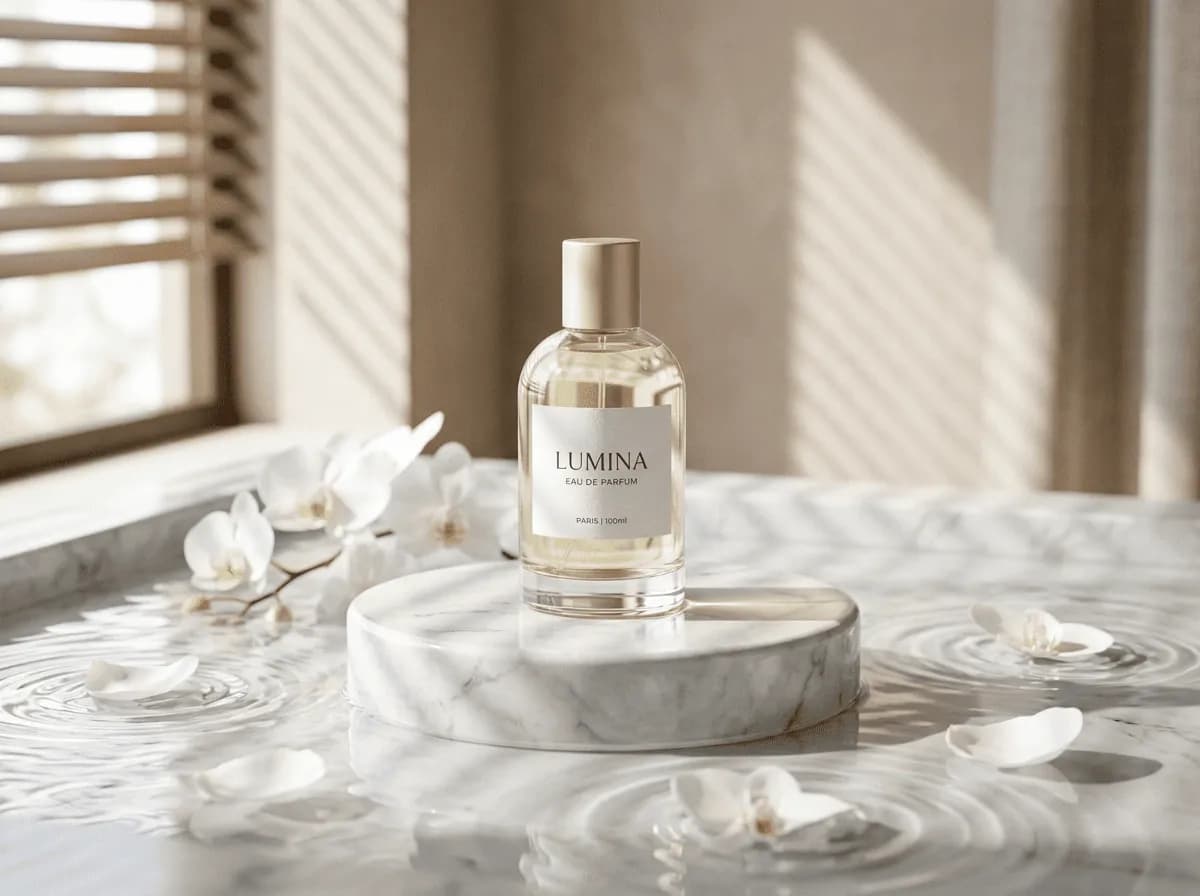
Luxury perfume bottle still life, marble pedestal, white orchids on water, blind-filtered soft light, minimal commercial photo
What the GPT Image family is actually tuned for
Three capabilities define this branch, and each maps to a class of work. First, text rendering: labels, packaging, signage, interface mockups, diagrams, and any layout where a viewer reads words. Second, instruction adherence: when your prompt enumerates constraints, this family applies them literally rather than treating them as atmosphere, which makes it the reliable choice for briefs with acceptance criteria. Third, edit fidelity: given a reference image and a described change, it tends to alter what you asked about and leave the rest of the frame intact.
Where it is weaker is fine photographic texture, extreme stylisation, and cheap high-volume iteration — which is exactly why the other two models on this page stay listed beside it.
Prompt structure this engine wants
Write numbered constraints rather than prose. A pattern that works well: 'Subject: ...' then 'Composition:' then 'Text, exact copy: "..."' then 'Constraints: no extra text, no watermark, hands not visible'. Explicit negatives do real work here because literal reading means a stated exclusion is honoured more often than on engines that treat words as flavour. Put the exact text you want quoted, early, and repeat the requirement that it be spelled correctly and readable. Keep each numbered item to one decision.
When two instructions conflict, remove one — this engine resolves conflicts literally, so the result can end up satisfying the wrong one.
Getting legible text out of the model
Text quality tracks prompt discipline more than resolution. Rules that hold: quote the exact string, including capitalisation, because case is part of the design; state the placement ('large in the upper third'); state the style ('condensed sans serif, high contrast, white on black'); and state legibility as a requirement ('all letters must be correct and readable'). Keep strings short. A five-word sign is reliable; a fifteen-word paragraph of invented copy is not.
When you need dense text, generate the composition with a clean text area and typeset the words yourself afterwards — that hybrid is standard practice and produces better results than any prompt trick. For UI mockups, ask for the layout and placeholder blocks, then overlay real interface text.
Using reference images for precise edits
The edit workflow here is closer to a revision cycle than to inspiration. Upload the frame you want changed, then write only the delta: what changes, and what must stay identical. Be explicit about preservation — 'keep the camera angle, the lighting direction, and the background exactly as they are' — because the engine has a habit of quietly improving things you did not ask it to improve. One change per generation.
If you need three simultaneous edits, do them in three passes; combining them increases the chance that an untouched region drifts. For style transfer onto a reference, describe the target look as material and behaviour ('matte painted surface, visible brush texture, soft north light') rather than naming artists.
Where GPT Image 2.5 fails and how to fix it
Four predictable failures. Invented text on assets you did not ask for: add 'no other text anywhere in the image'. Layout that ignores your instruction: move the constraint to the front and use a numbered item. Drift in untouched regions during an edit: restate the preservation clause and split into single-change passes. Hands and small props coming out malformed: restage the crop so they are out of frame or described as out of focus, since this engine prioritises described regions over incidental detail.
A fifth, softer failure: over-literal results that feel stiff. Fix that with a mood clause at the end rather than by making the constraints vaguer.
Deciding between the three models on this page
Treat the choice as a routing decision made once per deliverable, not per render. Send the job to flux-2 when you are still finding the composition, when the job is thirty or more frames, or when the style is photographic and the text is incidental. Send it to nano-banana-pro when the requirement is identity or product consistency across images, when faces must match, or when you want a softer, more natural photographic finish.
Send it to this GPT Image branch when text must be readable, when the brief is a list of constraints, or when you are revising an existing frame instead of inventing one. The practical win is routing each job once, rather than discovering the mismatch after several expensive reruns.
Cost discipline on GPT Image 2.5 specifically
Because finals here cost more per frame than draft-class renders, the order of operations matters. Explore composition on flux-2 at the delivery aspect ratio, promote the locked frame to this engine once to verify text and layout, and only then generate variants at final resolution. For a five-variant poster set, the verification pass costs one frame and can save four finals that each contain a spelling error.
Keep a note of which frames were approved at which resolution, because regeneration at full resolution is the most common avoidable spend on any platform.
A worked prompt in this engine’s own structure
This engine rewards numbered constraint blocks over flowing prose. A packaging mockup written properly looks like this: “1. Subject: a matte white cosmetic jar, 50ml, cylindrical, unbranded. 2. Environment: pale sand-coloured seamless backdrop, matte surface. 3. Light: large softbox at 45 degrees from camera left, smaller fill from the right at half power, no specular hotspot on the lid. 4. Camera: 70mm, jar centred, filling 60 percent of frame height, camera slightly above the lid line. 5.
Text, exact copy: ‘HYDRATE’ on the front label in spaced uppercase sans, ‘50 ml’ beneath it in smaller type, no other text anywhere. 6. Constraints: label text correctly spelled and horizontally centred; jar proportions must not change.” The numbering is not decoration. It keeps your constraints from merging into one another as the prompt grows, which is exactly where prose prompts lose their instructions.
Parameter behaviour on this engine specifically
Aspect ratio behaves as a composition instruction rather than a crop: this engine places the subject differently at 16:9 than at 1:1 instead of generating wide and cropping afterwards. Set it from the deliverable and then leave it alone. Resolution raises the ceiling on small detail — legible type, fine print, hair strands — rather than sharpening an image that was already flat, so draft at low resolution and go high only for frames containing text.
The revision cycle that actually works here
Treat generation on this engine as a revision loop rather than a lottery. Upload the frame you want changed, describe only the delta, and keep everything else out of the prompt. Editing a label means “change the label text to read ‘HYDRATE’; keep the jar, background, lighting, camera and framing identical”. Replacing the whole scene is a new generation rather than an edit, and mixing the two is the most common source of frustration. Three rules make the loop productive.
Make one change per pass, because two changes give you two failure modes and no way to attribute either. Keep the original file of every approved frame so you can step back. And when an edit degrades something you liked, re-run that same edit rather than adding corrective language, because corrective language stacks and the second version is usually worse than the first.
Who should route here, and who should not
Route work here when the deliverable contains text, an interface, a diagram, a layout you cannot describe purely in words, or a revision of an image that already exists — those are the capabilities this branch is actually tuned for, and no cheaper engine substitutes for them well. Route elsewhere when the job is exploring composition, producing many quick mood frames, or making a purely atmospheric image, because a premium engine used for exploration is money spent before you know what you want.
There is also a time dimension worth weighing: if a frame will still be in use in six months and may need re-rendering at a different size, prefer an engine whose output you can reproduce cheaply, because brand decisions outlive the session in which they were made.
When exact copy needs its own check, compare GPT Image 2 and Flux 2 on numbered layouts.
FAQ
- What is GPT Image 2.5 best used for on Ofrai?
- Jobs where text inside the image must be readable, where your brief is an enumerated list of constraints, or where you are revising an existing frame rather than inventing one. It applies instructions literally, which makes it dependable for packaging, signage, diagram, and interface-layout work, and it tends to leave untouched regions of a reference alone.
- How do I make text render correctly and legibly?
- Quote the exact string including capitalisation, state where it sits in the frame, state the typographic style, and explicitly require that the letters be correct and readable. Keep strings to roughly five words or fewer. For dense copy, generate a clean text area and typeset the words yourself, which is more reliable than any prompt instruction.
- Should I use Nano Banana Pro or Flux 2 instead?
- Use flux-2 for composition exploration, high-volume batches, and purely photographic jobs with incidental text. Use nano-banana-pro when faces, product shape, or identity must stay consistent across a set, or when you want a more natural photographic finish. Route to the GPT Image branch specifically for legible text, constraint-heavy briefs, and precise edits.
- How do I edit an existing image without changing everything else?
- Upload the frame, then describe only the delta and restate what must stay the same — camera angle, lighting direction, and background. Make one change per generation and split multi-part edits into separate passes. Preservation is not automatic, so the sentence telling it what to leave alone does most of the work.
- Why is text appearing that I did not ask for?
- The model is inventing signage or label copy to fill visual space, which it does more readily on busy compositions. Add an explicit exclusion such as 'no other text anywhere in the image', and state where the real copy belongs so the engine has a defined text region to fill.
- How do I keep costs down when finals cost more per frame?
- Explore composition on the cheaper engine at the delivery aspect ratio, then promote the locked frame once to verify text and layout at final resolution before generating variants. Tracking which frames were approved at which resolution also avoids re-rendering finals unnecessarily.
Related generators
- Flux Kontext Max For Precise Image Editing
- AI Action Figure Generator
- AI Animal Generator for Pet Photos and Wildlife
- AI Avatar Generator — Consistent Faces
- AI Black And White Photo Generator
- AI Caricature Generator
- AI Character Sheet Generator
- AI Chibi Character Generator
- AI Classical Portrait Generator
- AI Cozy Anime Art Generator
- AI Cozy Winter Wallpaper Generator
- AI Crayon Drawing Generator