Features
Wan 3.0 Video Guide for Motion and Camera Work
By Ofrai Editorial (Use Case Research)
The Wan 3.0 branch of video models is a practical choice on Ofrai when your shots need controllable motion, clear subject adherence, and predictable duration behaviour rather than maximal cinematic flourish. Video Studio here also carries gemini-omni, seedance-2-5, and sora-2 on one credit balance, so you can route around a failure instead of fighting it. This guide covers how to write motion prompts that do not repeat what a reference frame already shows, how to animate an approved still, and where this branch still needs help.
Chat and video use credits from your Ofrai balance.
Example prompts
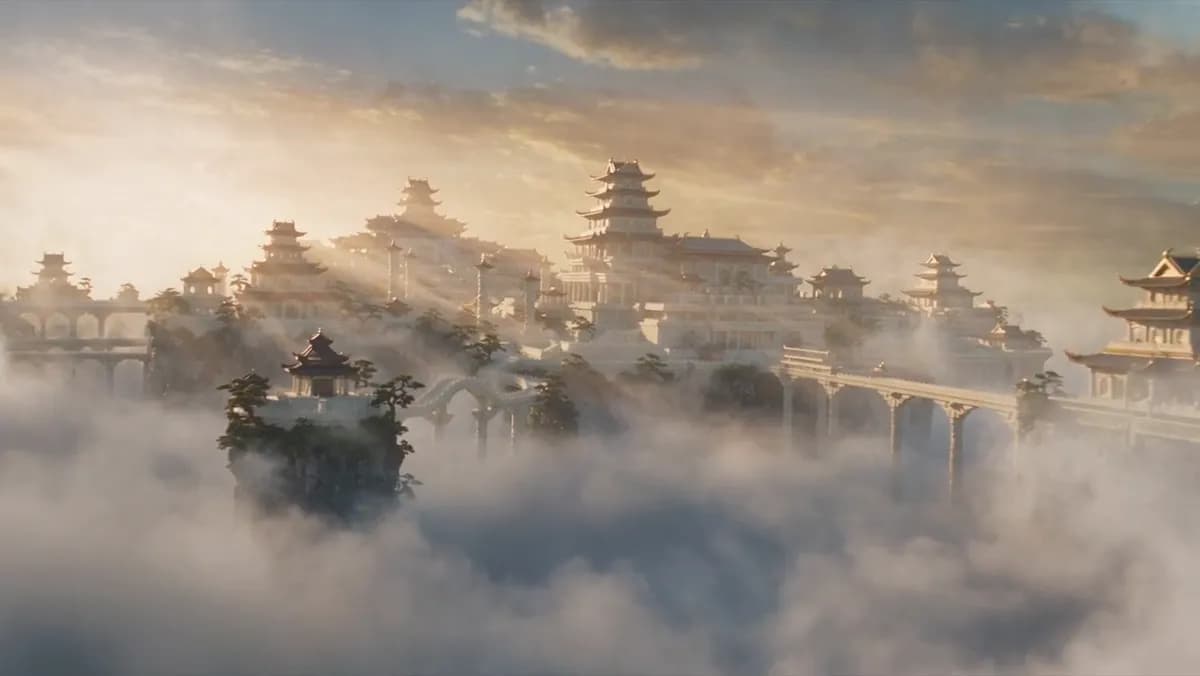
Palace cluster above a sea of clouds, golden skylight, slow aerial push
Positioning Wan 3.0 against the alternatives
Judge video models on the shot you actually have, not on a leaderboard. The Wan 3.0 branch tends to be strongest where the subject must stay recognisable through a described action and the camera does simple work — a person turning, steam rising, fabric moving, an object rotating on a surface. It is a good default when your prompt is a behaviour rather than a spectacle. When the shot is a large travelling camera move through complex geometry, seedance-2-5 tends to hold structure better.
When the shot is art-directed cinematic realism with strong lens language, sora-2 fits. When the brief is loose and mixes character action with environment change, gemini-omni is the more forgiving option. Keep all three on the same credit balance so rerouting costs one job, not one subscription.
Writing motion prompts as deltas
The most common failure with a reference frame is re-describing it. If you upload an approved still, the model already has the composition, the wardrobe, and the light — repeating them wastes tokens and invites drift. Write only the delta: what changes, over what duration, in which direction. Example for this branch: 'the steam thickens and drifts left, the cup stays still, the camera holds perfectly fixed'. Two rules follow from this.
Name one subject and one motion per generation, because two simultaneous motions usually produce a smear rather than a scene. And state the camera explicitly even when it does nothing — 'camera locked off' is information, and its absence is a licence to drift.
Animating an approved still
The reliable workflow begins outside video. Block the key frames in Image Studio at the delivery aspect ratio, approve them as stills, then bring each into Video Studio as a start or reference frame. This removes the two most expensive errors at once: motion in the wrong framing, and a composition you would have rejected anyway.
When you animate an approved still, keep the prompt in present tense and describe the earliest and latest visible state rather than the process between them — 'her hand has risen to the rim of the glass, the water has not yet moved' gives the model a target frame, while 'she raises her hand slowly' gives it an instruction to interpret.
Camera phrasing that survives the render
Use concrete, physical camera language, one phrase per shot. Reliable formulations: 'the camera pushes in slowly from a medium shot to a close-up over four seconds', 'the camera tracks laterally left at walking pace, keeping the subject centred', 'handheld, slight drift, no zoom', 'slow orbit around the subject, about thirty degrees'. Avoid cinematographic shorthand that several models read differently — 'dynamic', 'epic sweep', 'cinematic movement' — because what you hear as energy, the model may hear as shake.
Choose the focal length too: naming 35mm or 85mm changes perspective and depth compression, and it costs nothing to specify. Repeat the same camera phrase across shots in a set so the movement grammar is consistent.
Duration and cost behaviour
Credit spend scales with duration, so the discipline is the shortest clip that completes the described action. A slow push needs three to four seconds to read as a push; a blink needs one. Two seconds of true stillness is nearly free and still useful, which makes locked-off shots the cheapest way to extend a sequence without adding cost. Generate at the delivery aspect ratio from the first attempt so composition decisions stay honest.
If your shot needs sound, check whether the selected model generates audio natively before planning a separate pass; on Ofrai the routing table above matters more here than on image work, because audio support differs between engines.
Where this branch needs help, and what to do
Four known limits. Complex multi-object interaction — two or more things being manipulated at once — usually collapses, so simplify to one subject and one action, or split into two shots. Fast, complex motion such as combat or hand choreography will soften, so prefer aftermath and reaction shots. Dense text inside a moving frame warbles, so keep signage out of motion-heavy shots and add it in post. Long continuous takes drift on faces, so hold shots to four seconds or less and cut.
When a shot fails twice with the same phrasing, stop rewriting and reroute: seedance-2-5 for camera travel, sora-2 for art direction, gemini-omni for a loose brief.
Who gets the most out of this branch
It suits product and food video, where a single object or person performs one clear action under controlled light; atmospheric inserts such as steam, dust, fabric, or rain; short social loops where the viewer reads the action in one second; and anyone building an editable sequence from approved stills. It is a weaker choice for dialogue scenes that need accurate lip sync, for shots where the camera must navigate complicated geometry, and for anything requiring frame-accurate timing against a music edit.
If your deliverable is a locked cut synced to a track, plan that in an editor rather than expecting the model to hold sync.
A three-shot sequence built on this branch
Open on the product at rest: “A sealed glass jar of preserved citrus on a weathered oak table, still camera, soft window light from the left, condensation on the glass, 3 seconds.” Then the open: “The same jar with its lid resting beside it, a slow 180-degree orbit around the jar, warm side light, the contents catching a highlight as the angle passes, 4 seconds.”
Then the use: “A spoon lifts a single piece of citrus from the jar, sticky syrup stretching and falling back, macro, backlit so the translucency reads, shallow depth of field, 4 seconds.” Eleven seconds of screen time from three generations. This branch is strongest on exactly that shape — one subject, one clear action, controlled light — so the sequence is built to stay inside that strength rather than to test it.
Parameter behaviour on Wan 3.0
Duration is the parameter that determines whether a shot survives, so set it from the action rather than from a target: a slow orbit needs three to four seconds to complete without looking rushed, a single lift-and-drop needs about the same, and anything you describe in under two seconds will usually be cut short mid-action.
Aspect ratio should be the delivery ratio, and because this branch responds well to a supplied first frame, that frame should be composed at the same ratio so no framing gets invented for you.
Reference-frame discipline for subject continuity
The most reliable technique on this branch is to approve the first frame before animating it, and then to treat that frame as a contract. Block every key frame as a still in Image Studio at the delivery ratio, get them signed off as images, and only then bring each one in as the reference. Two rules follow.
First, if the reference already contains the end state you want, describe the motion between states rather than the destination, because a model told where it is going tends to snap there early. Second, keep the subject large in frame: this branch holds a recognisable subject far better when it occupies a decent share of the picture than when it is small and distant, and identity drift shows up first on small distant subjects.
Credit behaviour for short commercial clips
Credit spend on this branch scales with duration more sharply than with anything else, so the discipline is to shoot the shortest clip that completes the described action and to accept that a longer version is an editing decision rather than a generation decision. A ten-second usable commercial sequence built as above costs roughly twenty to thirty generations: three or four low-resolution probes to settle framing and camera phrasing, three finals per shot, and one spare per shot held in reserve.
Every generation shows its Ofrai credit cost before it runs. The avoidable spend is duplicating a shot at longer durations in the hope that the extra seconds look better — they usually look worse, because the later part of a long generation is where drift accumulates.
Who should choose this branch, and who should not
Choose it when the shot contains one recognisable subject performing one clear action under controlled light: product, food, beauty, and atmospheric inserts such as steam, dust or liquid movement. That is the workload it was tuned for, and it is where it beats more general engines with the least prompting effort.
Choose another branch when the shot needs several objects being manipulated at once, when a human face must hold its identity across a long move, when text or signage has to stay legible, or when the physical action is complex enough that you are relying on the model to invent intermediate stages. And if the deliverable is a single unbroken take longer than roughly ten seconds with no cuts, this is not the branch for it — that reliability ceiling belongs to a different workflow.
FAQ
- When should I choose this video branch over Seedance or Sora on Ofrai?
- Choose it when the subject performs one clear, described action and the camera stays simple — a person turning, steam drifting, an object rotating. Use seedance-2-5 for long travelling camera moves through complex geometry, sora-2 for strongly art-directed cinematic realism, and gemini-omni when the brief mixes character action with environment change and is loosely written.
- How do I write a motion prompt that works with a reference frame?
- Describe only what changes, not what the frame already shows. Write one subject and one motion, state the duration or the end state, and say what the camera does even when that is nothing, for example 'camera locked off'. Present tense and an explicit end state give the model a target frame instead of an instruction to interpret.
- Why does my video drift in the face or the lighting?
- Long continuous takes are the usual cause, because the model has no reference for where the shot started. Keep shots to about four seconds or less, cut between them, and repeat the identical lighting and wardrobe wording in every prompt. Reusing an approved still as a reference frame also keeps the look stable between shots.
- What is the cheapest way to assemble a longer sequence?
- Use locked-off shots and very short durations, since a two-second still frame costs very little and still buys you edit time. Generate only the moments that need motion, and cover the rest with cuts. Spend your longer, more expensive durations on the one or two shots where the movement itself is the point.
- Can these videos include audio or dialogue?
- Audio support differs between the video engines listed on this page, so check the selected model in the studio before planning. For dialogue scenes or any frame-accurate lip sync, generate visuals and add audio in an editor, because generative video does not reliably hold lip sync or sync to a music cut.
- Can I use the generated footage commercially?
- Commercial use depends on the model you generate with and its model terms. Review the relevant model page and your Ofrai plan before publishing, especially for advertising or client work, and keep a note of which engine produced each shot since a sequence often comes from more than one.