Features
AI Animal Video Generator
By Ofrai Editorial (Use Case Research)
An AI animal video generator adds believable motion to a still you already trust: breathing, a step, a head turn, and a camera move that follows the subject. Start in Image Studio and lock a clean frame, then send that frame into Video Studio as an image-to-video start so the animal's identity never drifts. Choose the engine by camera complexity, keep clips short, and treat every long or complex scene as several shots rather than one take.
Chat and video use credits from your Ofrai balance.
Example prompts
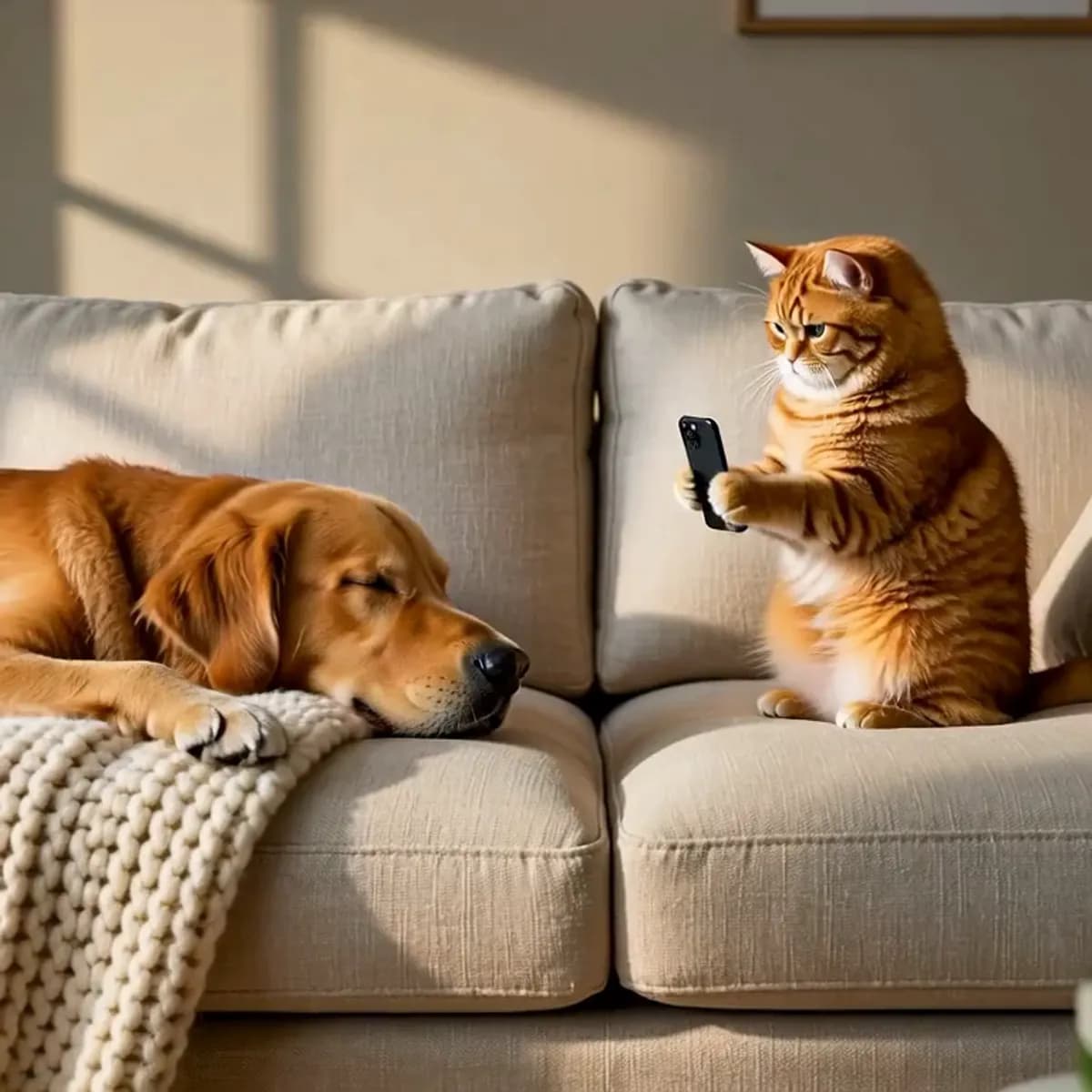
Cat photographing a sleeping dog on a sofa, window shadows, slice-of-life comedy move
Starting from a still you already trust
Motion magnifies whatever is already in the frame, including errors. Generate the source image first at the aspect ratio you need for video — 16:9 for landscape, 9:16 for shorts, 1:1 for feeds — and check the paws, the tail attachment and the contact shadow. A video model will happily animate five legs if you gave it five. Reference engines from Image Studio also produce cleaner motion sources than text-to-video, because the subject geometry is already settled.
Camera moves that suit animals
Match the move to the intent. Slow dolly-in for a portrait or a reveal; lateral tracking for a walk or a run; slow orbit for a hero product-style shot; locked-off tripod for ambient loops where only the subject moves. Write the move as its own sentence before the action: 'slow dolly in, then hold; the cat slowly turns its head toward the lens and blinks once'. Naming the hold matters, because models otherwise drift past the subject at the end.
Writing gait and behaviour the models respect
Use real movement vocabulary. 'Weight shifts onto the front legs, tail counterbalances, one slow blink' reads correctly; 'the animal does something cute' does not. For wild animals, stay within capabilities the model knows: a slow head turn, a chewing motion, breathing, or a slow turn of the head toward camera. Asking for a full gallop across a long landscape usually produces sliding paws and a morphing body — break it into two shots.
Which video model fits which job
seedance-2-5 is the dependable default on this page: strong image-to-video adherence with controlled, readable movement, and a good cost-to-quality balance for short clips. sora-2 handles harder camera language and richer scene motion when you can afford more credits. gemini-omni suits clips where several elements must stay consistent together, such as a subject plus on-screen text or multiple subjects. veo-3 is the pick for photoreal live-action motion and natural camera physics on high-value shots.
Prompt structure for an AI animal video start
Four sentences work reliably: subject and breed, one action, one camera move, and one look constraint. Example: 'a tabby cat sits on a wooden floor indoors; it turns its head to the lens and blinks once; the camera slowly dollies in from mid-shot; warm afternoon window light, no camera shake, fur detail stays sharp throughout'. Adding a second action or a second move is where clips break, so generate each variation as a separate job rather than stacking instructions.
Fixing warped muzzles and sliding paws
Head-on movement warps the muzzle first, and full-body motion slides the paws. Countermeasures: avoid straight-to-camera movement at close range, keep the subject at least a few metres from the lens in the source frame, and add 'paws stay planted, contact shadow consistent with the floor'. Shorten the clip rather than describing harder — a three-second clip has less time to accumulate drift than a ten-second one. If the face deforms, regenerate the still before the next video attempt.
Choosing realism or stylisation deliberately
The same four engines cover both ends of the spectrum, but the source frame decides which way the clip drifts. A photoreal still pushes toward live-action: use veo-3 or seedance-2-5 and ask for natural lens behaviour, wind, and dust. An illustrated still pushes toward anime or 3D: keep seedance-2-5 or gemini-omni, and state the style explicitly in every sentence, because these models re-stylise a live-action source within two seconds of motion.
Four AI animal video prompts ready to paste
Portrait reveal: 'a tabby cat sits on a wooden floor indoors; it slowly turns its head toward the lens and blinks once, then holds still; the camera dollies in slowly from a mid shot and stops; warm afternoon window light, soft shadows, no camera shake, fur detail stays sharp'. Walking track: 'a border collie trots left to right along a wet path; the camera tracks laterally at the same speed; overcast daylight, tail swaying, all four paws stay on the ground and the contact shadow follows the body'.
Ambient loop: 'a sleeping cat on a sunlit windowsill, curtains drifting slowly, dust motes in the light; locked-off tripod camera, no camera movement; the clip returns to its first frame so it loops cleanly'. Wildlife moment: 'a red fox in tall grass turns its head slowly toward the lens, ears rotating; static camera at ground level; dawn backlight, breath visible, grass moving in the wind'. Each one states subject, one action, one camera move, and one look constraint, in that order, and none of them asks for two actions.
Duration, resolution, and the job panel settings
Video cost scales with duration and resolution, so draft at the shortest duration the panel allows and a modest resolution, then rerun the identical prompt at delivery settings once the motion reads correctly. For animal clips, four seconds is usually the sweet spot: long enough for a look and a move, short enough that paws and muzzles have not started to drift.
Choose resolution by destination rather than by habit — 720p is plenty for phone previews and internal review, and going straight to 4K while you are still finding the take wastes most of the spend. Keep the aspect ratio identical to the still you generated, or the model will reframe and reintroduce exactly the crop problems you avoided.
A five-shot sequence for one animal character
Treat an animal sequence as an edit, not a single take. A workable five-cut structure: (1) wide establishing frame at the same location, locked camera; (2) medium profile walking, lateral track; (3) close portrait, slow push-in to the eye; (4) low ground-level detail of paws on the surface, static camera; (5) return to the framing of shot one with the subject in a different position so the loop closes.
Generate all five from stills you have already approved, which means the sequence inherits the Image Studio consistency work instead of rediscovering it. Two to three seconds per cut is enough for animal subjects, because a held look carries more than movement does. Score the set to a real track before you start so the cut lengths are decided by the music, and cut to the beat rather than to the end of a generation.
What to change before rerunning a bad take
Diagnose before you spend again, because most animal clip failures repeat exactly. If the paws slide, the source still had a weak contact shadow — fix the still, not the prompt. If the muzzle warps, the subject was too close to the lens in the source frame; pull back and rerun the still. If the background smears, the model had to invent what was behind the subject; describe the environment explicitly in the next prompt, even as a flat, boring wall.
If the clip is fine but boring, change one variable at a time — usually the camera move first, because moving camera is a bigger change to the viewer than moving subject. Never fix two things in one reroll, or the take will teach you nothing. Keeping the rejected clips costs you nothing in storage and makes the winning take easier to defend later.
AI animal video clips versus general and realistic tools
Choose this page when the subject is a specific animal whose identity must survive: a named pet, a breed with fixed markings, a studio product shot of an animal. Choose the realistic video tool instead when the clip is about a place, a product, or a human moment and the animal is incidental — those engines prioritise camera physics and scene continuity over anatomy, which is a different optimisation.
If you need an animal performing a complicated, trained behaviour, a gallop across a long landscape, or a full hunt sequence, stop at the single-beat level: this page's methods are built for one action per clip, and anything longer will drift. Choreography of that scale belongs in 3D animation or live action, not in a generative clip. For stylised animal characters rather than real ones, take the still from the chibi or creature pages first, then bring that approved frame here as the image-to-video start.
Examples
FAQ
- Can I animate a photo of my own pet?
- Yes. Upload the photo, describe one action and one camera move in a few sentences, and the video models will add motion while preserving the animal's markings. Source a clean, sharp, single-subject frame; heavily filtered or low-light photos animate poorly because the model has little detail to work from.
- What is the best first prompt for animal motion?
- Four sentences: subject and breed, one action, one camera move, one look constraint. Adding a second action or a second camera move is the usual reason a clip breaks, so generate separate jobs for each variation instead of stacking instructions.
- Why do the paws slide or melt in my clips?
- Full-body motion across a long clip accumulates drift. Shorten the clip to three or four seconds, avoid movement straight toward the camera, and add a constraint such as 'paws stay planted, contact shadow consistent with the floor'. Regenerating the source still often helps more than rewriting the prompt.
- Which model should I use for a realistic wildlife clip?
- veo-3 is the strongest for photoreal live-action motion and natural camera physics. seedance-2-5 is the better value choice when the subject is mostly still and you want reliable image-to-video adherence at lower credit cost. Both hold the anchor frame well at the short durations wildlife clips usually need.
- Can I make a seamless loop of an animal clip?
- Ask for the return explicitly: 'the animal settles back into the exact starting pose so the clip loops cleanly'. Keep ambient loops short, use a locked-off camera, and make sure nothing enters or exits the frame during the take. Check the last frame against the first before you export.
- How long should an animal video clip be?
- Three to six seconds for most uses. Longer clips give motion models more time to accumulate identity drift and deformation, so a twenty-second sequence is better made as four or five separate shots that you cut together. Cut them together in your editor rather than extending a single take.
Related generators
- AI Anime Video Generator
- AI Furry Video Generator
- AI Short Video Generator
- AI Realistic Video Generator
- Best AI Long Video Generator
- Wan 3.0 Video Guide for Motion and Camera Work
- AI Object Replacement Video
- AI Outfit Swap Video
- AI Photo Dance Video Generator
- AI Product Swap Video
- AI Virtual Try-On Video
- Photo to video