Features
AI Photo Dance Video Generator
By Ofrai Editorial (Use Case Research)
AI photo dance video takes one still photograph and animates it into a short dancing or groove clip — no filming, no choreography reference, no second camera. You pick a portrait with a readable pose, describe the movement energy and the setting, and Ofrai's image-to-video engines build the motion frame by frame from that frame. It is the fastest way to turn a portrait into vertical social content.
Chat and video use credits from your Ofrai balance.
Example prompts
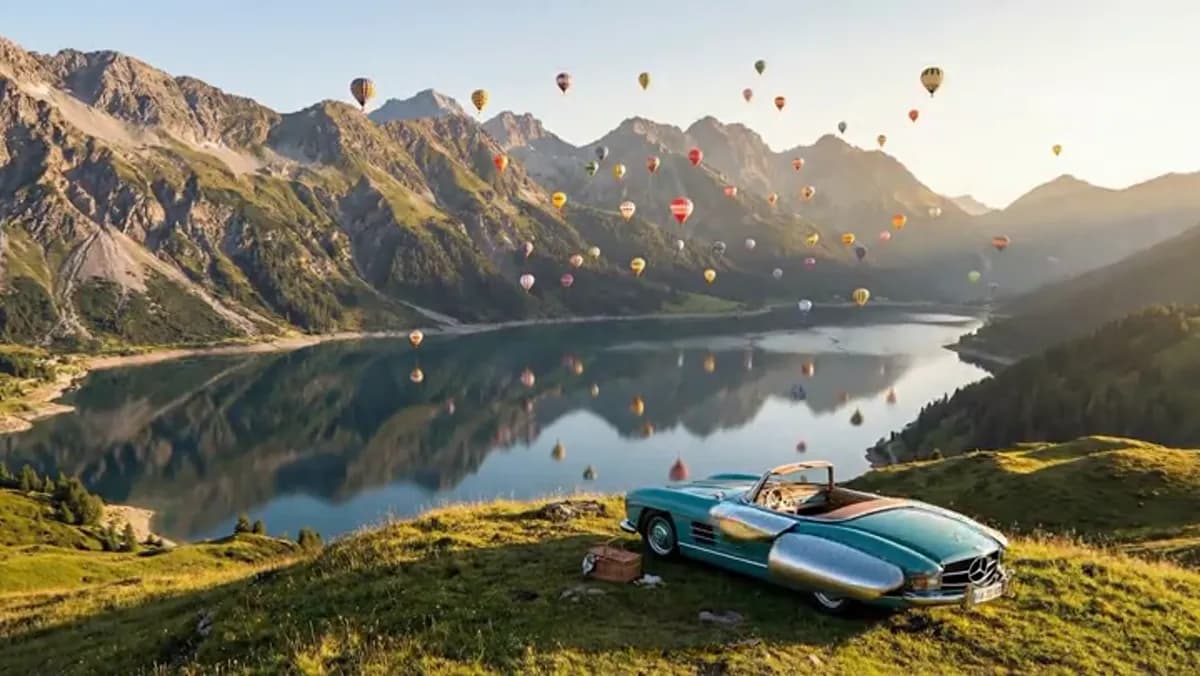
Narrative open: vintage roadster on alpine ridge with hot-air balloons, golden side light, slow lateral move
What a photo-to-dance tool is actually doing
This is single-image animation, not retargeting. There is no driving clip, so the engine has to invent timing, weight and balance from your description, and then commit to them for the whole clip. That is why short works and long does not: the invention is convincing at first and drifts afterwards. It also means the first frame is fixed — your photo's pose becomes the starting pose, including anything awkward in it — so the still you choose does most of the work here.
Choosing a still that can carry motion
The best source is a waist-up or three-quarter shot with the shoulders visible, hands either out of frame or relaxed, and a face already turned slightly toward camera. Full-body frames work but give the engine more to invent below the hips, so legs and feet are the first thing to go wrong. Avoid photos with strong diagonal poses, hard cast shadows across the face, busy backgrounds touching the head, and low-resolution crops — a dance clip magnifies every artefact in the source.
Prompting the groove, not the choreography
Describe energy, rhythm and camera rather than steps. Useful directions look like "loose shoulder-driven groove, small head bob on the beat, relaxed half smile, medium shot, eye level" — the engine supplies the actual movement from the style cues. Naming specific dance moves tends to pull the result back toward a stiff pose because the instruction fights the frame's own geometry. If you need an exact routine, that is a driving-clip job, and a different tool on Ofrai.
Framing crops for vertical feeds
Most of these clips are consumed in a vertical feed, so generate 9:16 and compose for it from the start. Keep the head in the upper third with clear space below the shoulders, since movement needs room downward and a tight crop will clip the hands. If your photo is landscape, either crop it deliberately — centring on the head and upper body — or re-generate the still in Image Studio at 9:16 first, which gives you a better composition than a crop ever will.
Duration, loops, and the first-frame rule
Keep clips to four to six seconds. Shorter segments are cheaper, drift less, and cut together cleanly on a beat. For looping, hold the ending close to the starting pose and ask for camera motion that returns to its origin, so the repeat has no visible seam. Remember the first frame is your photograph exactly as supplied — if it has a half blink or an awkward hand, that is the frame the loop returns to, so pick accordingly.
Where photo dance breaks down
Three failure modes dominate. Face drift: the engine re-renders the face on every frame, and by the end of a longer clip it is no longer the same person. Limb failure: hands and forearms deform fastest during fast movement, especially when they cross the face. Weight failure: an invented dance can lose contact with the ground or float in place, because there is no reference telling it how much inertia a body has. Shorter clips, calmer prompts and simpler framing fix all three.
Which Ofrai engine makes the best photo dance
kling-3 is the strongest of these four on face consistency across generated frames and on natural upper-body movement, so it is the default here. seedance-2-5 gives fast, clean results and a good cost-to-quality balance for testing styles. wan-2-6 is the cheapest way to find a look you like before spending on finals. gemini-omni is worth trying when the scene needs coherent background activity, such as a moving crowd or shifting light.
Photo dance prompts that move something specific
A photo carries no motion information, so every bit of movement is invented from your words. Give the engine specific joints rather than a mood. "Gentle shoulder and hip sway in time with the beat, weight shifting from one foot to the other, arms relaxed at the sides, head tilting slightly." "Small bouncing motion with both knees, hands held at chest height, smiling directly at camera." "Slow side-to-side step, two steps left and two steps right, torso upright." Three rules make this reliable.
Describe the weight, because a body that does not shift weight reads as floating. Say where the hands are, because unspecified hands get invented into odd positions. Keep the movement cyclical and countable, since a described loop is far easier to sustain than a described progression. And do not write "dance to this song" — the model has no access to your audio.
Duration, loop length and where the beat sits
For a loopable social asset, generate at a duration that divides evenly into the bar count of your track. At 120 BPM, four bars is eight seconds and eight bars is sixteen, so those durations loop cleanly and most others do not. Set the duration in the studio controls rather than in the prompt.
If you want the movement to land on a specific beat, describe the first beat explicitly — "the sway starts on beat one and completes one full cycle every four counts" — because otherwise the loop drifts and the drift accumulates across the clip. Keep photo dance clips short for the same reason: identity drift in an invented performance becomes visible past about ten seconds, whereas a seamless eight-second loop is something nobody notices.
If you need twenty seconds, generate two or three eight-second clips with matched first and last frames and cut them together on the beat.
Artefacts a single still cannot avoid
Some artefacts are inherent to starting from one photograph rather than a sequence. There is no back view, so any turn away from camera invents the back of the head and the hair from nothing. There is no motion information, so the invented inertia is only as plausible as the words you wrote, and a costume with no written weight moves like cloth it is not.
There is no ground truth for the floor, so a subject who should be standing on a surface can lose contact with it mid-clip. And a sharp, high-resolution still produces a sharp result in which every invented detail is equally crisp, which reads as uncanny where it should read as video. The mitigation for all four is the same: keep movement small, keep the camera static, avoid turns past forty-five degrees, and start from a photo whose pose is already close to neutral.
Drafting cheap and finishing on one engine
Style exploration is the expensive part of photo dance and it belongs on the cheapest engine. Run six or eight prompt variants on wan-2-6 at low resolution and judge them on movement quality alone: is the weight shifting, are the hands somewhere sensible, does the loop close. Only once one of those reads well do you take it to seedance-2-5 for a clean pass, and then to kling-3 for the final, because that engine holds a face across frames better than the rest.
The failure mode to avoid is exploring style on the strongest engine, which costs several times more to discover that a prompt produces the wrong energy — something the draft pass shows in a fraction of the time. For a series, keep the same source photo, the same prompt and the same engine across every clip so the set reads as one performance.
Photo dance versus dance transfer
The distinction is a reference video. A photo dance tool has no performer in the chain: it starts from a still and writes the movement from your description, which means it can produce any mood you can name and produces no choreography you did not specify. Dance transfer copies an actual performance from a driving clip, so the movement is someone else's, accurate and repeatable — and you need rights over that footage. That makes the choice straightforward.
Use photo dance when you want atmosphere: a historical photograph moving, a portrait with a gentle sway, a product or a pet with charm. Use transfer when the movement itself is the content: a tutorial, a performance piece, a specific choreography you have paid for, or anything where being slightly out of time with a real routine would be visible to the audience.
Who should skip a photo dance tool
Skip it when the photograph shows something that has to stay accurate. A memorial or historical photograph of a real person should not be made to bob to a beat; the movement is trivial and the offence is not. Skip it when the subject is a group, because the engine has to invent every body but one and the result is worse than the still you started with.
Skip it when the deliverable is a broadcast or commercial spot with a legal review attached, since an invented performance on a real face attracts consent questions that cost more to resolve than the clip earns. And skip it when your real problem is clothing or product variation rather than motion, because dedicated workflows will give you a cleaner result. What this tool is genuinely good at is mood, and nothing else.
For a specific dance study, see adult dance-motion examples.
FAQ
- Do I need a dance reference video for this?
- No. This workflow animates a single still and invents the movement from your description. If you need an exact routine, a specific performance, or precise choreography, use a driving clip with an image-to-video engine instead, which is a separate Ofrai workflow built for retargeting real motion.
- What kind of photo works best for animating?
- A sharp, reasonably high-resolution portrait, waist-up or three-quarter, with the shoulders visible and the face turned slightly toward camera. Avoid busy backgrounds touching the head, hard shadows across the face, and low-resolution social thumbnails — a dance clip magnifies compression artefacts and noise from the source image.
- Why does the face change after a couple of seconds?
- The engine re-renders the subject on every frame it generates, so identity gradually moves away from the source photo. Shorter clips, calmer movement prompts, and a cleaner starting photo all reduce it. If the face must stay exact, keep the clip under five seconds and treat it as a loop rather than a performance.
- Can I make a looping dance clip from one photo?
- Yes, and it is the natural use for this tool. Generate four to six seconds, ask for camera motion that returns to its starting position, and check that the final frame resembles the first. Because the first frame is your photograph exactly as supplied, choose a source image whose pose would look natural on repeat, since that pose is where the loop returns.
- Can I use my own photo to make a dance video?
- Yes, upload the image to Video Studio and describe the movement and setting. Use a photo you have the right to use — for likeness of a real person, check the terms on the model page and your plan, and label synthetic content where it will be published. Keep the same credits cover the image step and the video step.
Related generators
- AI Object Replacement Video
- AI Product Swap Video
- AI Dance Transfer For Choreography Reuse
- AI Motion Transfer Video Generator
- AI Outfit Swap Video
- AI Virtual Try-On Video
- Seedance 1.5 Pro on Ofrai
- Photo to video
- AI Animal Video Generator
- AI Anime Video Generator
- AI Furry Video Generator
- AI Realistic Video Generator