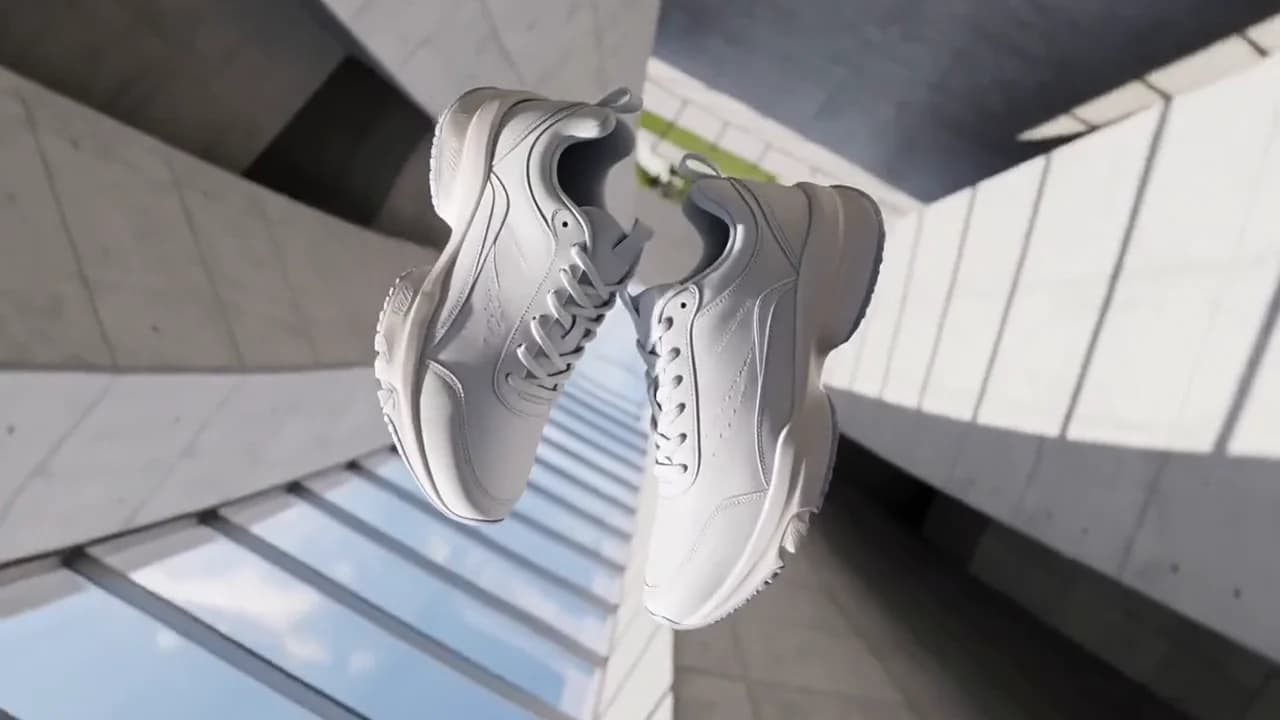
Compare the source, failed attempt and retry
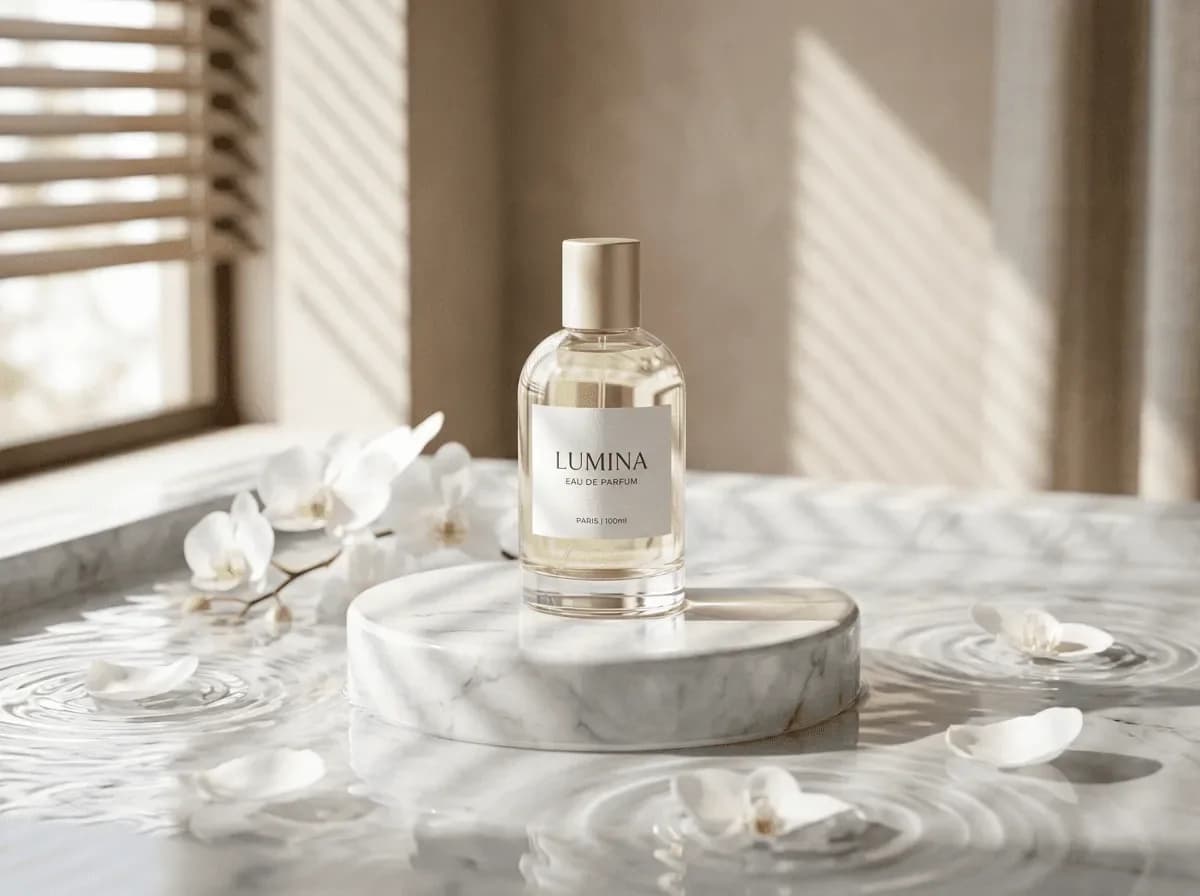
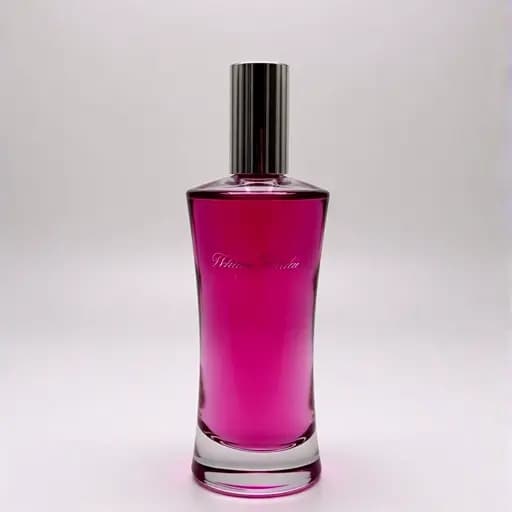

Both runs used the same source image. We changed the first-frame field and the prompt together, so either change could have contributed to the result.
Video
Video
Available on Ofrai — chat, images, and video in one place with shared credits.
A 5-second 720p clip with 16:9 framing and audio is currently quoted at 327 credits. Budget 654 credits for two completed attempts at those settings. Confirm the quote after choosing your settings and uploading the first frame.
For a final product reveal, start with a short shot and check framing, logo continuity, and audio. To compare the same prompt with another model, use the brief below.
For image to video, choose Image to Video in the studio and upload a clear first frame. In the perfume test, the push-in preserved the bottle after a retry, while small label text still shifted.
A matte black wireless headphone rotates slowly on a white turntable, soft studio light, the camera holds still, clean product commercial.
Choose an example to load its prompt and recommended settings into the Vidu Q3 Pro creator above.
How it works
Keep Vidu Q3 Pro selected, then add a prompt and any supported reference assets.
Choose the aspect ratio, resolution, and available Video options before generating.
Review the result, adjust the prompt or settings, and generate another version from the same place.
2026-11-14 · one starting image · 5 seconds · 720p setting · audio track included · output 1110 × 828 · about 78 seconds to complete. Provider charge $0.357144. Current Ofrai quote: 327 credits.
The first attempt replaced the bottle. We used the provider’s first-frame field and named the LUMINA label, clear glass and gold cap in the next request. The push-in kept the bottle and set recognizable, while small print changed later in the shot. Use a separate verified shot when the packaging copy must be readable.

Both runs used the same source image. We changed the first-frame field and the prompt together, so either change could have contributed to the result.
One continuous five-second product shot. Use the supplied LUMINA perfume image as the starting frame. Slowly push in toward the bottle. Keep the original clear cylindrical glass, gold cap, white label, and LUMINA lettering. Preserve the original scene, shadows and color. No rotation, cuts or new objects.
Use the tested prompt in Video Studio. Then choose Image to Video and upload your own first frame.
See the starting image and both listing shotsVidu Q3 Pro is the top tier of the Q3 family, and the documentation is unusually direct about what separates it from the tier below: Pro is the high-quality model, it supports audio-video sync and storyboard video generation, and it costs roughly twice what turbo costs. That price difference is most of the decision.
Everything else on this page — the 1 to 16 second duration range, the three resolutions, the zero/one/two reference-image rules, the audio flag that already defaults on for every Q3 model — is the same surface turbo exposes. So the question is never 'what can Pro do that I cannot do at all'. It is 'does this particular shot repay double'. The honest answer is that Pro earns its price on locked shots that ship, and loses it on shots you are still moving.
The reference attaches two things to Pro specifically: audio-video sync and storyboard video generation. Note what that does and does not mean for audio. Audio output is not a Pro-only switch — it is a boolean that defaults to true across all Q3 models, and when it is on, the system derives speech and background sound effects from the prompt. So Pro is not the tier that gives you a soundtrack; every tier does.
What Pro is described as doing is keeping that generated sound synchronised with the picture, which is a coherence property, and coherence is precisely what degrades when a render is cheap. The second headline, storyboard generation, is the shot-planning behaviour: it is the feature to think about when your deliverable is a sequence assembled from shots rather than one good clip.
The price statement in the reference is a ratio, not a price list — Pro at about two times turbo — so the useful way to use it is as a price difference for budgeting on a per-second basis, not as an absolute figure to quote.
Duration runs from 1 to 16 seconds on Pro, defaulting to 5, and every whole second in that range is available. The base Q3 model shares the same maximum but floors at 3 seconds, which sounds like a rounding detail until you have a shot list that includes a two-second insert. On Pro that insert is a one-line request; on the base model it is not expressible at all.
That floor is also why a draft-then-polish workflow between Pro and base is not always available to you — a beat you designed at one second cannot simply be re-rendered on the base tier and keep its shape.
Within Pro itself the range is worth thinking about as an editing instrument rather than a limit: a five-second default gives you a neutral single-shot length, and pushing toward sixteen buys you a take with enough room for a camera move to start, settle and finish inside one generation instead of forcing you to cut around it.
The reference image parameter is optional on Pro, and the count of images is the control. Pass none and the request is text to video, with the model inventing everything including the opening frame. Pass one and that image is the first frame, which is the mode that matters most on a premium tier, because a product, a face or a room stops being something the model approximates and becomes something the model starts from.
Pass two and the pair is interpreted as a first and last frame, which is a genuine interpolation request: you are bounding the clip at both ends rather than seeding one. What you cannot do on Pro is pass a larger reference set. The multi-reference path — up to seven images, and mandatory to supply at least one — belongs to the base `viduq3` model.
If your shot needs five angles of the same product to be reconciled, Pro is not the endpoint that does it, and discovering that after rendering is an expensive way to learn it.
Worth stating separately because it surprises people who assume a premium video model is silent by default. The audio parameter defaults to true for all Q3 models, and setting it true generates speech and background sound effects according to the prompt. That means the sound design for a Pro render is authored in text, in the same prompt field as the camera move, and the prompt ceiling is 5000 characters — a long budget that comfortably holds subject, action, scene, camera and style plus the lines you expect to hear.
The parameter takes false as well, which is the route when the clip will be dubbed, scored or sound-designed downstream and generated ambience would fight the real mix. The decision is best made before rendering, not after, because it changes what you bother writing in the prompt and it changes what the render is for.
Three resolutions are available — 540p, 720p and 1080p — and 720p is the default. On a tier priced at roughly double turbo, the discipline that pays is rendering the iterations at 720p, or lower, and spending the premium resolution once on the frame that ships. Aspect ratio is a separate parameter taking the common set of 16:9, 9:16 and 1:1, with the reference noting that the Q3 family supports arbitrary ratios beyond those.
Passing reference images changes the picture again: the ratio is often decided by the image you supplied, so if you want vertical output, set the ratio explicitly rather than letting a landscape reference quietly dictate it. This is the least glamorous section on the page and the one that most often turns a budget decision into an accident.
The endpoint is asynchronous — you submit, get a task identifier back, and collect the result later. For a single clip that is a detail. For a premium tier it is a scheduling fact, because the expensive renders are the ones you will want to run while you work on the next shot instead of waiting on them.
It also means failures are cheap to diagnose at the job level: one task identifier tells you which submission produced which file, which is worth having when the prompt is 5000 characters long and several jobs are in flight at once. Plan for three tiers of render instead of one — cheap passes while the shot is still moving, a confirming pass once it settles, and the hero render at the top settings — and the higher price stops being a single scary number and becomes three known line items.
One sentence: reach for Pro when the shot is locked and the output ships, and stay on turbo while it is still moving. There is one specific case where the base Q3 model beats Pro outright, and it is worth naming before you commit budget. The reference describes the base model as the best in the family for multi-camera consistency, with smart shot switching and multi-reference image generation — features Pro's two-image first/last-frame mode does not cover.
If your requirement is a character or product that has to hold identity across several distinct camera angles, that is a base-model job regardless of tier. Pro's advantage is fidelity and sync on a shot you have already designed, not breadth. Buying Pro for a reference-reconciliation job is how the higher price turns into pure waste.
Compare other Video models that can handle similar creative work to Vidu Q3 Pro.
Commercial use depends on the selected model and model terms.