Features
AI Giantess Image Generator
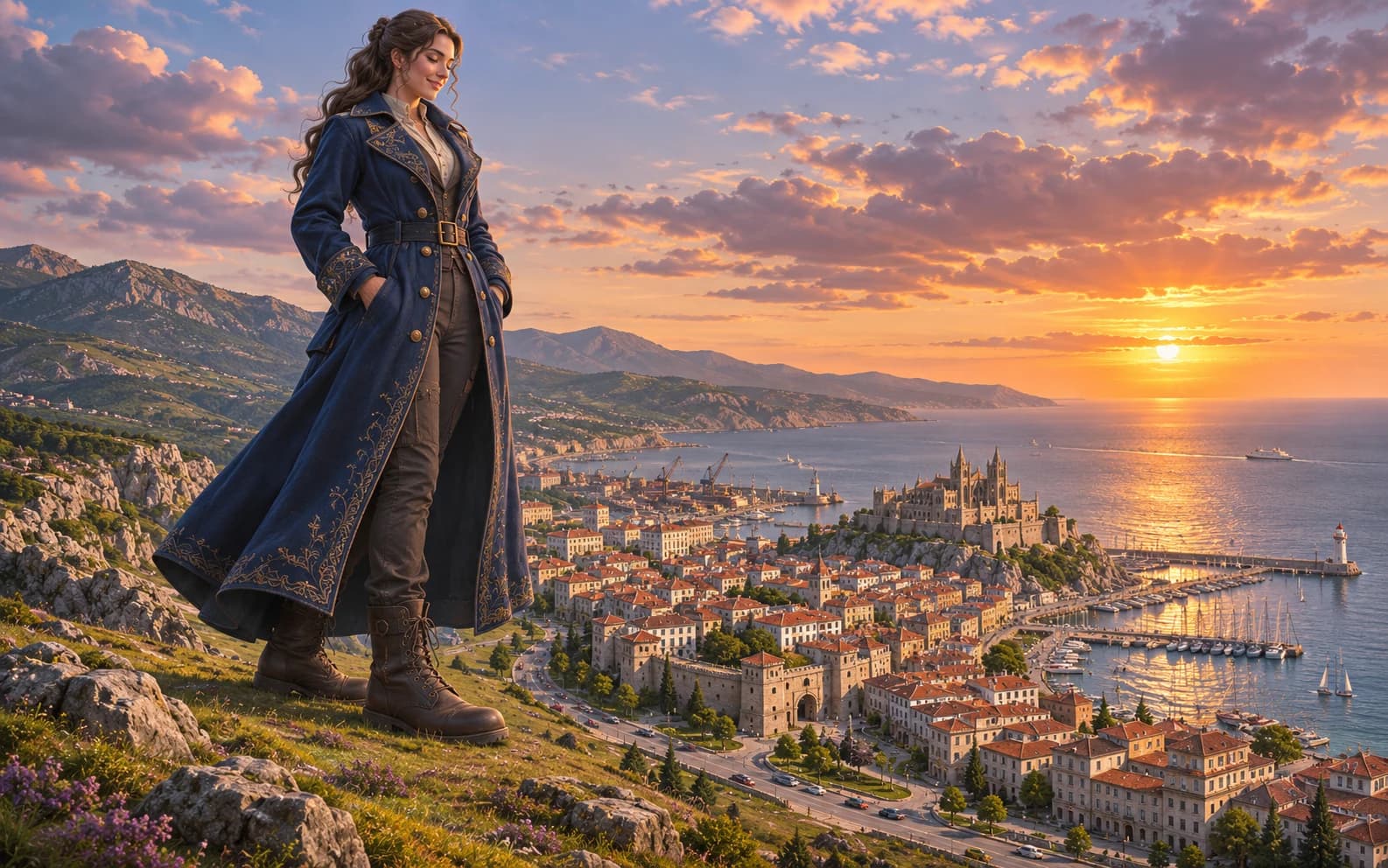
Compose an original fantasy image of a giant adult character among smaller buildings or landscapes. Define scale with architecture, perspective and light rather than relying on the word giant alone. This workflow creates a still image, not a 3D scene or animation.
New accounts include 1 free GPT Image 2.5 generation. Other models and video use credits.
Example prompts
Original fictional adult giant woman in a fully clothed long coat standing beside a miniature coastal city, wide fantasy establishing shot, tiny cars and buildings for scale, soft golden-hour light, calm expression, no violence or nudity.
Give the viewer a scale reference
Choose a wide establishing frame and include two familiar sizes, such as a doorway and a vehicle. Place the character's feet on the same ground plane as the buildings. Without those anchors, the model may draw a normal portrait with a miniature backdrop rather than a convincing large-scale scene.
Direct perspective and contact
Ask for a low camera position, an unbroken horizon and a contact shadow where the character meets the street or landscape. Keep the pose simple and fully clothed. Review hands against rooflines and feet against roads, since overlapping edges often reveal that the two scales were composited badly.
Use the result as concept art
An approved image works for a story pitch, poster sketch or game-world moodboard. If you need consistent camera views or a moving character, save the chosen visual rules and rebuild the scene in a 3D or animation workflow. One generated frame does not establish usable geometry.
Keep the scene safe and original
Describe a fictional adult and an invented setting. Avoid named people, protected characters, explicit content and graphic harm. A calm, non-destructive scene often makes the scale easier to read because there is less debris obscuring the contact points.
Make a second crop without losing scale
If a poster needs a portrait crop, generate or compose it with a building edge or vehicle still visible. Cropping to the character alone removes the evidence of size. Keep the low camera angle and shared horizon in the brief, then compare both crops before choosing which one tells the story faster.
FAQ
- Can I animate the giant character here?
- This page creates an image concept. You can use an approved still as a reference for a separate video workflow, subject to the selected model's controls.
- Why does the person not look giant?
- Add familiar objects at a consistent scale, use a shared ground plane and specify a low camera angle. The relationship between objects carries the size cue.
- Can this produce a sequence with identical geometry?
- Not reliably. Save an approved frame as a reference where supported, and expect to redraw geometry in a dedicated 3D workflow for a consistent sequence.