Features
AI Body Image Generator
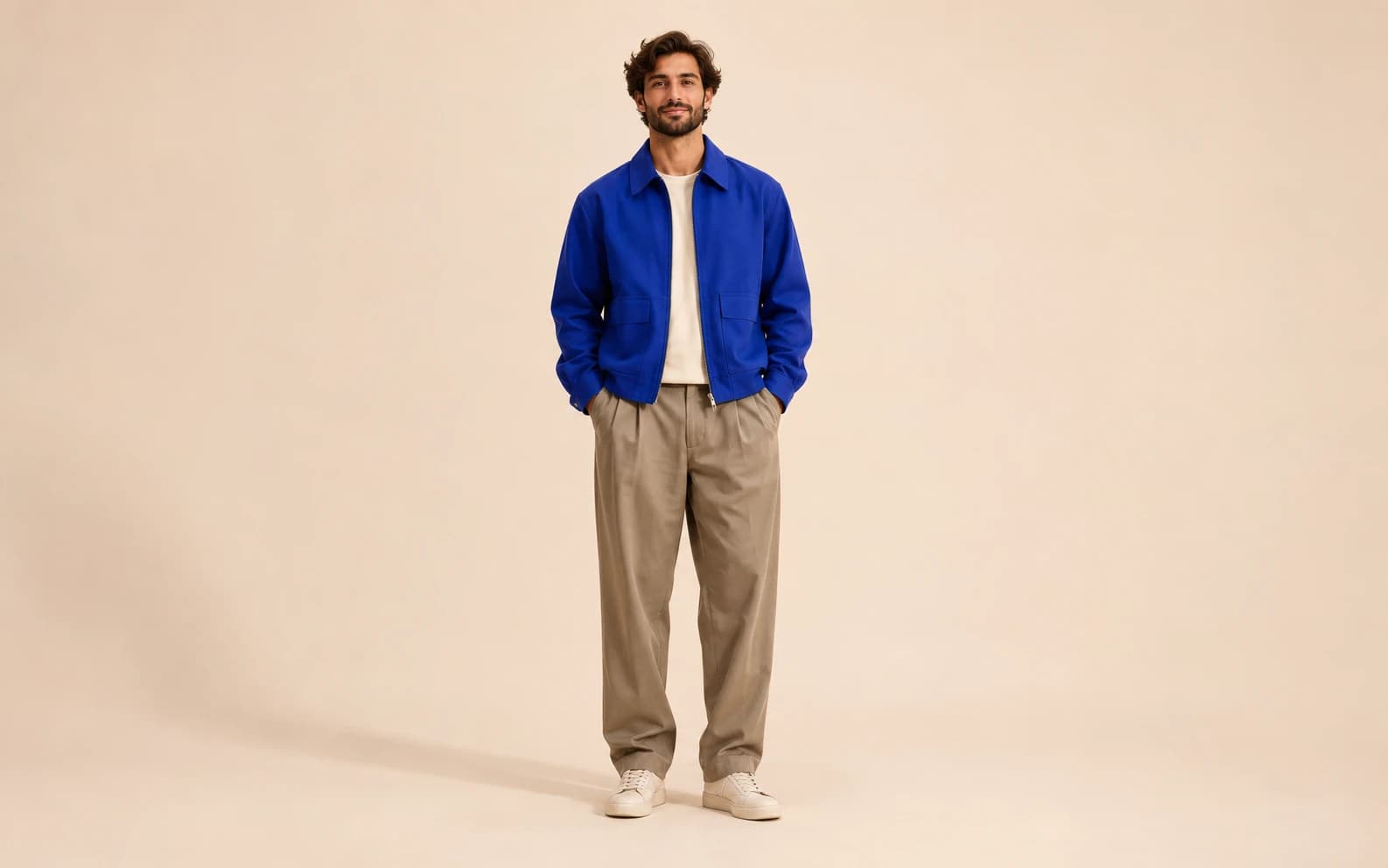
Create a full-body image of an original adult character in Ofrai Image Studio. Describe the outfit, pose, background and camera distance so the whole figure stays in frame. The result is a generated portrait concept, not an exact representation of a real person's body.
New accounts include 1 free GPT Image 2.5 generation. Other models and video use credits.
Example prompts
Full-body editorial portrait of a fictional adult in a cobalt jacket and relaxed trousers, standing naturally against a warm cream studio backdrop, feet fully visible, realistic proportions, soft side light, no text.
Frame the whole figure
Say full-body, head-to-toe and feet visible in the first sentence. Leave space around the character and choose a portrait ratio so shoes and hair are less likely to be cropped. A plain background makes pose and clothing easier to inspect than a busy street scene. If the first image cuts off an arm or shoe, widen the framing before changing the subject.
Direct the pose without overloading it
Start with one stable action such as standing, walking or sitting. Name the position of the hands and the weight-bearing leg only when those details matter. Ask for natural proportions and inspect joints, fingers and garment edges after generation; image models can draw anatomy inconsistently, especially when limbs overlap.
Keep a real person out of an invented body
For an original character, describe clothing and scene rather than borrowing a real person's identity. If you upload your own photo as a reference, compare the generated face and proportions with the source and treat the result as a stylized edit. Do not use a generated body image as evidence of someone's appearance, health or physical change.
Choose a crop for the final placement
A profile card, a clothing moodboard and a poster need different amounts of space around the figure. Generate the full-body version first, then crop a copy for each use. If you want room for a headline, specify empty space beside the person rather than asking the model to draw the headline.
Create a controlled second version
Keep the same character description and change one variable such as the jacket, backdrop or pose. Save the first image so you can compare the face and proportions. Image models may redesign the person between runs, so select a result rather than claiming the variants show one real individual.
FAQ
- How do I avoid cropped feet?
- Ask for a head-to-toe view with visible shoes, leave margin around the figure and use a portrait ratio. Check the first result before refining the outfit.
- Can this show an exact body transformation?
- No. It creates an image concept; body proportions and identity may change. It cannot predict or document a real physical transformation.
- Should I upload a photo for a full-body image?
- You may use your own or an authorized photo as a reference. The model can still change likeness and body proportions, so inspect the result carefully.