Features
AI Animation Generator
By Ofrai Editorial (Model Testing Team)
Describe a scene in an animation style — 3D cartoon, flat 2D, claymation, paper cut-out — and get a short animated clip. Or animate a character image you already made. For anime specifically, use the anime video generator.
Chat and video use credits from your Ofrai balance.
Example prompts
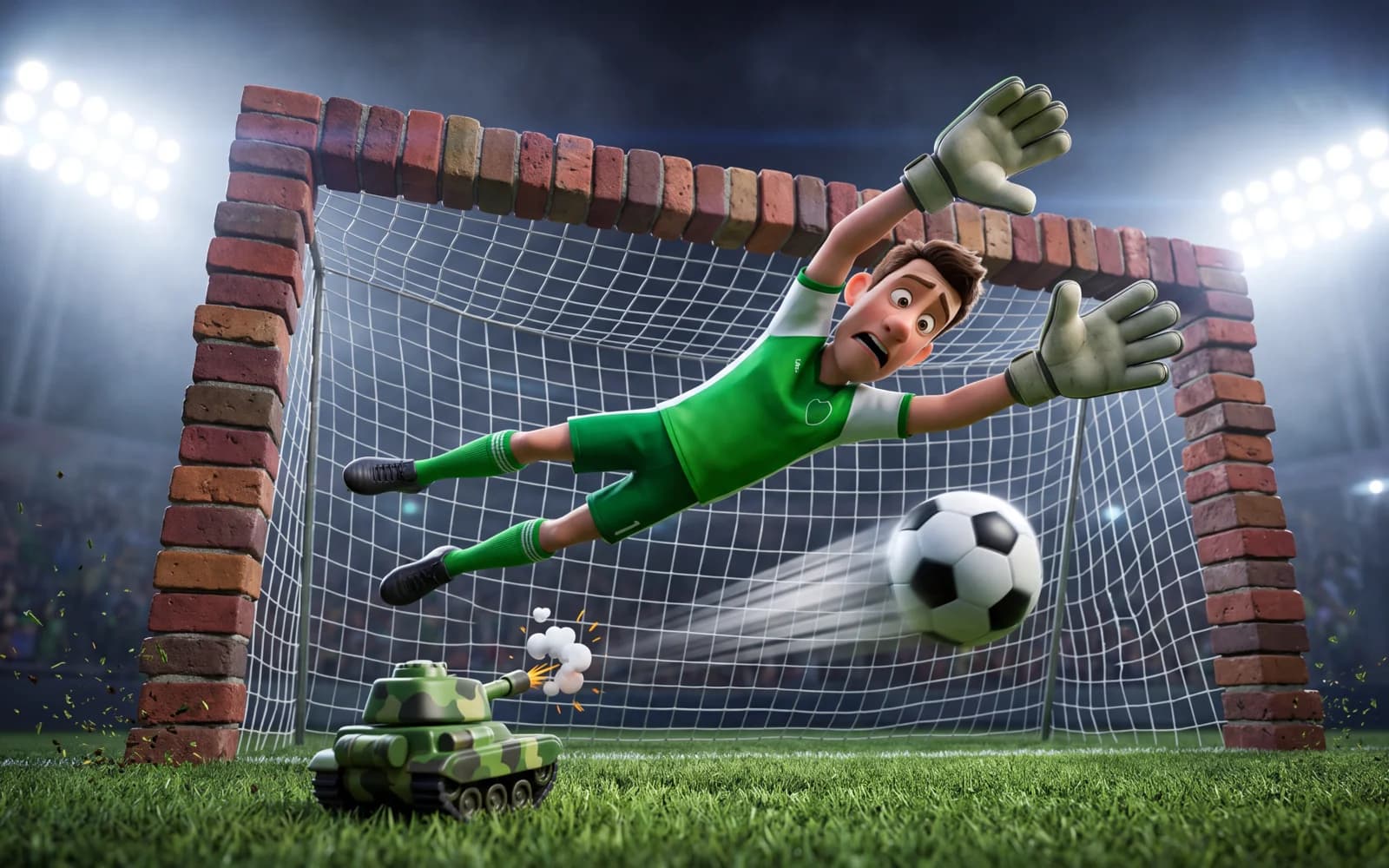
3D cartoon animation: a goalkeeper in a green kit dives across a goal built from red bricks as a tiny toy tank fires a football, bright stadium lights, playful Pixar-style look, smooth motion.
What it is for
Social content and memes, explainer openers, children's content, mascot animations, animated greetings and quick concept tests for animators. Short clips with one clear action suit current models best.
Name the style first
Animation style decides everything, so put it at the start of the prompt: 3D cartoon (Pixar-style), flat 2D cartoon, claymation, stop-motion, paper cut-out, watercolour animation, or motion graphics. Then describe the character, one action and the setting. Saying “smooth motion” or “stop-motion, low frame rate” changes how the movement feels.
Animate your own character
The most controllable route is to design the character as a still first — the cartoon generator is made for that — and then open it in Video Studio as the starting frame. Describe only the movement: the mascot waves, the fox turns a page. Starting from an image keeps the character's design and colours stable through the clip.
Which model to use
Seedance 2.5 is a good default for 3D cartoon looks and runs up to 30 seconds. Kling 3 handles smooth character motion well, up to 15 seconds. Wan 2.6 is a lower-cost option for drafts and stylised looks, up to 15 seconds. Try the same short prompt on two models; styles vary more between models than quality does.
Keeping it consistent
Characters can change between separate clips. Reuse the same starting image and the same character description for every clip in a series, keep each clip to one action, and join them in a video editor.
Cost
On the test date a 5-second clip cost 318 credits on Seedance 2.5 at 480p and 416 on Kling 3 at 720p; Wan 2.6 was listed at 198. Video needs a paid plan or top-up credits on the account.
FAQ
- Is this the same as the anime generator?
- No. This page covers 3D cartoon, 2D cartoon, claymation and similar styles. The anime video generator is tuned for anime looks.
- Can I animate a drawing?
- Yes. Upload the drawing as the starting frame in Video Studio and describe the movement.
- How long can an animation be?
- Up to 30 seconds on Seedance 2.5 and 15 seconds on Kling 3 or Wan 2.6 per clip. Join clips in an editor for longer pieces.