Guides
GPT-6 Astra pricing, API cost, and token limits
GPT-6 Astra is the newest conversation model in the Ofrai catalog. This guide explains how to read its token pricing, estimate a real chat turn, understand context limits, and start a session without managing another vendor account.
Chat and video use credits from your Ofrai balance.
Quick answer: what does GPT-6 Astra cost?
GPT-6 Astra is billed by input and output tokens. Ofrai shows the current input and output credit rates on the model page before you send a message. Your final cost depends on prompt length, conversation history, output length, and any enabled tools, so a short question and a long document review should not be treated as the same job.
How token billing works
Separate the request into input tokens and output tokens. Input includes your message and the conversation context sent to the model; output is the response it generates. Multiply each amount by the displayed per-1K-token rate, then add the two results. This is more useful than quoting a flat per-message price because long chats can carry much more context than a short turn.
Estimate a real conversation
Use the live Ofrai rates on this page. Credits ≈ (input tokens ÷ 1000) × input rate + (output tokens ÷ 1000) × output rate. A short turn around 0.8K input / 0.4K output stays cheap; a 12K-input document review or a 20K-context thread turn jumps quickly because history is resent as input. Keep a buffer for system instructions and tools, then confirm the rate card and worked examples below before you budget a workflow.
Context window and output limits
A large context window helps with long documents, codebases, and multi-step research, but it does not make every request cheap. Start with the smallest relevant context, summarize older turns when possible, and check the model page for the current maximum output and supported input types before building a workflow.
GPT-6 Astra for reasoning, writing, and code
Use GPT-6 Astra when the task benefits from careful reasoning, long context, structured writing, or code analysis. For high-volume drafts, compare its cost and latency with another live chat model in Ofrai, then reserve Astra for the turns where quality or context handling matters most.
API access versus online chat
API users manage keys, request payloads, rate limits, and their own billing. Online chat users can open GPT-6 Astra in Ofrai, see the model rate, and switch to another listed model from the same workspace. The model page links directly to the chat studio so a search visit can become a first conversation.
How Ofrai keeps the workflow simple
Ofrai uses one account and one credit wallet across chat, image, and video models. Select GPT-6 Astra from the catalog, start a conversation, and keep the same history and balance when you need a different model. Availability and rates are taken from the live catalog and may change as upstream providers update their models.
Who should use GPT-6 Astra?
It is a strong fit for developers, researchers, analysts, and teams that need a current frontier chat model for difficult or context-heavy work. It may be unnecessary for a one-line rewrite or a low-cost batch draft; compare a lighter model when speed and price matter more than maximum reasoning depth.
Live Ofrai rate card
| Input / 1K tokens | Output / 1K tokens |
|---|---|
| 33 credits | 167 credits |
Rates come from the live Ofrai catalog and can change when the upstream provider updates pricing.
credits ≈ (input tokens / 1000) × input rate + (output tokens / 1000) × output rate
Worked Ofrai credit examples
Estimates use the live input/output rates above. Formula: credits ≈ inputK × inputRate + outputK × outputRate. Real turns may differ with tools, system prompts, and how much history is resent.
| Scenario | Approx. tokens | Est. credits |
|---|---|---|
| Short Q&A | 0.8K in · 0.4K out | 94 |
| Coding help | 2K in · 1.5K out | 317 |
| Document review | 12K in · 2K out | 730 |
| Long thread turn | 20K in · 1K out | 827 |
What it looks like in Ofrai
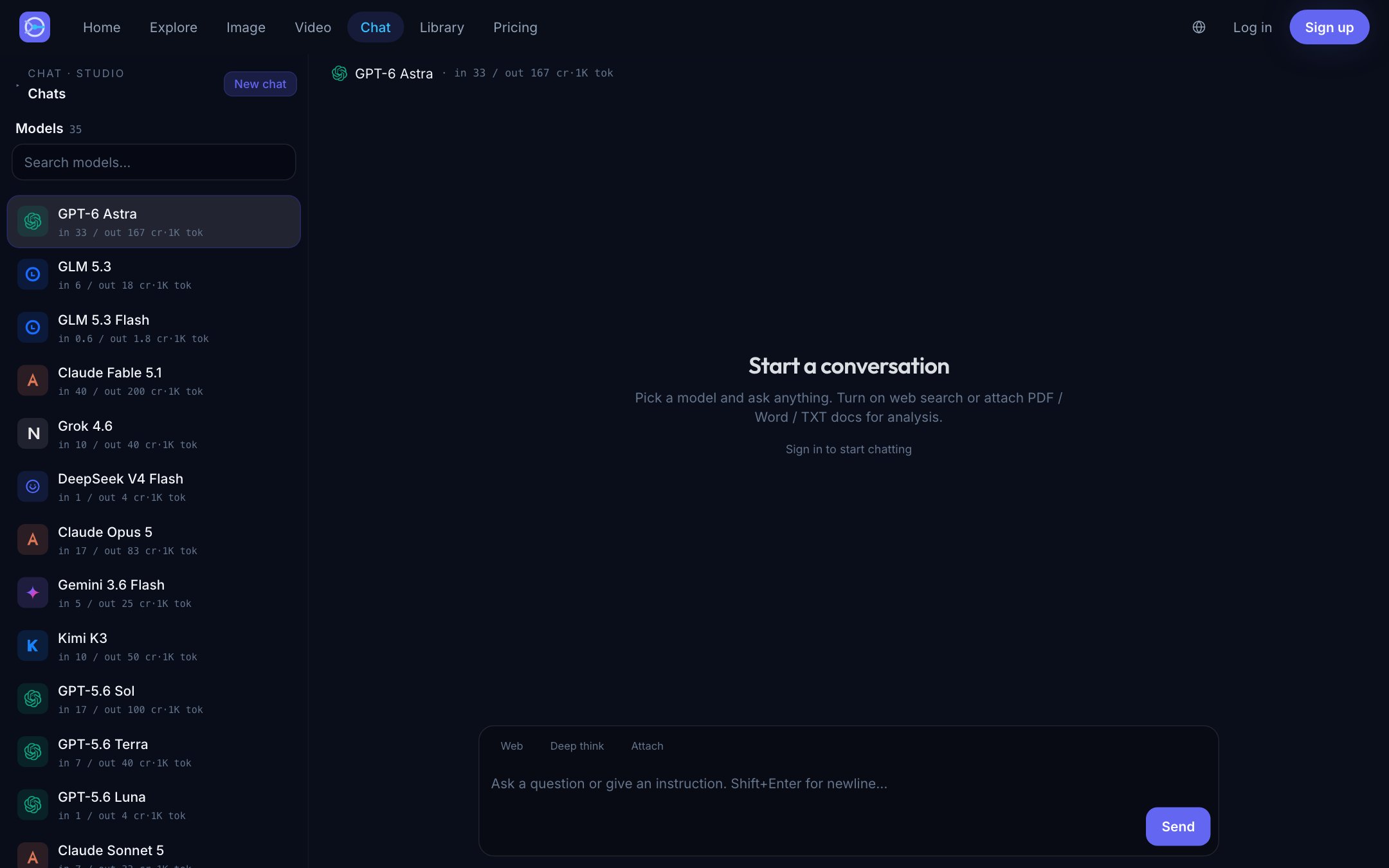
FAQ
- How much does a typical GPT-6 Astra turn cost in Ofrai?
- It depends on tokens. With live Ofrai rates, a short ~0.8K-in / 0.4K-out turn is far cheaper than a 12K-in document review or a long-thread turn that resends 20K of context. Use the worked examples on this page with the current rate card.
- Is GPT-6 Astra available for online chat?
- When it is live in the Ofrai catalog, yes. Open the GPT-6 Astra model page and use the chat CTA to start with the model preselected.
- How is GPT-6 Astra billed in Ofrai?
- Chat models use separate input and output token rates. The current credit rates are shown on the model page and are applied to the tokens used by each turn.
- Does a longer conversation cost more?
- Usually. Previous messages sent as context count toward input tokens, so long threads can cost more than a new short question.
- Can I compare GPT-6 Astra with Claude or DeepSeek?
- Yes. Ofrai is designed for switching between live chat models while keeping one credit wallet. Use the chat studio to compare the same prompt.
- Do I need an OpenAI API key?
- No for the Ofrai web chat flow. API access and provider account requirements are separate from using a live model through Ofrai.
- Can I use GPT-6 Astra output commercially?
- Check the model provider's current terms and the intended use before commercial publication. Ofrai does not override provider restrictions.