Features
AI Celebrity-Style Images: Fictional Red-Carpet Portraits
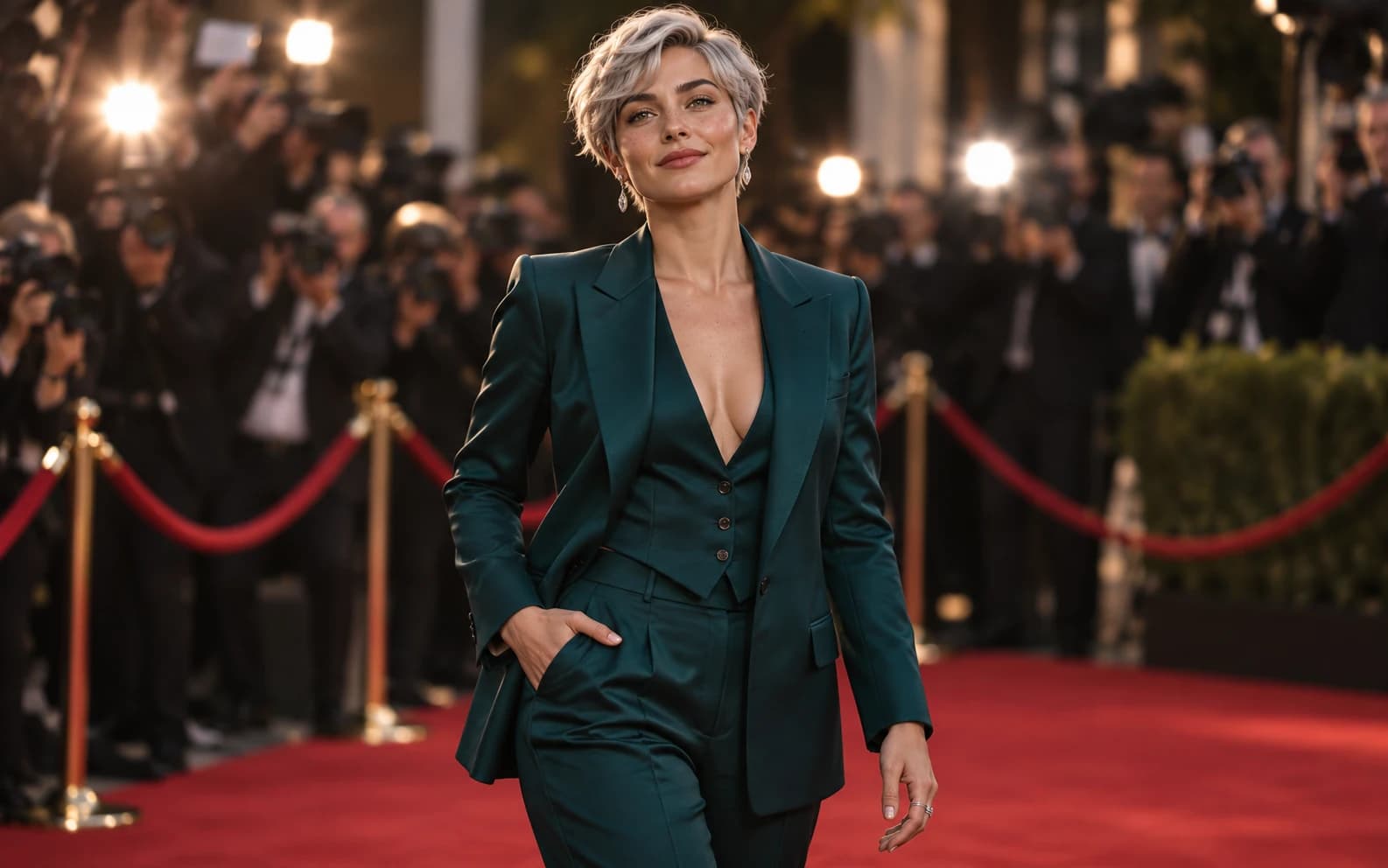
Create a fictional adult character in the visual language of a red-carpet portrait with Ofrai Image Studio. This workflow does not recreate a real celebrity's likeness or make an unauthorized photo with one. Describe an original person, wardrobe, venue and lighting, then review the generated image as a piece of invented editorial art.
New accounts include 1 free GPT Image 2.5 generation. Other models and video use credits.
Example prompts
Original fictional adult red-carpet guest with short silver hair and a deep teal tailored suit, arriving at an imaginary film festival, warm camera flashes, elegant editorial photography, three-quarter portrait, natural face and hands, no resemblance to any real celebrity, no logos or readable text.
Define the occasion without naming a star
Give the scene a fictional occasion, such as an imaginary film festival or awards reception. Specify that the subject is an original adult, then describe two or three distinctive features that do not point to a recognizable public figure. A silver haircut, tailored teal suit and relaxed expression are useful design instructions; a real actor's name or a request to duplicate their face is not. The point is the atmosphere of an event photograph, not a fabricated record of someone attending it.
Build a credible red-carpet composition
Choose a camera distance before adding decoration. A three-quarter portrait shows the face and outfit while leaving room for soft flash bulbs or a distant crowd; a full-body frame is better when the clothing is the subject. Keep the backdrop generic and ask for no real event marks, sponsor walls or logos. If the first image loses the hands or clips the outfit, widen the framing and leave more margin around the character.
Use fashion and light as the creative controls
Name one outfit, its fabric and a restrained palette. Pair it with a lighting direction such as warm flash on the face and a softer edge light on the shoulders. A prompt overloaded with jewelry, cameras and people can make the main character less readable. Generate a simple version first, then change one aspect at a time: suit color, camera height or background depth. Compare each result with the original brief rather than assuming more glamour details improve it.
Inspect the image before using it
Review the face, fingers, clothing seams and reflections at full size. Generated photography can produce inconsistent hands or invented text on signs and badges. Keep any event name or caption out of the image prompt and add exact wording later in a design tool. If a face unintentionally resembles a real person, revise the character description and choose another result instead of presenting the resemblance as a celebrity appearance.
Publish it as fictional editorial art
Use the finished picture for a moodboard, story character or clearly fictional campaign concept. Do not imply that a real celebrity endorsed a product, attended an event or posed with someone when they did not. If you want a portrait based on your own or another consenting adult's photo, use an authorized reference and check the result for identity drift; this page still does not provide a real-celebrity composite. Follow the chosen model's terms and label synthetic imagery where your publishing context requires it.
FAQ
- Can this recreate a real celebrity's face?
- That is outside this workflow. Create an original adult character and direct the red-carpet styling, lighting and wardrobe without copying a real person's likeness.
- Can it make a photo of me beside a famous person?
- No. This page is for a fictional red-carpet portrait, not an unauthorized celebrity composite or a fabricated meeting.
- Can I add a film-festival name to the backdrop?
- Add exact words later in a design tool. Image-model lettering can be wrong, and a generic fictional backdrop avoids suggesting affiliation with a real event.